02 / A PRACTICAL WORKFLOWSTART WITH YOUR PHOTO
01Define the print and preserve its source artwork
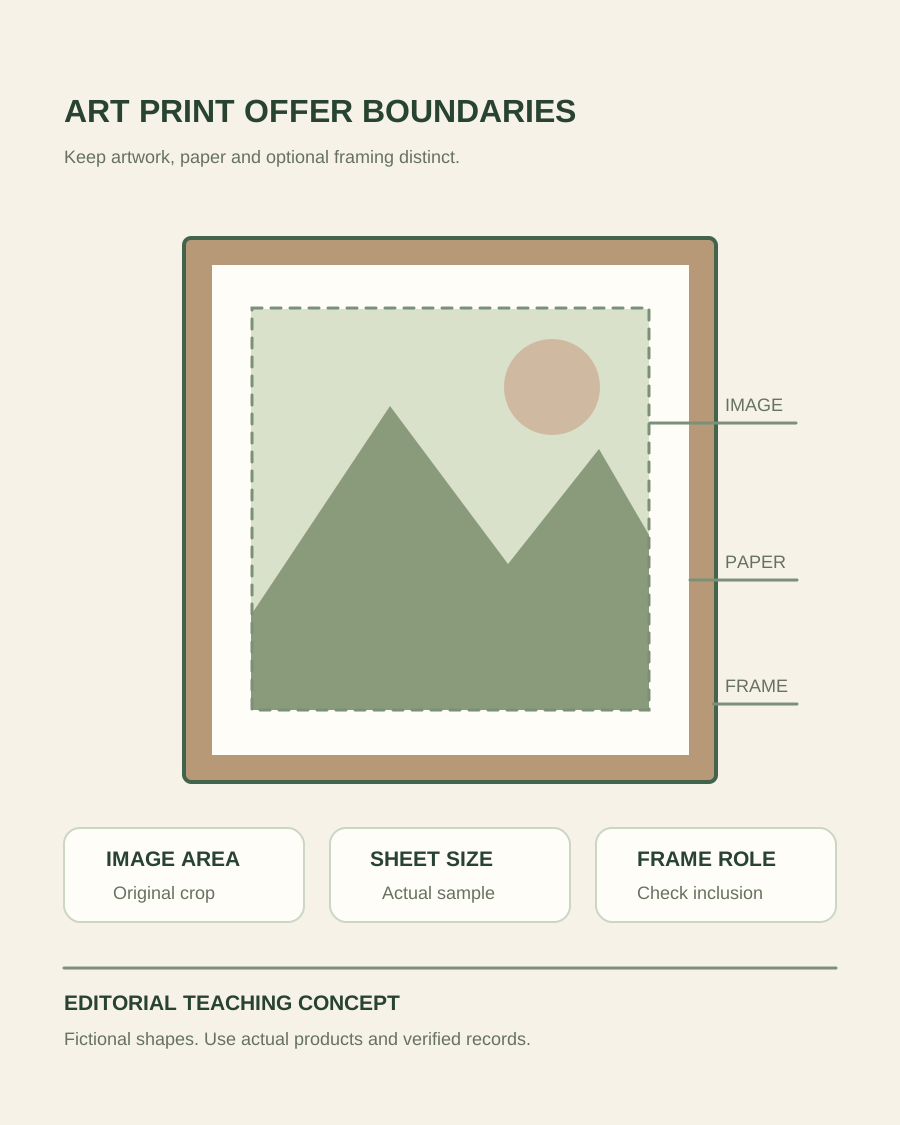
Identify whether the listing sells a download, an unframed physical print, a mounted print or a framed piece. Record the artwork revision, print dimensions, image area and border information for each option. Keep the supplied artwork file as the authority for its composition. A room presentation with an attractive frame can confuse the offer if the customer receives only a sheet or a download, so align the image context with the listing’s actual deliverable.
Printful’s own art-selling guidance distinguishes uploading artwork from obtaining a manufactured sample. For your product, inspect a real sample when paper appearance, print color or trimming is part of the buying decision. Do not imply that a digital source preview certifies the physical result. Keep the necessary permission to photograph and present the artwork with the project record, and use your own or otherwise authorized imagery rather than copying a competitor’s room presentation.
Picture Frame Product Photography — Show the real picture frame profile, opening, mount and rear hardware.
Capture the paper, crop and included framing
Make a clear straight view of the actual print with the paper edges visible where they explain the border. Align the camera deliberately and inspect the rectangle instead of relying on a casual wall angle to establish shape. Add a genuine detail view of the paper surface or edge and a real scale reference appropriate to the format. A tiny texture thumbnail cannot establish the whole print’s finish, so pair detail with an identifiable full view.
If the print is behind glass, test the angle and lighting so reflections do not hide the artwork. Keep a separate factual artwork view if a styled room view leaves glare. For a frame included in the purchase, photograph its true profile, color and relevant hardware; for an optional frame, make that status clear in nearby offer information. Compare each size variant’s crop, because changing the aspect ratio can remove part of the composition. Do not stretch an artwork rectangle merely to make it fit a convenient mockup.
- Keep the printed image area and the full sheet size distinct.
- Show actual framing only when its relationship to the offer is explicit.
Keep generated room scenes from changing the artwork
A room scene can help explore a visual direction, but Fayvoro does not place an artwork file as an exact editable layer. An attempt can alter the image, crop, frame or apparent size. Start with a clear photo of your actual print and request restrained surroundings; keep the factual print view and the source artwork separately available. If an exact mockup is required, use a suitable workflow that retains the original artwork rather than expecting a generative prompt to lock it.
Inspect the candidate at a size where the artwork is readable. Compare marks, colors, signature, composition, borders and frame corners with the real source. Reject a changed illustration or invented edition number, even if the room looks appealing. Treat text-generated wall art as an imaginary concept rather than a sample of your manufactured print. At export, maintain separate filenames for the artwork file, real sample photo and reviewed scene so a store operator can recognize their different roles.