All product image guides Product mockup vs photography

Choose the image method for the question.

A design preview can explain planned artwork, while a real photograph can document a manufactured item. A generated scene can explore setting and mood. Name the evidence the buyer needs before choosing among them.

Explore one secondary product scene Two free credits when you sign up. Review the result before publishing.
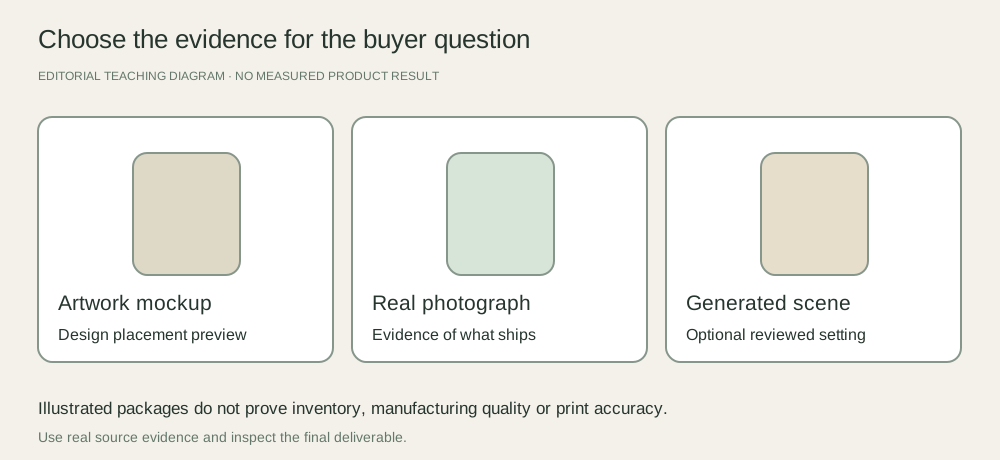
Three deliverables compared: editable artwork mockup, photograph of the actual manufactured product and optional generated secondary scene
EDITORIAL CONCEPT
01 / EXAMPLEILLUSTRATIVE CONCEPT
What this shows

A design preview is a different kind of evidence.

The mock package shapes are illustrative. They do not document a manufactured SKU, print finish, or tested generation.

Three deliverables compared: editable artwork mockup, photograph of the actual manufactured product and optional generated secondary scene
Editorial conceptOriginal teaching diagram. It is not a generated product image, a customer example, or a measured test result.

This image is an editorial concept made for the site. It is not a Fayvoro generation or customer result. AI can change product shape, color, packaging, labels, and text. Check every important detail against the real item.

02 / A PRACTICAL WORKFLOWSTART WITH YOUR PHOTO
01

Use a mockup to discuss the artwork

A template can position a supplied design on a depicted package, book or garment. Adobe’s print-mockup tutorial uses a Smart Object so artwork can remain editable inside the composition. The visual can help a team compare placement and direction before production.

Record the template source, artwork revision and what is simulated. Do not infer paper stock, stitching, ink behavior or manufacturing tolerances from a polished preview. If the product is not yet made, say so in the presentation rather than implying the mockup is inventory photography.

Art prints, samples and framing — Keep source artwork, actual paper and optional frame roles separate when presenting a print.

02

Use real photographs for what ships

Photograph a real sample or stocked item when the buyer needs the actual shape, material, finish, variant or condition. Include detail and scale evidence where useful. A prototype photo should be identified as a prototype if the shipping version may differ.

For a print-on-demand or custom item, explain what the preview represents and verify the production workflow with a physical sample when feasible. This guide does not approve any marketplace’s mockup policy or guarantee that a template matches the supplier’s manufactured product.

3D Printed Product Photography — Photograph real 3D printed items with visible layer lines, support-contact areas, seams and supplied parts.

03

Use a generated scene for a separate creative job

A photo-reference scene can explore atmosphere around a product, but it may alter the item. A text-only output illustrates a concept and is not evidence that inventory exists. Keep the real reference beside any generated result and review factual detail before publishing.

Fayvoro does not provide editable PSD mockup layers, artwork placement guarantees or print proofs. If exact artwork placement is the job, use a suitable template/editor and verify the manufactured outcome. If the job is an additional setting, a reviewed scene can be a candidate alongside the factual gallery.
Practical decision worksheet

Match the image to the evidence

Choose by the question the image should answer, then document what remains unverified.

Need or findingNext actionEvidence to check
Where should this artwork go?Use a clearly identified editable mockup or design preview.Artwork revision and template assumptions are recorded.
What material and finish will ship?Photograph the actual manufactured sample or stocked SKU.The item and final production version are known.
What atmosphere might suit the brand?Explore a labeled concept or reviewed secondary scene.It is not presented as inventory or manufacturing proof.
Does this print reproduce accurately?Review an appropriate actual print/sample workflow.A screen mockup is not treated as a production proof.

Use the worksheet in your existing capture, editing or storefront workflow. Fayvoro’s scene studio is a separate optional step and does not perform the editing or platform actions described here.

Direction to try

A useful starting note.

Use this as a starting point, then adjust it for your own product. No prompt can guarantee exact product details.

Explore one secondary setting from my photo of the actual manufactured product. Keep my factual photos and artwork proof separate. I will compare shape, print, finish and selected variant before using the generated scene.
Before you publish

Check the details.

  • The buyer question and required evidence are stated.
  • Mockup, prototype, stocked item and generated concept are identified accurately.
  • Artwork revision and template assumptions are recorded.
  • Manufacturing and product facts are checked with real evidence.
Common questions

A few things to know.

Can a mockup replace every product photograph?

It depends on what buyers need to verify and the destination rules. A design preview does not document actual manufacturing quality, condition or material.

Does Fayvoro apply my artwork as an editable layer?

No. The studio generates flat image candidates. It does not offer editable mockup layers or exact artwork placement.

Is a text-generated product an actual sample?

No. It is an illustrative concept unless independently tied to a real product. Do not present it as stocked inventory or a manufacturing test.

Make your image
with intention.

Explore one secondary product scene