All product image guides Glass product photography

Let the buyer see where the glass begins.

Clear glass can disappear against a light background, while reflections can suggest a different color or shape. Plan the image around the actual outline, tint, rim and base. A beautiful glow is useful only when the shopper can still identify the glassware and the exact item or set being sold.

Explore a scene from your glassware photo Two free credits when you sign up. Review the result before publishing.
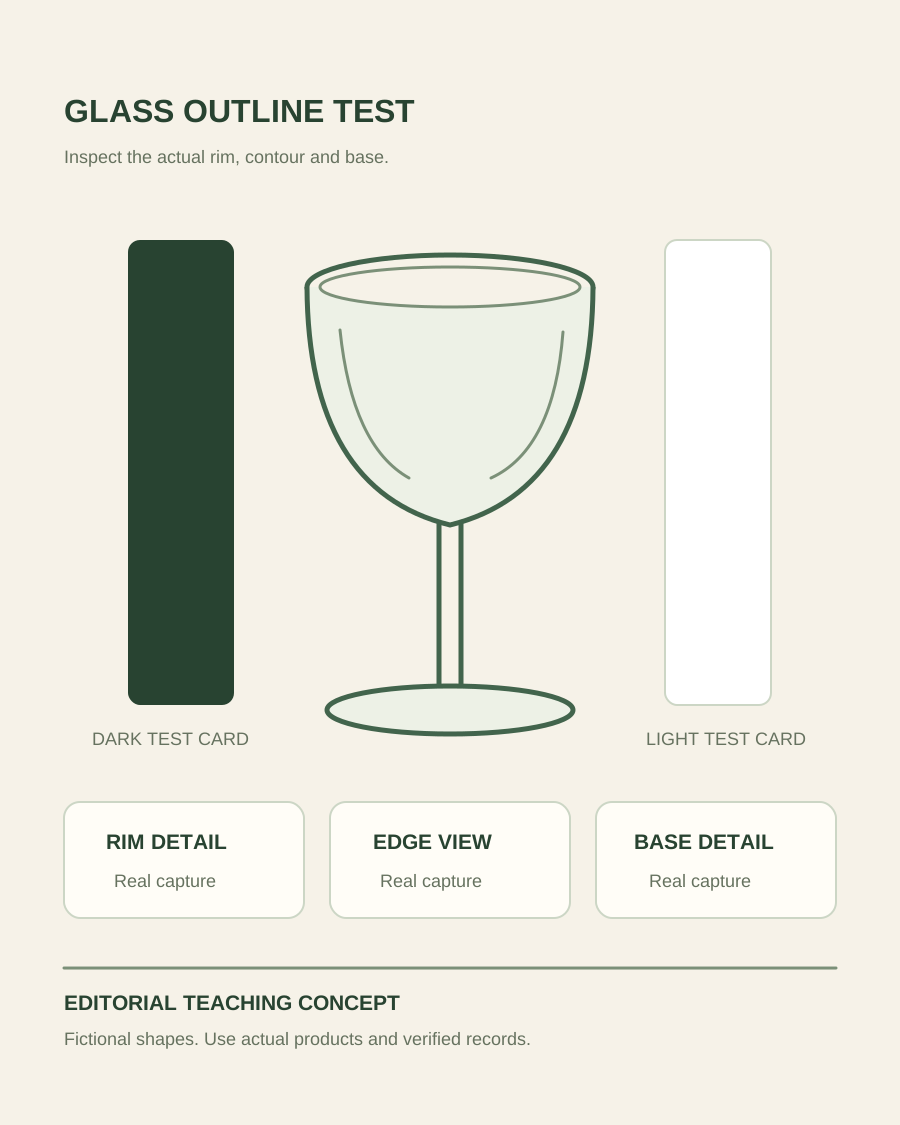
Teaching illustration of a clear glass outline beside separate edge, rim and base inspection areas
EDITORIAL CONCEPT
01 / EXAMPLEILLUSTRATIVE CONCEPT
What this shows

An edge test and a detail record have different jobs.

The drawing marks where to inspect the outline and construction. It does not model refraction or demonstrate accurate glass rendering. Use real frames to decide which setup makes your actual product readable.

Teaching illustration of a clear glass outline beside separate edge, rim and base inspection areas
Editorial conceptOriginal teaching illustration made for this guide. It is not a product photograph, Fayvoro generation or customer result. Colored cards indicate possible lighting tests, not measured light paths or generated glass variants.

This image is an editorial concept made for the site. It is not a Fayvoro generation or customer result. AI can change product shape, color, packaging, labels, and text. Check every important detail against the real item.

02 / A PRACTICAL WORKFLOWSTART WITH YOUR PHOTO
01

Define the glass item before lighting it

Record whether the offer is one tumbler, a matched pair, a mixed collection or a replacement component. Photograph the correct quantity for the relevant view, and keep a single-item identity image when shoppers need to compare variants. Distinguish the glass’s own tint from colored liquid, a warm room or a backdrop reflected through it. A filled glass is a separate styling decision, not a substitute for showing the empty product that ships.

Inspect the actual rim, stem, joins and base before capture. Remove fingerprints or loose dust with a suitable method, but preserve real condition when selling a used or individual object. Take genuine close-ups of a chip, etched mark or feature that matters. If the item is translucent rather than clear, record that distinction in the source notes. Do not infer material composition, heat resistance or dishwasher suitability from the appearance of the image.

Plan water bottle product photographs — Photograph water bottle lids, mouth openings, straw parts and actual capacity information. Explore a secondary bottle scene without inventing leak or insulation evidence.

02

Test edge separation without losing the real surface

Stabilize the camera and product, then make a baseline with a simple background. Try a light or dark card outside the product area and compare how the silhouette appears. Change one placement at a time, keeping the original test frames so the chosen result can be traced to a real setup. Inspect the rim and stem at useful viewing size, rather than deciding only from a small thumbnail. This is an experiment for your object, not a universal lighting diagram.

Watch for recognizable reflections of the camera, room and nearby objects. A larger diffused source may change the highlight, but it does not automatically remove every reflection. Adobe’s original virtual-photography article describes reflection control as a substantial task in real still-life capture; its 3D discussion does not establish capabilities in Fayvoro. Keep highlights that help explain thickness and curvature, and reshoot a view that obscures an essential feature instead of erasing evidence indiscriminately.

  • Compare empty-glass identity, rim detail and base detail separately.
  • Keep reflected surroundings from being mistaken for the product’s own color.

Plan storage jar product photographs — Photograph storage jar body, opening, real lid and seal components. Keep capacity, closure and food-storage claims separate from pantry scene concepts.

03

Separate supporting scenes from construction claims

For a dinner-table or shelf scene, give Fayvoro one clear reference photo and describe a restrained setting. Avoid asking for an invisible back edge, a perfectly matched pair or a specific optical simulation. A text-only description can explore imaginary glassware, but it cannot record inventory. Label a concept accordingly and retain the real source image when buyers are selecting a particular shape or finish.

Check whether the candidate changes rim thickness, stem length, base diameter, tint, engraving or item count. Also inspect unexpected liquid, bubbles and reflections: these can imply contents or surface features that do not belong to the offer. Fayvoro does not promise exact transparency, refraction or repeated-glass consistency. If the outline cannot be compared reliably, use the real photograph and revise the lighting or styling setup. Store the selected source and the reviewed candidate under different names so later exports do not blur the distinction.

Direction to try

A useful starting note.

Use this as a starting point, then adjust it for your own product. No prompt can guarantee exact product details.

Use my clear photo of this single empty glass item for one supporting table scene. Leave the rim, stem and base unobscured. Do not add liquid, engraving or another glass. I will review the generated outline, transparency and reflections against the real source.
Before you publish

Check the details.

  • Item identity and the sold quantity are clear.
  • Actual tint is distinguished from liquid and reflected surroundings.
  • Rim, stem and base have genuine inspection views.
  • Generated edges, markings and additional contents pass a source comparison.
Common questions

A few things to know.

Does a dark outline mean the glass itself is dark?

Not necessarily. An edge can reflect or transmit its surroundings. Keep a neutral factual view and accurate product information rather than letting one dramatic lighting setup define the claimed color.

Can I use generation to reveal the unseen back of an etched glass?

A generator may invent a plausible design. Photograph the real reverse or rotate the actual object when the engraving or construction needs to be established.

Can Fayvoro make a guaranteed identical set of glasses?

No repeated-item or exact optical consistency is promised. For a set, use genuine contents photographs and verify every visible item in any supporting scene.

Make your image
with intention.

Explore a scene from your glassware photo