All product image guides Food packaging product photography

Show the pack before suggesting the serving.

A food pack, its contents and a prepared serving answer different questions. Record the exact package and information panels before exploring a campaign scene. A generated meal or a convincing label cannot establish what is inside the supplied pack, its ingredients or the wording customers will read.

Explore a scene beside your real pack images Two free credits when you sign up. Review the result before publishing.
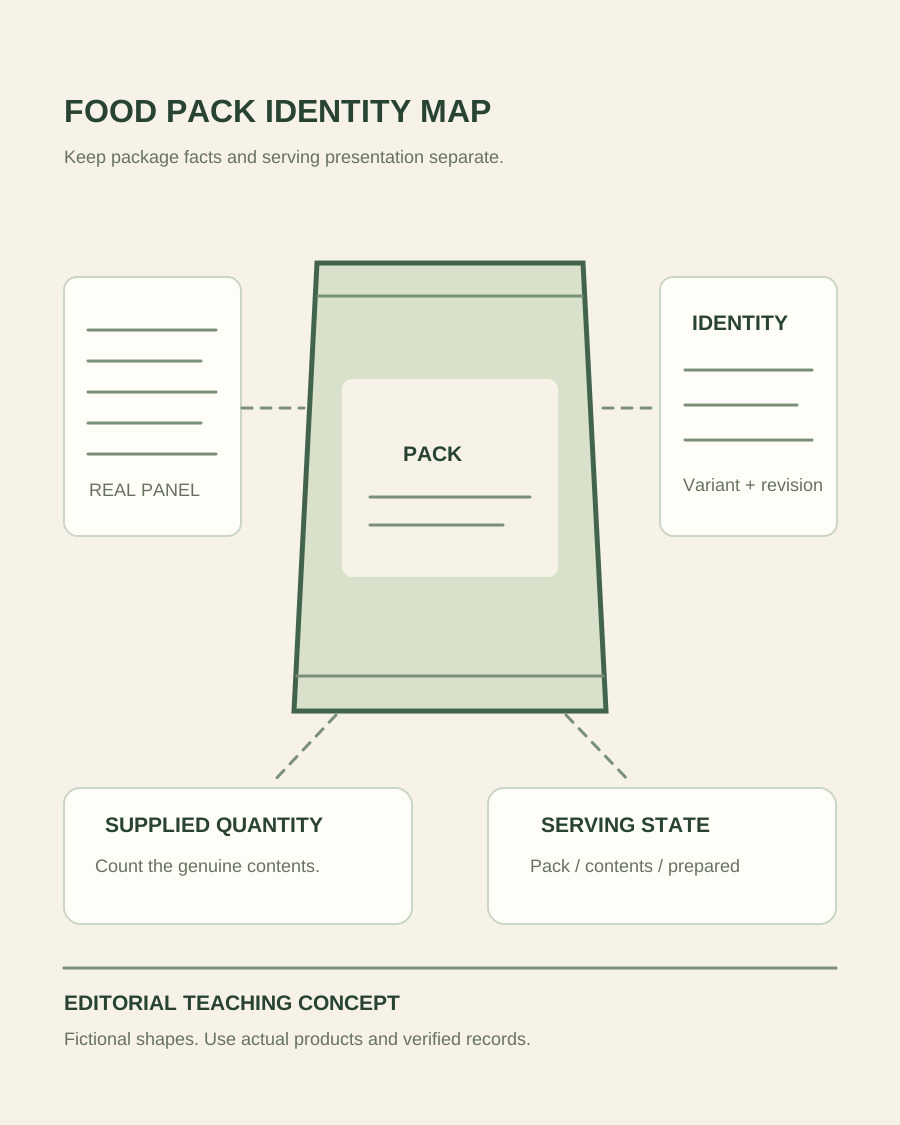
Teaching illustration connecting a packaged-food identity view to real back-panel, quantity and serving-state records
EDITORIAL CONCEPT
01 / EXAMPLEILLUSTRATIVE CONCEPT
What this shows

Package identity and serving state need separate records.

The map distinguishes the product as sold from information panels and a serving presentation. It is not a photograph of food inventory or proof that generation preserves package text or prepared contents.

Teaching illustration connecting a packaged-food identity view to real back-panel, quantity and serving-state records
Editorial conceptOriginal teaching illustration made for this guide. It is not a product photograph, Fayvoro generation or customer result. The pack and panel lines are placeholders. They contain no real ingredients, nutrition values, barcode or food-safety information.

This image is an editorial concept made for the site. It is not a Fayvoro generation or customer result. AI can change product shape, color, packaging, labels, and text. Check every important detail against the real item.

02 / A PRACTICAL WORKFLOWSTART WITH YOUR PHOTO
01

Start with the exact consumer pack

Identify the correct product variant, package size, market and current artwork revision before capture. Photograph the consumer pack the buyer actually receives, rather than a wholesale case or an obsolete prototype. Show enough of the physical package to make the shape understandable, and keep real front, side and back views when their information matters. If the offer is a multipack, retain a genuine quantity and contents record instead of relying on a decorative stack.

Keep net-content wording and other product details with the approved source record. A generated package can quietly change a count, flavor name, volume or certification-like mark. Check the real source before selecting any image, and do not assume a generic pack template is suitable for several different flavors. Tie every image filename to the correct product and artwork revision so the store operator can replace outdated packaging deliberately when the supplied product changes.

Chocolate Product Photography — Show the real chocolate selection, decoration and a separately photographed cut filling.

02

Give the information panels readable original views

Make a separate, clear photograph or authorized source image for the actual ingredients and other required product information panels. Avoid glare, folds or a perspective that makes the print unreadable. Inspect the exported file at a useful reading size, not only in the camera preview. Do not reconstruct hidden wording from neighboring text or ask a generator to infer a nutrition table. Resolve missing or unclear information with the product owner and the relevant approved records.

GS1’s product-image specification treats packaging information views, including ingredients and nutritional panels, as distinct image records. This guide uses that distinction to organize a shoot; it does not certify compliance with a retailer’s full specification. Keep the actual labels authoritative. For a website gallery, pair the readable panel with the identifiable pack view so shoppers know which item the information describes. A decorative campaign image should not become the only place a buyer can look for important package facts.

  • Keep the actual front, information panels and variant identity connected.
  • Do not replace missing label evidence with generated typography.

Beverage Can Product Photography — Plan beverage can photos with a readable real label, correct can format and separate cold-serving styling. Keep condensation scenes apart from formulation and performance evidence.

03

Separate the supplied food from a serving presentation

Decide whether each image shows a sealed pack, genuine unpackaged contents, a prepared product or a serving suggestion. Capture the real contents and preparation when those are the facts being shown. Added garnishes, bowls, utensils or accompaniment can imply that more is included than the product supplies. Record the styling role and keep a factual pack or contents view beside a contextual scene. Do not use an imagined meal to demonstrate the yield or appearance of the actual food.

For a supporting Fayvoro scene, start with one clear photo of the correct pack and request simple surroundings without invented food, labels or badges. Review the shape, closure, flavor, quantity, panel text and marks against the source. Fayvoro does not promise exact typography or a faithful reconstruction of prepared contents. If the candidate changes package information or makes an unsupported ingredient implication, reject it and use a genuine photo. Retain provenance and the final file role so a later export cannot turn a creative concept into the product’s factual record.

Tea Product Photography — Show loose-leaf tea dry appearance, the offered package and a separate real infusion.

Direction to try

A useful starting note.

Use this as a starting point, then adjust it for your own product. No prompt can guarantee exact product details.

Use my photo of this exact sealed consumer pack for one restrained supporting scene on a plain kitchen surface. Do not change package wording, flavor, closure, quantity or marks, and do not add prepared food. I will retain original pack and information-panel photographs and reject any altered candidate.
Before you publish

Check the details.

  • The actual consumer pack, size, variant and artwork revision are identified.
  • Information panels remain readable and tied to their genuine source.
  • Pack, contents, preparation and serving suggestion are distinguished.
  • Generated text, quantities, marks and ingredient implications are checked against the source.
Common questions

A few things to know.

Can AI reconstruct an unreadable nutrition panel?

It can invent plausible text and numbers, which do not establish the actual product information. Obtain a clear real photograph or the authorized approved panel source instead.

Should a serving suggestion replace the pack image?

They have different roles. Keep an identifiable factual pack and contents record, and make the relationship between prepared food, added accompaniments and what is supplied clear.

Does this guide certify retailer image compliance?

No. It provides an image-planning workflow. Check the specific retailer’s current requirements and your approved product information separately; Fayvoro output and this worksheet are not a compliance certificate.

Make your image
with intention.

Explore a scene beside your real pack images