PRODUCT STORIES / A CREATIVE GUIDE

Product Packaging Photography

Tie the closed pack, opening and delivered contents to one revision.

An unopened package, a styled unboxing and the delivered contents are different views of one offer. Record the current assembly so a buyer can tell what arrives and which decorative pieces are only atmosphere.

Sign up for 3 free credits · Your starting direction is included.See the example
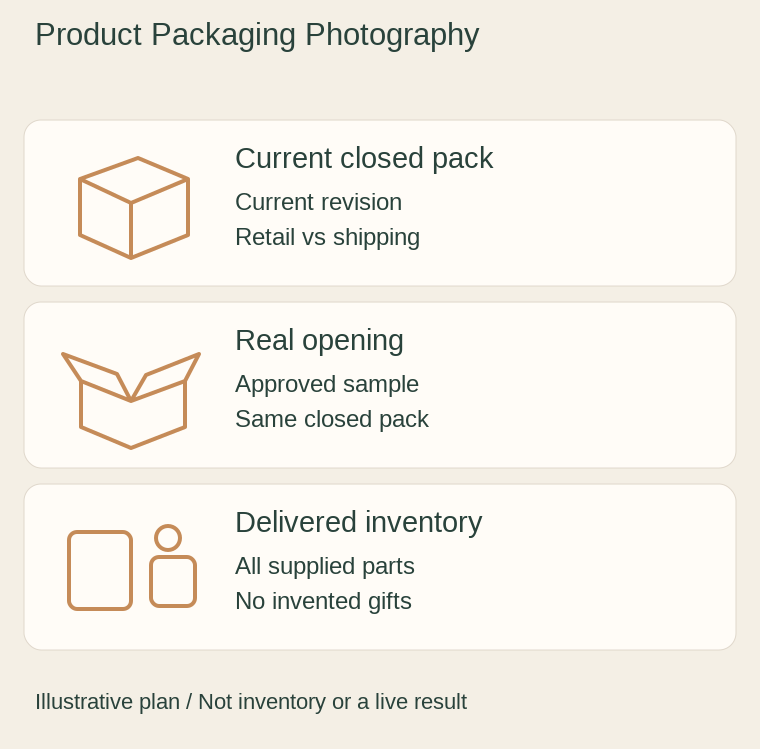
Original illustrative plan: Current closed pack, Real opening, Delivered inventory.
EDITORIAL CONCEPT
01 / EXAMPLEILLUSTRATIVE CONCEPT
What this shows

Give each view a specific job.

Use this illustrative plan to organize real evidence and a separate optional scene. The drawn objects and quantities do not specify the item you sell.

Original illustrative plan: Current closed pack, Real opening, Delivered inventory.
Editorial conceptOriginal teaching diagram. It is not a photograph of inventory, measured specification, live Fayvoro result or customer case.

This image is an editorial concept made for the site. It is not a Fayvoro generation or customer result. AI can change product shape, color, packaging, labels, and text. Check every important detail against the real item.

YOUR STARTING IDEA

Take the direction. Make it your own.

Use my actual current closed retail-package photo for one simple tabletop scene. Add no ribbon, seal, label, insert or extra contents absent from the source. I will compare the complete package and current revision with the original.
Add your reference photo in the studio, then adjust the direction.
Before you publish

Compare the result with your real product and your destination’s requirements.

  • The photographed SKU and package revision are recorded.
  • Retail package, shipping carton and optional gift wrap are distinguished.
  • Closed, opened and inventory images show the same real sample.
  • A generated scene does not invent assembly, contents or protection evidence.
02 / A PRACTICAL WORKFLOWSTART WITH YOUR PHOTO
01

Define which package the image describes

Write the current SKU, packaging revision and sale unit before the shoot. Distinguish the retail package from a shipping carton, gift-wrap upgrade and photographic prop. Photograph the closed retail state with its actual label, seal and opening tab visible where relevant. If multiple revisions remain in stock, state the actual fulfillment arrangement rather than showing only the newest design.

Keep the packaging layout tied to the product inside. A hero box carrying a different size, colour or pack count can create the wrong expectation even if its branding looks similar. Use a real label detail for barcode, quantity and important wording; a generated package face is not proof of printing accuracy.

Lip Balm Product Photography — Clarify tube versus tin, actual sale pack, net quantity and packaging edition; photograph the actual unaltered ingredient label without inventing balm-health or scent performance.

02

Make a real closed-to-contents record

Use an approved sample if opening the package changes its saleable state. Record the same pack closed, opened and with the supplied contents laid out. Keep the insert, protective material and accessories in their actual locations for the assembly record, then make a separate tidy inventory for recognition.

Shopify’s packaging guide explains the roles of protection and the opening experience. It does not establish the contents or protective performance of your package. Do not use a photograph as evidence of drop resistance, environmental certification or a universal damage-free delivery promise. Keep those claims tied to their own product records.

03

Use a concept for surroundings rather than assembly facts

Start one Fayvoro scene trial from the approved closed-pack photograph. It creates a flat candidate, not a packaging dieline, a physical folding sequence or a precise open-box reconstruction. Compare seams, closure, printed text and pack proportions with the real current package.

Retain the real opening and contents record as the factual gallery. Reject extra ribbons, inserts, gifts or labels that change the offer. If the project is an unmanufactured packaging idea, label it as a concept and keep it separate from photographs of available inventory. Preserve the source and final revision in the handoff so an old image is not reused after packaging changes.

Common questions

A few things to know.

Can AI show the inside of a closed box?

It can invent an interior, but it cannot establish what is actually supplied. Photograph an approved real open sample.

Should shipping materials appear in the listing?

Show them when they answer a real buyer question, and identify their role separately from the retail package and sale contents.

Can Fayvoro produce a print-ready packaging dieline?

No dieline, exact label layout or fold/assembly output is offered here. This workflow explores a reviewed flat scene only.

Make your image with intention.