02 / A PRACTICAL WORKFLOWSTART WITH YOUR PHOTO
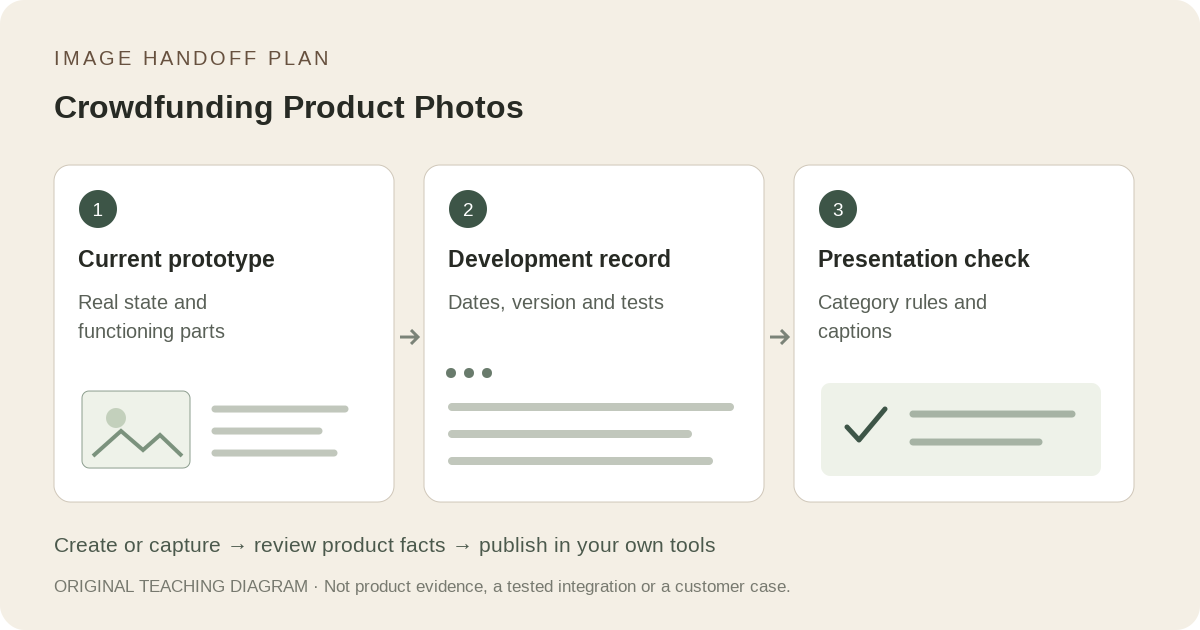
01Document the actual stage
Photograph the current prototype, identify its version and capture the parts that work now. Describe missing functions or materials in nearby text. A beauty photograph alone cannot establish whether hardware performs as promised. Keep real demonstration footage and test evidence in the campaign workflow when functionality is the claim.
Review the campaign category before using a concept
Kickstarter’s honest-presentation guidance requires working prototypes for complex hardware and rejects misleading imagery. Its prototype guidance distinguishes useful design documentation from realistic renderings that can confuse backers about the current state. Check the current category rules rather than assuming a “concept” caption makes any photorealistic image eligible.
Keep generated direction in the right place
Fayvoro can explore internal mood or composition from an uploaded image, or an illustrative idea from text. It cannot prove engineering, create a working prototype or make a prohibited rendering acceptable. For campaign evidence, use real photographs of the current prototype. Only use concept material in a place and form expressly permitted by the platform.
Review the project image and captions together
Inspect the campaign thumbnail and full page. Check that the header does not make an unfinished product look shipped, and that each development image identifies its stage. Archive the reviewed image, version and policy source before submitting. Funding, platform review and eventual delivery remain separate from image generation.