All product image guides Furniture product photography

Help buyers picture it and measure for it.

A furniture scene can inspire a room without telling a buyer whether the piece fits. Build a gallery that answers footprint, useful openings, finish and construction before exploring an AI room setting. A generated room is not a scale drawing, an installation check or evidence of the furniture’s actual dimensions.

Explore one supporting furniture scene Two free credits when you sign up. Review the result before publishing.
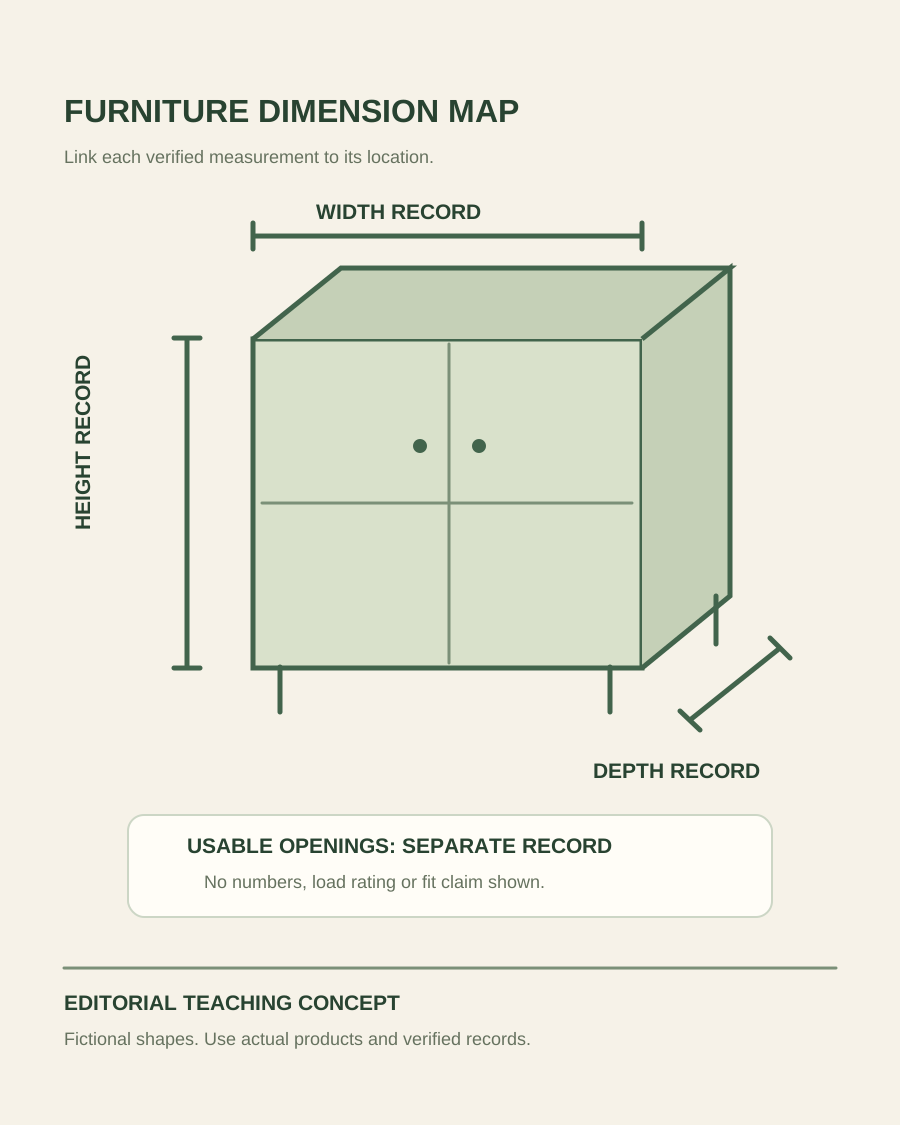
Teaching illustration of a furniture outline linking width, height and depth to separate real dimension records
EDITORIAL CONCEPT
01 / EXAMPLEILLUSTRATIVE CONCEPT
What this shows

A measurement needs a visible location.

This schematic distinguishes the overall footprint from usable interior openings. It is not a dimensioned drawing of a stocked product and does not show a verified room-size simulation.

Teaching illustration of a furniture outline linking width, height and depth to separate real dimension records
Editorial conceptOriginal teaching illustration made for this guide. It is not a product photograph, Fayvoro generation or customer result. The arrows identify measurement roles only. No numerical dimensions, load rating or room fit is asserted.

This image is an editorial concept made for the site. It is not a Fayvoro generation or customer result. AI can change product shape, color, packaging, labels, and text. Check every important detail against the real item.

02 / A PRACTICAL WORKFLOWSTART WITH YOUR PHOTO
01

Attach the right measurements to the right parts

List the exact furniture model, size and finish before the shoot. Record verified overall width, height and depth, then identify the additional measurements a buyer needs: a shelf opening, seat height, drawer interior or relevant clearance. Use the actual product’s specifications or measurements with their source retained. Avoid attaching a number to an attractive view when it is unclear which two points that number describes.

Baymard’s original furniture research recommends dimensions images that connect measurements visually to the corresponding parts. Apply the principle to your specific piece: keep arrows and values in a deliberate factual graphic made from verified data. Record units consistently and check the final exported file for legibility. A room photo can support the gallery but cannot replace a measurement record. If assembled and packaged dimensions differ, keep them separate rather than presenting one as the other.

  • Separate outside dimensions, useful openings and packaged measurements.
  • Keep the dimension graphic tied to the exact model and variant.

Woven Basket Product Photography — Show a woven basket’s actual opening, handles, base and handmade variation.

02

Show construction and finish without hiding the product

Capture a whole piece from an angle that shows the important structure, followed by the back or underside when relevant. For a cabinet, add a real open view of the compartments; for a chair, show the seat, support and joins; for a table, reveal the top edge and legs. Photograph genuine hardware or supplied pieces where assembly details affect the offer. Keep cushions, room decor and optional components out of a factual contents view unless they are included.

Take a finish detail on the actual variant under a repeatable light setup. Do not recolor one wood finish and use the result as evidence of another. Grain and surface variation may matter for a specific piece, so keep real close-ups and appropriate product copy. A photograph can show a join or surface but cannot establish a load rating, composition or durability claim by itself. Use verified product information for those facts and a real photo to locate the relevant construction.

Cushion Cover Product Photography — Show the actual cushion cover, zipper, front and reverse, then identify any separate insert used for styling.

03

Review room inspiration as a separate creative deliverable

Choose a clear source photo with the full furniture outline visible and request one simple supporting room scene in Fayvoro. Describe the room’s light and mood while avoiding a promise of exact real-world placement. The current studio creates flat image candidates; it is not an AR placement tool, a furniture configurator or a calibrated perspective and scale engine. Keep the actual dimension graphic and real construction images available in the gallery.

Compare leg count, door panels, handles, joins, upholstery, grain direction and visible openings against the source. Look for invented storage, changed proportions or decor that obscures a feature. Reject a scene that makes the offer look like a larger modular set or implies included accessories that do not ship. If buyers need to evaluate their own doorway, wall or room, provide the genuine measurements and relevant product information instead of treating a generated interior as confirmation that it will fit.

Direction to try

A useful starting note.

Use this as a starting point, then adjust it for your own product. No prompt can guarantee exact product details.

Use my photograph of this exact furniture model and finish for one supporting room scene. Keep the full outline, legs and hardware visible, with minimal decor. Do not add modules or change the doors or upholstery. I will retain verified dimension graphics and compare the candidate with the real product.
Before you publish

Check the details.

  • Dimensions identify the correct part, unit and furniture variant.
  • Overall, useful interior and packaged measurements are separated.
  • Finish, hardware and included components have real sources.
  • A generated room scene is not used to certify fit or construction.
Common questions

A few things to know.

Can an AI room image tell a buyer whether furniture will fit?

No. A generated room can change perspective and proportions. Use verified measurements linked to the furniture’s parts, and let the buyer compare them with their actual space.

Can I generate all finish variants from one furniture photo?

Generated recoloring is not evidence of a stocked finish. Photograph the real variants and retain accurate surface information before reviewing a creative scene for each one.

Does Fayvoro support furniture configuration or AR placement?

The current studio creates a flat image candidate from a photo or description. It does not provide an editable furniture configurator, a measured room model or an AR fit check.

Make your image
with intention.

Explore one supporting furniture scene