All product image guides Zipper Pouch Product Photography

Show what a pouch holds without hiding what is actually inside.

A filled pouch can look larger or more structured than the empty item a buyer receives. Make the empty shape, opening and lining easy to inspect, then label a separate real loading example before exploring a scene.

Explore a scene from your zipper pouch photo Two free credits when you sign up. Review the result before publishing.
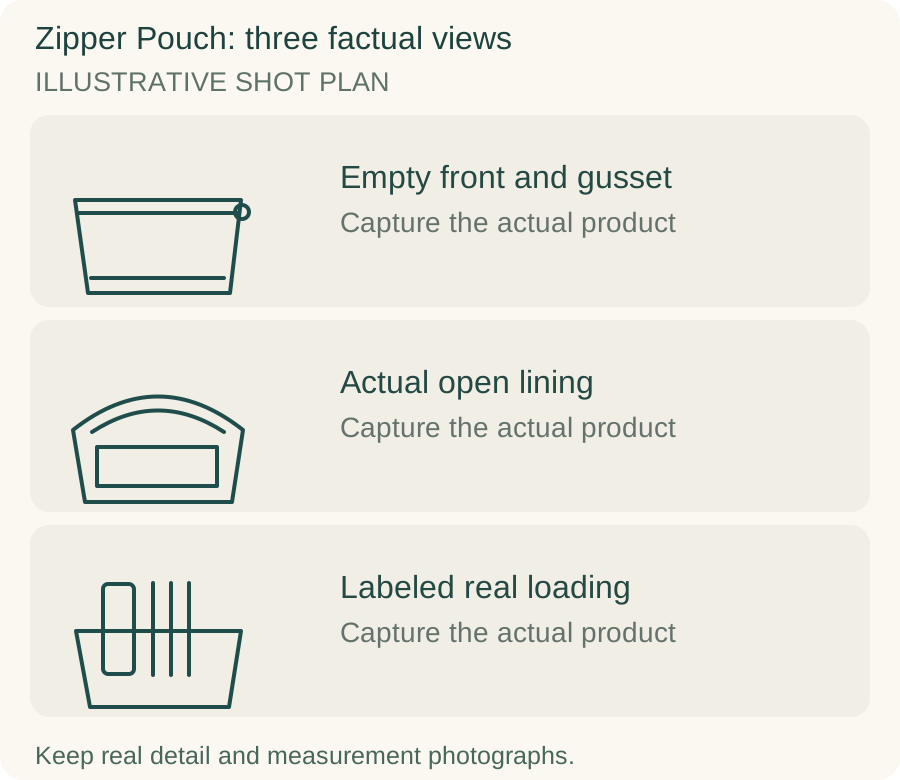
Original teaching diagram for zipper pouch: Empty front and gusset, Actual open lining, Labeled real loading
EDITORIAL CONCEPTOriginal illustrative shot plan. These outlines are not photographs of stock, measured technical drawings, a Fayvoro output or a customer example.
01 / EXAMPLEILLUSTRATIVE CONCEPT
What this shows

Three different jobs for a zipper pouch gallery.

Use the empty front and gusset, actual open lining and labeled real loading panels to plan separate actual-product captures. The teaching outlines contain no observed dimensions, verified specifications or tested performance. They do not replace your real photographs.

Original teaching diagram for zipper pouch: Empty front and gusset, Actual open lining, Labeled real loading
Editorial conceptOriginal illustrative shot plan. These outlines are not photographs of stock, measured technical drawings, a Fayvoro output or a customer example.

This image is an editorial concept made for the site. It is not a Fayvoro generation or customer result. AI can change product shape, color, packaging, labels, and text. Check every important detail against the real item.

02 / A PRACTICAL WORKFLOWSTART WITH YOUR PHOTO
01

Keep empty and filled silhouettes distinguishable

Photograph the actual pouch empty from the front, side and base. For a soft pouch, let it relax naturally instead of inserting a form that permanently suggests rigidity. Take a separate filled view only after the empty construction is documented. Bellroy describes different flat and loaded states for its pouch design; your product needs its own truthful state record.

Show the gusset or boxed corners, zipper ends and pull in detail. Record the selected fabric and lining as one variant. A pouch can share a printed exterior with another version while having a different base or interior. For patterned fabric, photograph the actual placement on stock or explain that placement varies instead of showing one ideal crop as universal.

02

Make the opening and internal layout visible

Open the zipper and photograph the actual lining without stuffing the interior with unrelated objects. Add a closer view of internal pockets or separators when present. Keep the zip track readable at its ends. If the opening is narrower than the body, document that distinction rather than treating exterior width as usable access width.

Use real measurements for the offered body size and any relevant opening width. For a loading example, use actual items and list them in the caption so the buyer understands the setup. Do not imply that pens, cosmetics or cables are included when they are styling props. A familiar object in a generated pouch does not establish fit or useful volume.

03

Explore a scene with construction still visible

Choose a clear real source of one pouch to explore a desk or travel still life in Fayvoro. Do not ask a scene to invent the hidden lining or contents. The generator does not calculate capacity or test a coated zipper’s resistance to water. Preserve the real empty, open and loaded photographs as distinct parts of the gallery.

Inspect the zip path, seam direction, pull count, base shape and print placement in the candidate. Watch for extra pockets and a soft body that has become stiff. If a scene includes an object emerging through a closed zipper, reject it. Keep material and water-resistance claims tied to actual specifications rather than a glossy surface or imagined droplets.
Direction to try

A useful starting note.

Use this as a starting point, then adjust it for your own product. No prompt can guarantee exact product details.

Use my empty zipper pouch photograph for one quiet desk scene in soft light. Keep the zipper, gusset and fabric pattern visible. Add no contents, lining, new pocket or second pouch. I will compare the base and seams with the real source.
Before you publish

Check the details.

  • Empty shape is documented without misleading support.
  • Opening, lining, zipper ends and actual pockets have real views.
  • Measurements distinguish body size from access width where relevant.
  • Loading example uses real items labeled as excluded props.
  • Generated pouch keeps the actual gusset, seams and print placement.
Common questions

A few things to know.

Should I photograph a soft pouch stuffed?

A loaded view can help illustrate use, but pair it with an empty view and identify the contents. Do not make the supported silhouette look like its normal empty construction.

Can the outside width establish what fits through the zipper?

No. Usable opening and interior space can differ from the body dimensions. Measure and demonstrate the actual opening where this matters.

Can AI show the lining if I only uploaded the front?

An imagined lining would not document the sold product. Open and photograph the actual pouch for construction and pocket evidence.

Make your image
with intention.

Explore a scene from your zipper pouch photo