PRODUCT STORIES / A CREATIVE GUIDE

Wedding Invitation Product Photography

Show which sample, print finish and suite options the buyer selects.

A styled invitation suite can combine pieces that are priced or selected separately. The image set must distinguish the actual printed sample from a digital proof and make the offered options understandable.

Sign up for 3 free credits · Your starting direction is included.See the example
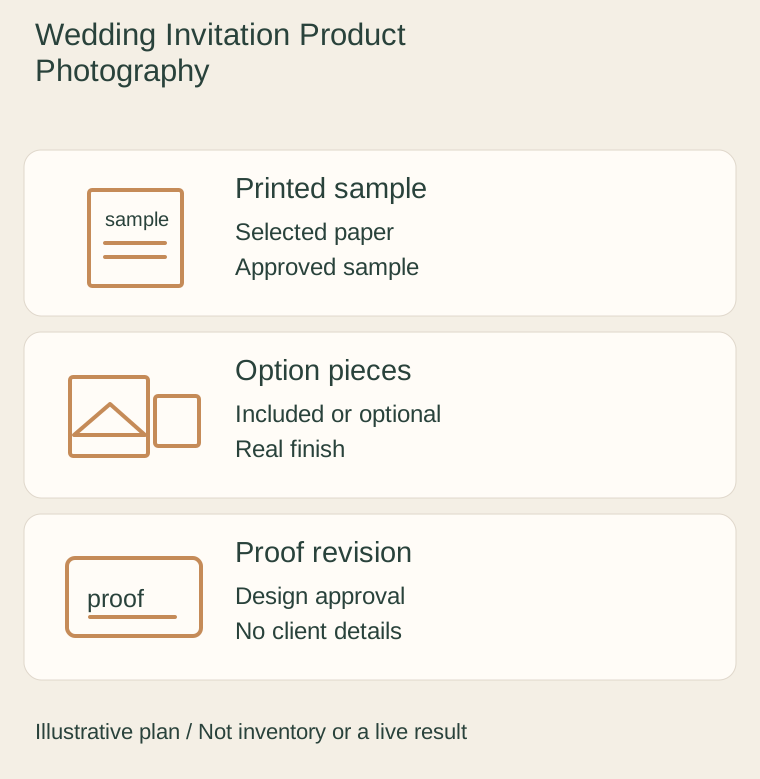
Original illustrative plan: Printed sample, Option pieces, Proof revision.
EDITORIAL CONCEPT
01 / EXAMPLEILLUSTRATIVE CONCEPT
What this shows

Give each view a specific job.

Use this illustrative plan to organize real evidence and a separate optional scene. The drawn objects and quantities do not specify the item you sell.

Original illustrative plan: Printed sample, Option pieces, Proof revision.
Editorial conceptOriginal teaching diagram. It is not a photograph of inventory, measured specification, live Fayvoro result or customer case.

This image is an editorial concept made for the site. It is not a Fayvoro generation or customer result. AI can change product shape, color, packaging, labels, and text. Check every important detail against the real item.

YOUR STARTING IDEA

Take the direction. Make it your own.

Use my authorized demonstration invitation photo for one simple tabletop scene. Add no names, dates, address, envelope, ribbon or suite piece absent from the source. I will compare every visible design, word and finish with the physical sample.
Add your reference photo in the studio, then adjust the direction.
Before you publish

Compare the result with your real product and your destination’s requirements.

  • Sample, custom print run and optional suite parts are clearly distinguished.
  • The selected paper and printing finish have real detail views.
  • Private client information is replaced or explicitly approved for use.
  • A generated scene is never treated as the final print proof.
02 / A PRACTICAL WORKFLOWSTART WITH YOUR PHOTO
01

Identify the offer before arranging the suite

Record whether the listing sells a sample, a customized print run or an optional suite component. Photograph one complete example with the selected paper, printing method and envelope state. Use placeholders or approved demonstration details instead of exposing a real couple’s address, date or guest information.

Lay invitation, RSVP card, insert, envelope, liner and wrap out separately when they are different options. Mark which pieces belong to the photographed selection in the listing. Minted’s cited product separates finish choices and matching accessories; that illustrates option complexity, not the contents of your own offer.

Rubber Stamp Product Photography — Separate the actual rubber face, mounting system and real ink impression; an artwork preview does not establish a physical stamp print.

02

Separate a digital proof from a physical print

Label a proof preview as a proof and retain the corresponding real printed sample when material or finish is a purchase question. Make an oblique real detail to show paper texture, embossing or reflective foil as actually supplied. Keep a flat readable front view as well; a strong glint may hide important lettering.

If colour or paper differs across offered options, capture those real samples with consistent lighting. Do not infer physical thickness from a flat mockup or make a flat printed accent look like metallic foil. Obtain permission for any commissioned artwork and sample content used in the images before uploading it to another service.

03

Explore atmosphere with an approved demonstration sample

For Fayvoro, use one permitted real sample photograph for an optional tabletop scene. The service is not a typesetting, print-proof or exact stationery-design tool. It may change names, punctuation, monograms, borders and envelope proportions. Review all visible wording and construction against the real sample.

Keep proof approval in the actual design and print workflow, with the selected options and revision identified. A generated scene cannot approve a client’s final stationery or establish print colour. Decorative flowers, ribbons or wax seals must not silently become included suite accessories.

Common questions

A few things to know.

Can a scene generator approve my final invitation wording?

No. Use the actual design proof and client approval workflow. Generated typography can change names, dates and punctuation.

Should I show a whole suite if only the invitation is sold?

You can illustrate separately available options with clear labels, but keep a factual view of the exact selected offer.

Does a mockup establish paper thickness or foil?

No. Use a physical sample detail for those properties and label digital previews as previews.

Make your image with intention.