PRODUCT STORIES / A CREATIVE GUIDE

Lip Balm Product Photography

Show which balm container and pack the buyer receives.

A tube, a tin and a multipack can share a balm name but ship different physical offers. Organize the images around container form, quantity and the current factual label before adding an optional shelf scene.

Sign up for 3 free credits · Your starting direction is included.See the example
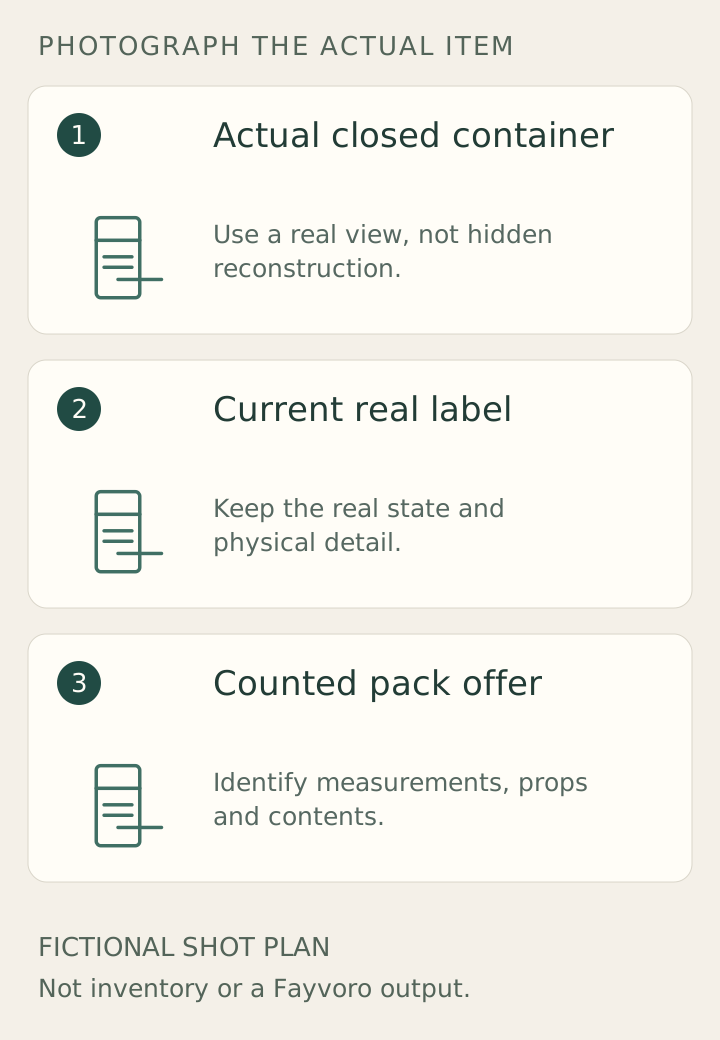
Original teaching plan: Actual closed container, Current real label, Counted pack offer
EDITORIAL CONCEPT
01 / EXAMPLEILLUSTRATIVE CONCEPT
What this shows

Plan the factual views before the optional scene.

These schematic drawings identify three different jobs for the gallery. They do not describe a manufactured item or replace an actual capture of its hidden details.

Original teaching plan: Actual closed container, Current real label, Counted pack offer
Editorial conceptOriginal fictional shot plan, not inventory photography, a Fayvoro output or a customer result. Use the actual item and verified records for dimensions, contents and performance.

This image is an editorial concept made for the site. It is not a Fayvoro generation or customer result. AI can change product shape, color, packaging, labels, and text. Check every important detail against the real item.

YOUR STARTING IDEA

Take the direction. Make it your own.

Explore one clean shelf setting from my real closed lip-balm package. Add no extra containers, fruit, claim badges or new label text. I will compare the closure, edition and sold quantity with my original.
Add your reference photo in the studio, then adjust the direction.
Before you publish

Compare the result with your real product and your destination’s requirements.

  • Tube or tin matches the actual container edition.
  • Pack count is distinct from net amount per unit.
  • Ingredient and variant labels come from readable real photographs.
  • Scene props make no unverified scent or protection claim.
02 / A PRACTICAL WORKFLOWSTART WITH YOUR PHOTO
01

Begin with the exact container edition

Photograph the actual tube or tin closed, including the shape and closure. Capture a real underside or side label when that is where the variant and quantity appear. Do not combine an old package photo with a new edition merely because the balm name is unchanged.

Burt’s Bees notes packaging variation and separates pack options on its product page. Treat your own current package as the visual source of truth. If the outer carton or gift tin is part of the sale, show it; if it is only a display prop, keep that distinction explicit.

02

Keep count, net amount and label legible

Lay out the actual sold units once, then identify the pack count independently of the net amount in each container. One large decorative tube or a gift outer must not imply that it contains one equally large balm. Match the listing option to the photographed quantity.

Use a straight, readable real label view for ingredients, variant wording and other relevant package facts. A scene cannot establish flavour, scent, moisture duration, protection or whether a formula suits someone. Preserve verified copy and avoid making an ingredient list from generated lettering.

03

Choose a scene that does not change the offer

Try one simple bathroom-shelf or pouch-adjacent setting from an owned real photo in Fayvoro. Request the existing closed container without added tubes, fruit or claim badges. A new image can alter a cap, container proportions or label content, so inspect those before considering it for secondary use.

Keep the actual quantity and label photographs in the gallery. Reject a candidate that turns a tin into a tube, adds an unlisted flavour or enlarges the apparent sale pack. A concept photograph of a balm is visual direction, not evidence of ingredients, package capacity or customer use.

Common questions

A few things to know.

Can I show a tube when I sell the tin?

Use the actual container for that offer. An imagined or different package should not represent what the customer receives.

Should I open a new balm for the photograph?

Use a dedicated demonstrator if an open view is needed and keep its status separate from unopened stock.

Make your image with intention.