All product image guides Enamel Pin Product Photography

Show the pin face and the fastening a buyer receives.

A pin shop needs more than a front-facing artwork thumbnail. Buyers also need to see how the pin attaches, whether the card is included and how large the physical item is. Photograph those facts before trying a styled collector-desk scene.

Explore a scene from your real photo Two free credits when you sign up. Review the result before publishing.
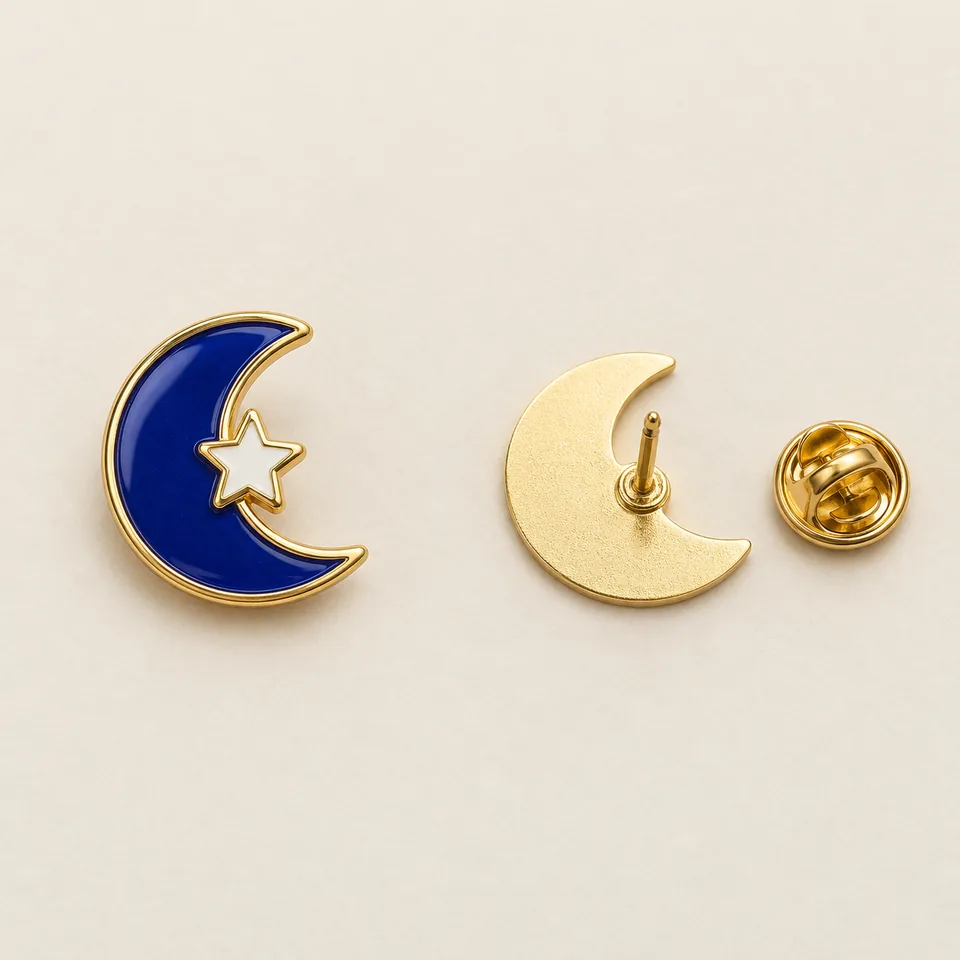
Editorial concept of a blue crescent pin front beside a fictional post-and-clutch view
EDITORIAL CONCEPTEDITORIAL CONCEPT. Fictional sample views for planning front and fastening photography. Not stocked inventory, matched-construction proof or a live Fayvoro result.
01 / EXAMPLEILLUSTRATIVE CONCEPT
What this shows

Give each photograph one clear job.

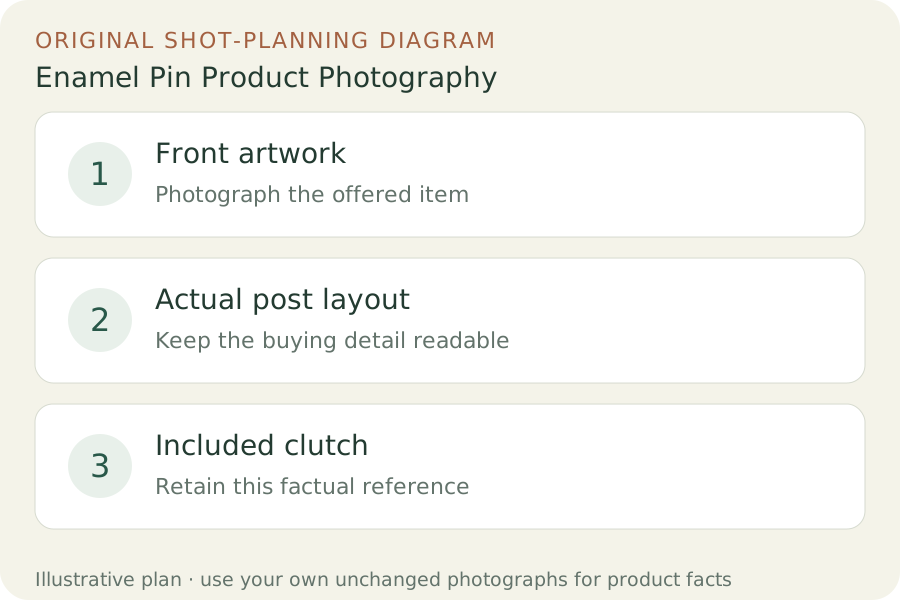
Use the three labeled views to plan your factual gallery. The outlines show composition roles only; they contain no observed dimensions, verified materials or performance measurements. Keep real photographs beside any secondary scene candidate.

Original teaching diagram: Front artwork, Actual post layout, Included clutch
Editorial conceptOriginal teaching diagram for shot planning. Illustrative outlines, not a photograph of inventory, a Fayvoro output or a customer example.

This image is an editorial concept made for the site. It is not a Fayvoro generation or customer result. AI can change product shape, color, packaging, labels, and text. Check every important detail against the real item.

02 / A PRACTICAL WORKFLOWSTART WITH YOUR PHOTO
01

Separate design identity from fastening choice

Assign the exact design and production version to your shot list. Put the front face, back and included clutch in different frames instead of treating a digital artwork proof as a product photo. Count the posts on the actual batch. Two designs that share a front silhouette may have different post positions, and a stock butterfly clutch photograph does not establish which backing you ship.

WizardPins lists rubber, butterfly, magnetic and locking clutch options. The useful lesson for a retailer is to name and photograph the selected option, not to imply that every pin includes every type. Take the backer card out for one view if it conceals the posts. If a premium clasp is sold separately, keep it out of the included-items frame and explain its separate status.

02

Make small artwork readable without erasing the finish

Place the pin square to the camera on a stable matte surface. Move a broad white light reflection across the metal border while keeping the camera fixed. Choose a position where enamel shapes remain readable and highlights do not cover lettering. Take a second close-up for raised metal or recessed enamel rather than sharpening a tiny overview until edges appear thicker than the real product.

For scale, photograph the actual pin beside a real ruler in a separate factual frame and state the unit. Leave that measuring image unchanged. A generated ruler, familiar coin or decorative notebook is not an accurate substitute. If the card or packaging is part of the offer, make a separate complete-set photograph so a shopper does not infer that the styling surface is included.

03

Try a collector scene after the attachment views are complete

Upload one rights-cleared photograph that shows the actual front design clearly. Ask Fayvoro for a calm desk or display-card setting with the pin unobstructed. This explores one scene; it does not reconstruct a hidden rear, create matching technical views or verify a fastening system. Retain the real back and clutch photographs outside the attempt.

Compare the candidate with the real pin at a useful zoom. Look for a reversed design, changed enamel boundaries, extra stars, missing lettering, a different metal finish and duplicate pins. Reject any invented detail that matters to the listing. A visually convincing post or clutch in a generated image is still not evidence of the fastening you will ship.
Direction to try

A useful starting note.

Use this as a starting point, then adjust it for your own product. No prompt can guarantee exact product details.

Use my uploaded photograph of this exact enamel pin for one secondary collector-desk scene. Keep the artwork fully visible on a plain matte surface with soft light. Add no lettering, extra pins or invented fastening. I will check every enamel boundary and metal edge against the original.
Before you publish

Check the details.

  • Artwork orientation and enamel boundaries match the source.
  • Real back photograph shows the actual post count and placement.
  • The named clutch agrees with what is included in the order.
  • Scale is documented with an unchanged real measurement photo.
  • Backer card and props have an explicit included or excluded status.
Common questions

A few things to know.

Can a generated back view replace photographing the posts?

No. A rear view imagined from a front source cannot document hidden post locations or an included clutch. Turn the real pin over and photograph it separately.

Should I photograph the pin attached to its card?

Keep that packaging view, then add an unobstructed front and a real fastening view. The card may hide the very construction a buyer is trying to check.

Is the blue crescent pin a Fayvoro result?

No. It is an editorial concept used to discuss composition. It is not stocked merchandise, a tested pin reconstruction or output from the live Fayvoro service.

Make your image
with intention.

Explore a scene from your real photo