PRODUCT STORIES / A CREATIVE GUIDE

Product Photography Mood Board

Annotate what each reference contributes before choosing a direction.

A folder of attractive pictures leaves collaborators guessing what to copy. A useful mood board compares visual directions and explains the role of each reference without replacing the real product evidence.

Sign up for 3 free credits · Your starting direction is included.See the example
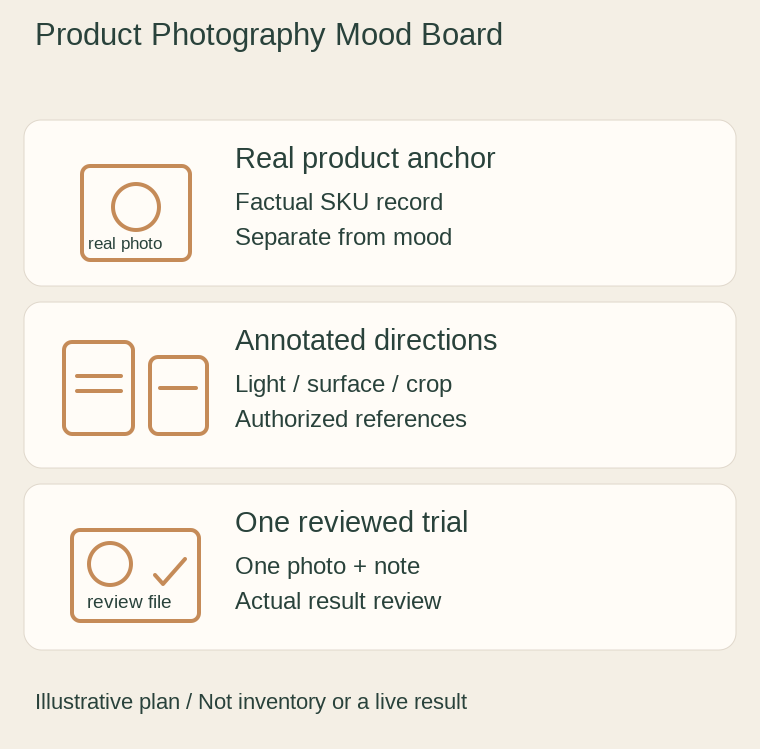
Original illustrative plan: Real product anchor, Annotated directions, One reviewed trial.
EDITORIAL CONCEPT
01 / EXAMPLEILLUSTRATIVE CONCEPT
What this shows

Give each view a specific job.

Use this illustrative plan to organize real evidence and a separate optional scene. The drawn objects and quantities do not specify the item you sell.

Original illustrative plan: Real product anchor, Annotated directions, One reviewed trial.
Editorial conceptOriginal teaching diagram. It is not a photograph of inventory, measured specification, live Fayvoro result or customer case.

This image is an editorial concept made for the site. It is not a Fayvoro generation or customer result. AI can change product shape, color, packaging, labels, and text. Check every important detail against the real item.

YOUR STARTING IDEA

Take the direction. Make it your own.

Use my approved real product photo for one scene in the selected direction: soft side light, a plain warm surface and clear space around the whole subject. Copy no reference artwork, logo or text. I will compare the product facts with my separate real anchor before reviewing the mood.
Add your reference photo in the studio, then adjust the direction.
Before you publish

Compare the result with your real product and your destination’s requirements.

  • Actual product evidence is separated from visual inspiration.
  • Each reference has a source, permission and a named visual role.
  • Selected and rejected directions have specific recorded feedback.
  • One generated candidate is reviewed by revision before production approval.
02 / A PRACTICAL WORKFLOWSTART WITH YOUR PHOTO
01

Keep the product anchor outside the inspiration set

Start with your own current product photograph and a short factual record: stocked colour, packaging, quantity and construction that must remain correct. Mark this as the product anchor. Put light, surface, palette and composition references in a separate inspiration group so an appealing fictional item cannot silently become the product design.

Use references you own or are authorized to use for the intended planning and upload. Record their source and the purpose of each image. A saved public picture is not automatically permission to reproduce its artwork, logo or product. The Adobe mood-board guide describes visual communication; it does not grant rights to the references you choose.

02

Compare a few directions with specific annotations

Build a small set of distinct directions rather than a large undifferentiated collage. For each one, identify the light character, surface, camera relationship and intended image role. Annotate a reference as “side light only” or “empty area beside subject” when its product, typography or prop should not be copied.

Ask the approver to select a direction and name the part that matters most. Keep rejected directions and the reason briefly recorded so the next revision does not return to the same ambiguity. This is a planning choice, not evidence that an image improves clicks or that the pictured material exists in your product.

03

Translate the selected direction into one scene trial

Use your own approved product photograph for a Fayvoro trial and put the selected atmosphere into a short written direction. This workflow does not upload an entire reference board or offer guaranteed style transfer. The current generator creates one image, and the actual subject, light and prop placement may differ from the request.

Compare the resulting file with the separate real-product anchor before seeking scene feedback. Ask one clear question about the chosen direction, retain the actual candidate and record the response against that revision. Once a direction is accepted for repeat use, move its tested rules into a style guide or a project brief; the board itself is not production approval.

Common questions

A few things to know.

Is a mood board a set of final product images?

No. It communicates possible directions. Factual product review and acceptance of the actual delivered files happen separately.

Can I upload all the reference images to Fayvoro?

This page uses one approved product photo and a written scene direction. It does not demonstrate a multi-reference-board or guaranteed style-transfer feature.

Is a selected mood board the same as an accepted image?

No. Selecting a direction does not approve the product facts, final crop or generated result. Review the actual file.

Make your image with intention.