02 / A PRACTICAL WORKFLOWSTART WITH YOUR PHOTO
01Record the whole-item and detail jobs separately
Write down the largest product, smallest required detail and intended output role. A full handbag view and a clasp engraving may need different capture arrangements. Test the lens you already own before considering a new purchase.
Check camera compatibility and the manufacturer’s focusing specifications. A lens marked macro can provide close-up capability, but magnification and the space available in front of the lens still need to fit the actual item and lighting.
Measure usable working space
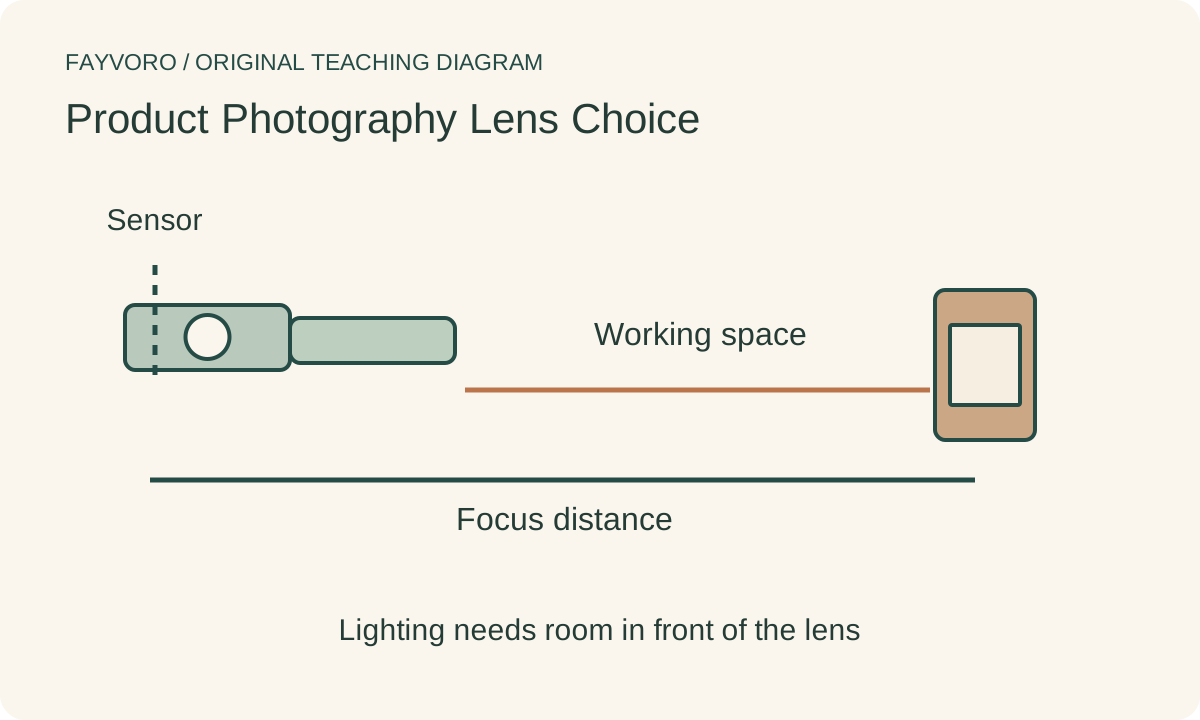
Nikon distinguishes minimum focusing distance from working distance, the space from the front of the lens to the subject. Those are not interchangeable numbers. Leave room for the modifier, cards and safe camera placement without blocking necessary illumination.
Make a real close-up and inspect whether the lens or camera casts a shadow or appears in a reflective surface. A greater working distance may help a particular setup; it is not an automatic proof of better detail or an instruction to buy a particular focal length.
Compare framing without confusing it with perspective
Capture the desired view at a practical camera position and inspect proportions, edge distortion and focus. Record when the camera moves as well as when the zoom changes. Changing shooting distance to retain the same framing can change the apparent front-to-back proportions.
Use the actual detail export to judge success. A photograph enlarged or heavily cropped after capture may no longer support the requested text or stitching view. Keep the full original and explain any crop in the delivery record.
Keep the lens test outside scene generation
Fayvoro does not select a physical lens, simulate measured optical performance or recover authentic detail beyond the source. Use your accepted photograph for an optional secondary scene. Verify the generated construction against the real whole-item and detail captures.