All product image guides Pet Bowl Product Photography

Show the bowl interior and the base that a pet will use.

A bowl full of food can hide its depth and inner shape. Photograph the empty product, underside and supplied accessories first, then use a separate feeding or room image for presentation.

Explore a scene from your pet bowl photo Two free credits when you sign up. Review the result before publishing.
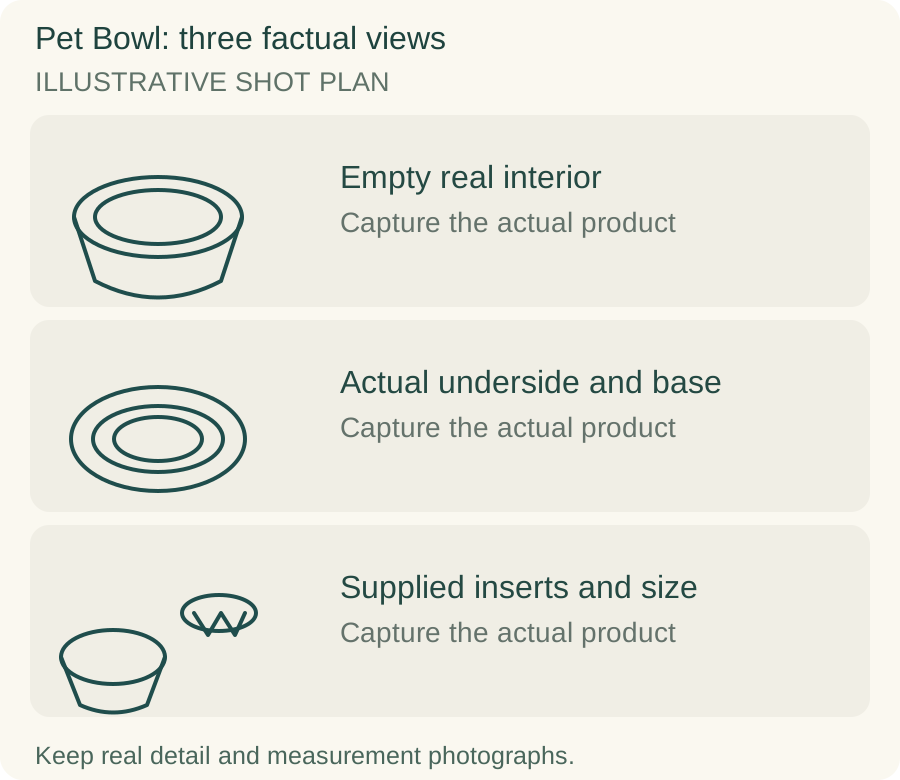
Original teaching diagram for pet bowl: Empty real interior, Actual underside and base, Supplied inserts and size
EDITORIAL CONCEPTOriginal illustrative shot plan. These outlines are not photographs of stock, measured technical drawings, a Fayvoro output or a customer example.
01 / EXAMPLEILLUSTRATIVE CONCEPT
What this shows

Three different jobs for a pet bowl gallery.

Use the empty real interior, actual underside and base and supplied inserts and size panels to plan separate actual-product captures. The teaching outlines contain no observed dimensions, verified specifications or tested performance. They do not replace your real photographs.

Original teaching diagram for pet bowl: Empty real interior, Actual underside and base, Supplied inserts and size
Editorial conceptOriginal illustrative shot plan. These outlines are not photographs of stock, measured technical drawings, a Fayvoro output or a customer example.

This image is an editorial concept made for the site. It is not a Fayvoro generation or customer result. AI can change product shape, color, packaging, labels, and text. Check every important detail against the real item.

02 / A PRACTICAL WORKFLOWSTART WITH YOUR PHOTO
01

Make the empty interior readable

Photograph the actual bowl from above and at a shallow angle while it is empty. Keep the rim, inner bottom and any molded geometry in view. For reflective metal, use a broad light and move the reflection away from the contour being inspected. A dark food-filled overview can conceal scratches, a raised center or a completely different interior profile.

Take a separate underside photograph with the base attachment visible. Ruffwear lists capacity, diameter and an anti-slip base for its bowl. That illustrates why volume, external size and bottom construction deserve separate records in a listing. Use your own product’s documented values and do not transfer another manufacturer’s capacity to a similar-looking bowl.

02

Separate inserts, capacity and feeding presentation

Show any supplied insert, mat or detachable part beside the real bowl and state which selected offer includes it. A slow-feeder insert can change the usable space, so distinguish the bare bowl from the installed setup. Do not combine optional accessories with the base product without an inclusion caption. Keep any safe assembly demonstration grounded in the actual instructions.

Use the maker’s documented volume or a genuine appropriate measurement record for capacity, with the unit stated. A handful of kibble or a generated water line does not establish the amount the bowl holds. If you photograph a real pet using it, obtain relevant permission and keep that image as a specific example, not a universal suitability or behavior claim.

03

Explore a room scene without inventing a feeding test

A rights-cleared empty-bowl source can be used in Fayvoro to explore a quiet kitchen or feeding-corner composition. Keep the rim and base visible. The tool does not test food-contact safety, resistance to sliding, stability or whether a particular animal can eat comfortably from the bowl. Retain the actual interior and underside views.

Compare inner depth, rim profile, base ring, surface finish and any printed marking with the original. Watch for a metal bowl that becomes ceramic or gains a decorative raised pattern. A generated pet, spill-free floor or stationary bowl is not a real use test. If accessories appear in the scene, make their excluded status explicit or remove the misleading candidate.
Direction to try

A useful starting note.

Use this as a starting point, then adjust it for your own product. No prompt can guarantee exact product details.

Place the actual empty pet bowl from my photo on a clean kitchen floor in gentle daylight. Keep the interior and base shape readable. Add no pet, food, water, insert or new label. I will verify the rim, surface and underside construction against the real bowl.
Before you publish

Check the details.

  • Actual empty interior and underside are both documented.
  • Capacity units and external dimensions refer to the selected bowl.
  • Optional insert or mat has an explicit inclusion status.
  • Material and food-contact claims use actual product documentation.
  • No generated feeding scene is presented as a stability or behavior test.
Common questions

A few things to know.

Does a food-filled bowl image show its capacity?

No. The amount of food, angle and apparent fill can be misleading. State documented capacity and retain an empty interior view.

Should a slow-feeder insert be shown installed?

Use a genuine installed view when it is compatible, plus a separate contents view. Make clear whether that insert is included in the selected offer.

Can a generated pet demonstrate that the bowl suits an animal?

No. It is an imagined scene. Suitability, feeding behavior and stability require relevant real information rather than a generated use example.

Make your image
with intention.

Explore a scene from your pet bowl photo