PRODUCT STORIES / A CREATIVE GUIDE

Faire Product Photography

Help a retailer understand the item before imagining a display.

Wholesale buyers need to identify the unit they can order, its packaging and each option. A styled scene can suggest merchandising, but it should not make a single unit look like a case or turn display props into included products.

Sign up for 3 free credits · Your starting direction is included.See the example
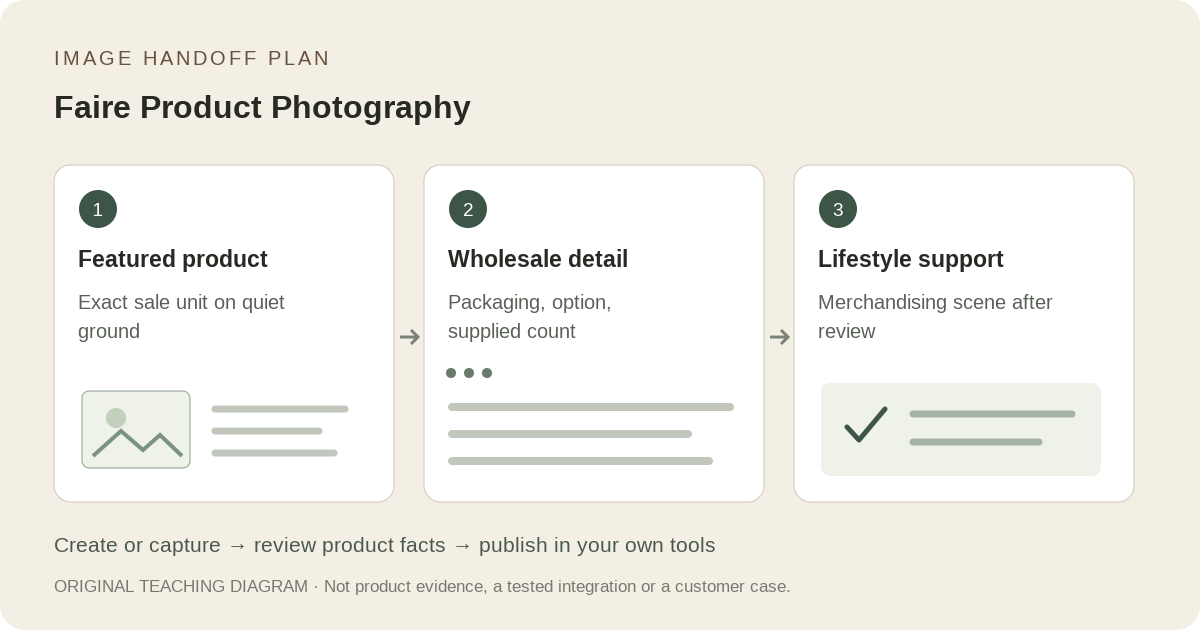
Original illustrative workflow: Featured product, Wholesale detail, Lifestyle support
EDITORIAL CONCEPT
01 / EXAMPLEILLUSTRATIVE CONCEPT
What this shows

Give each image a specific delivery job.

This illustrative workflow separates image creation from the checks and publishing steps you complete in your own tools. The sequence is a planning aid, not a tested integration or evidence of listing approval.

Original illustrative workflow: Featured product, Wholesale detail, Lifestyle support
Editorial conceptOriginal teaching diagram, not a product photograph, Fayvoro result, platform screenshot or customer case.

This image is an editorial concept made for the site. It is not a Fayvoro generation or customer result. AI can change product shape, color, packaging, labels, and text. Check every important detail against the real item.

YOUR STARTING IDEA

Take the direction. Make it your own.

Use my real product photograph for one quiet shelf scene that suggests merchandising. Show only the actual product, with the original label area visible. Avoid extra sale units or confusing props. Do not invent packaging, logos or store branding.
Add your reference photo in the studio, then adjust the direction.
Before you publish

Compare the result with your real product and your destination’s requirements.

  • Featured image identifies the actual sellable unit.
  • Real detail and packaging photographs answer retailer questions.
  • Styled count cannot be confused with case or minimum order quantity.
  • Category crop and selected option were checked on the product page.
02 / A PRACTICAL WORKFLOWSTART WITH YOUR PHOTO
01

Choose the product feature image deliberately

Faire’s photography guidance favors a centered item on a white or light background, with lifestyle views kept as additional product images. Its current high-quality-listing guidance recommends three or more views: main product, lifestyle and detail. That quality recommendation is separate from the published minimum; review the latest guidance for your category.

02

Show the wholesale unit and case information separately

Photograph the single sellable unit first. If a carton or display pack is part of the order, capture that actual configuration and explain the count in listing text. A styled stack of six candles should not be the only view of a candle ordered individually. Keep packaging and merchandising props clearly distinguishable.

03

Use a scene to explore merchandising direction

A restrained shelf or tabletop scene may help you plan an additional visual. Start from your own photo in Fayvoro, then compare labels, shape, material and supplied count. Do not use the generated scene to establish a case quantity or actual retailer display. Fayvoro has no Faire publishing or approval integration.

04

Review the option and the actual product tile

Inspect the featured tile and full product page at their real display sizes. Check the selected color or size, the title, packaging and ordering information together. Faire’s guidance uses different preferred crops for apparel and non-apparel; do not force every garment into a square that hides the item.

Common questions

A few things to know.

Is a Faire brand feature image the same as a product feature image?

No. A brand feature image introduces the shop; a product feature image identifies a particular item. Follow the relevant guideline for the asset you are preparing.

Can an AI shelf scene prove how a retailer displays the product?

No. It is a proposed composition, not a photographed retailer installation or customer case.

Will Fayvoro upload or obtain Faire approval?

No. Download, inspect and complete the marketplace handoff yourself.

Make your image with intention.