PRODUCT STORIES / A CREATIVE GUIDE

Earring Product Photography

Show the pair and the fastening as separate buying questions.

A pretty front view can hide whether the offer is a matching pair, a single earring or a deliberately asymmetric set. Build a real front-and-back record before asking a scene generator to explore a jewellery display.

Sign up for 3 free credits · Your starting direction is included.See the example
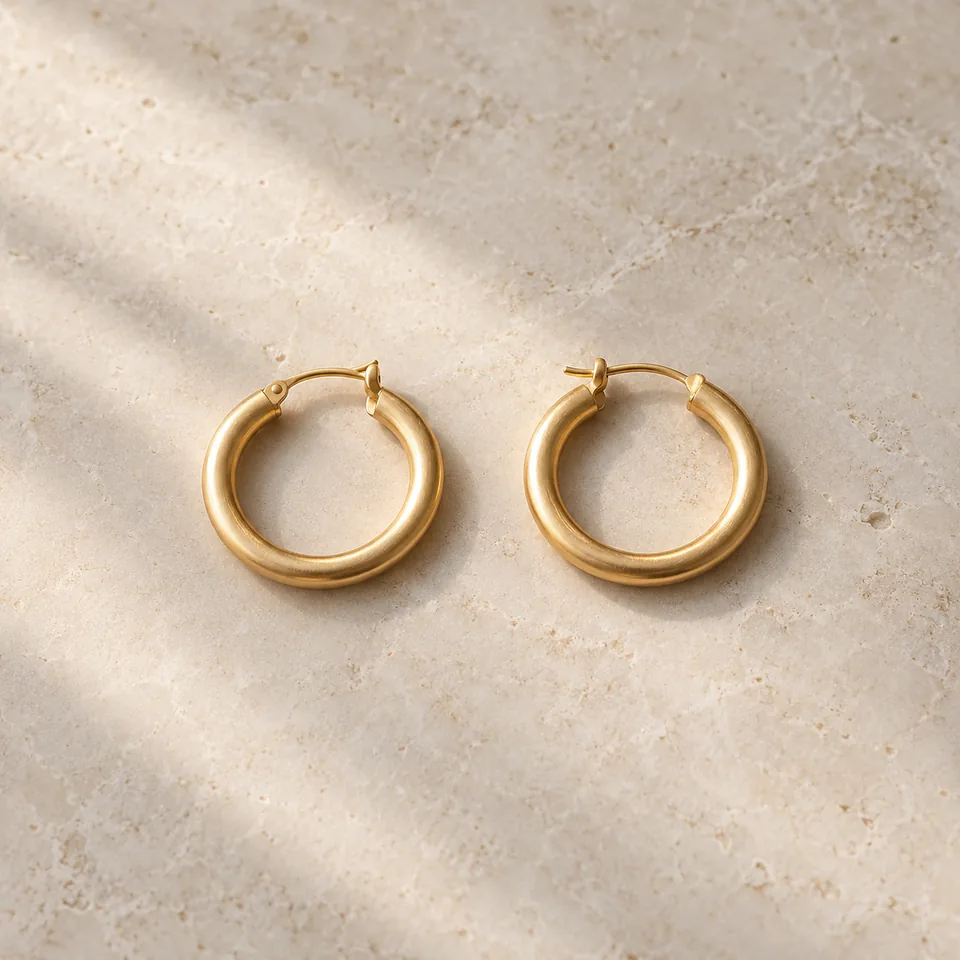
Two fictional gold-coloured hoop earrings in an editorial tabletop concept.
EDITORIAL CONCEPTEDITORIAL CONCEPT. Fictional pair and setting only. Verify the actual sold pair, closure and finish with real photographs. Not a live Fayvoro generation or customer case.
01 / EXAMPLEILLUSTRATIVE CONCEPT
What this shows

Give each view a specific job.

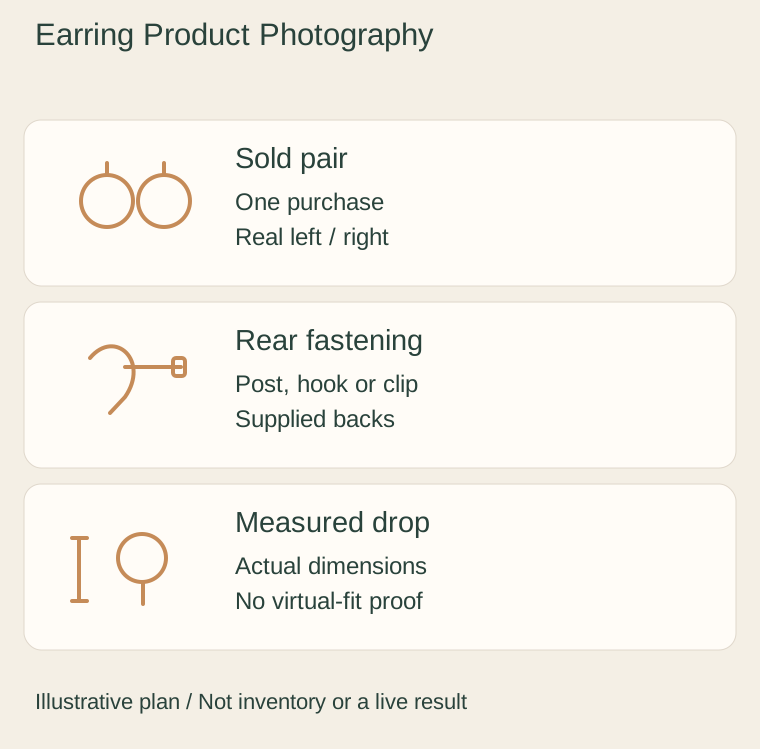
Use this illustrative plan to organize real evidence and a separate optional scene. The drawn objects and quantities do not specify the item you sell.

Original illustrative plan: Sold pair, Rear fastening, Measured drop.
Editorial conceptOriginal teaching diagram. It is not a photograph of inventory, measured specification, live Fayvoro result or customer case.

This image is an editorial concept made for the site. It is not a Fayvoro generation or customer result. AI can change product shape, color, packaging, labels, and text. Check every important detail against the real item.

YOUR STARTING IDEA

Take the direction. Make it your own.

Use my approved photo of the sold earring pair as a reference for one quiet tabletop display. Show both pieces completely with no person, extra jewellery or printed claims. I will verify the pair, connectors, stones and closure against the real photographs.
Add your reference photo in the studio, then adjust the direction.
Before you publish

Compare the result with your real product and your destination’s requirements.

  • The image and copy agree on a single earring, matching pair or asymmetric set.
  • Both sides are tied to the same real pieces and supplied fastening.
  • Drop length and material claims come from documented product facts.
  • Every generated connector, stone and piece is compared with the source.
02 / A PRACTICAL WORKFLOWSTART WITH YOUR PHOTO
01

Record what one purchase contains

Take the actual pieces from the sale package and lay them beside one another. Keep left and right orientation consistent so a buyer can compare a deliberate asymmetry with a mismatch. If the listing sells one earring, photograph and state that single unit; do not let a paired display imply two. Retain a separate photograph of any supplied backs or spare parts.

Choose a front view that reveals the complete outline, stone arrangement and connector between each segment. A hanging stand can be useful for a drop shape, but it must not hide a hook or pull a flexible piece into an unnatural line. Make a second real view off the stand when the support obscures construction.

02

Make the closure inspectable

Turn the same pair over for a rear view. Identify which photograph shows the post and back, hook, hinged hoop or clip mechanism that is actually supplied. Take a close-up with the connection in focus, then return to a whole-piece view so the buyer knows which detail belongs to which earring. Photograph an opened mechanism only when it can be handled normally without damage.

Measure drop length and any relevant width on the actual item, using the seller’s documented method. Add those figures as checked page text rather than asking a generated ruler to prove scale. A permitted real worn photograph can communicate placement; it cannot establish comfort, weight or allergy suitability for everyone. Shopify’s jewellery guide distinguishes paired views from fastening details.

03

Trial a display scene from the approved pair photo

Choose a source in which both sold pieces are completely visible. Try one quiet tray or surface direction, then compare the output at full size with the real reference. Fayvoro generates a new image and can alter small hardware, turn a post into a hook, merge a pair or invent extra stones. A prompt that requests two pieces is not a count guarantee.

Retain the real closure, measured length and paired identification images even when the scene is attractive. Reject a candidate with a missing back, changed connection or different left/right design. Keep decorative stands and props out of the included-contents claim. The generated image is not a wear, comfort, metal-purity or material test.

Common questions

A few things to know.

Do I need a back view if the earrings look simple?

Use a real rear or fastening detail whenever the front does not show how the earring attaches. The visual style does not establish the mechanism.

Can I generate a model to prove earring size?

This guide does not demonstrate reliable virtual try-on or worn scale. Use documented dimensions and a permitted real worn photograph.

Is the diagram a live Fayvoro earring result?

No. It is an original illustrative shot plan. There is no merchant-owned earring input/output test on this page.

Make your image with intention.