Upload one photo of two people and describe a wedding scene. Generate a visual concept for attire, flowers, light, and the overall atmosphere of a couple portrait.
JPG, PNG or WebP · Up to 10 MB
Review the prompt and credit cost in the studio before generating.
A Fayvoro demonstration from the AI-created reference shown here. Compare the result with your own source before using it.
A FEW WAYS IN
Explore the example. Make it yours.
Open a prompt to see the starting idea. You choose when to generate.
MADE WITH FAYVORO
REFERENCE
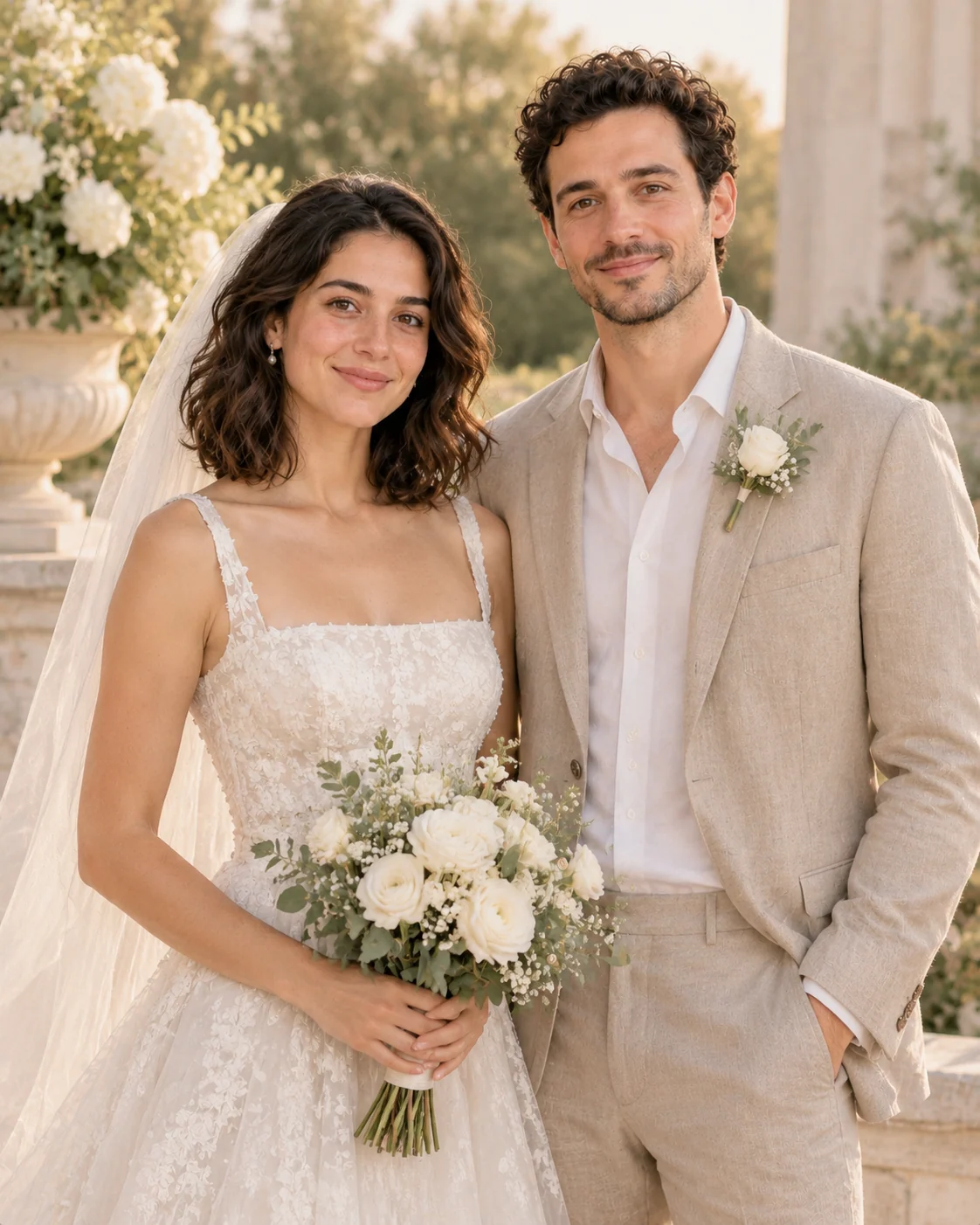
Fictional garden-wedding portrait concept
A Fayvoro demonstration from the AI-created reference shown here. Compare the result with your own source before using it.
Explore the prompt
Create a wedding portrait concept from the two people in the uploaded photo. Aim to retain both faces, ages, hairstyles, and relative positions. Style them in elegant complementary wedding attire, with an understated bouquet, a pale stone garden terrace, and soft late-afternoon light. Keep the mood intimate and natural, with believable fabric and hands. No guests, text, venue logos, or watermarks.
MAKE IT MORE YOURS
A little intention. A different image.
01
Begin with a clear shared portrait
Use one photo containing both people, with visible faces and a pose you would be comfortable carrying into a wedding concept. A simple standing or seated arrangement provides a useful base for formal attire. Avoid references where one face is hidden behind a phone or another person. This page explores a scene from a shared image; it does not assemble a couple from separate individual uploads.
02
Connect the attire with the ceremony atmosphere
Choose a few visual decisions that belong together: tailored formalwear, a simple bouquet, pale stone architecture, and soft afternoon light, for example. Describe each person's preferred outfit rather than assuming a particular role or dress code. A city-hall portrait can feel understated, while a garden setting may invite softer colors and more movement. Keep the environment quiet enough that the two people remain the main subject.
03
Review the people before judging the romance
Check both faces, apparent ages, hands, rings, bouquets, and garment edges against the source. Veils and lace can create convincing atmosphere while hiding small errors, so inspect them closely. Treat the result as a wedding-image concept for imagination or planning, not as a record of a real ceremony. Exact reproduction of a purchased outfit, venue, or floral arrangement is not guaranteed by a text description and one couple photo.
BEFORE YOU BEGIN
A few useful answers.
How is this different from wedding dress try-on?+
This page creates a two-person wedding portrait concept. The wedding dress page focuses on one person exploring dress silhouettes and bridal styling.
Can I choose the attire for each person?+
Yes. Describe each outfit clearly, including formality, colors, and overall shape. Avoid relying on assumed roles to determine who wears what.
Can it reproduce my booked venue exactly?+
A written setting can suggest an atmosphere, but this workflow does not guarantee architectural accuracy or an exact recreation of a particular venue.
What should I inspect in a wedding concept?+
Compare both faces and review hands, rings, bouquets, lace, veils, and clothing boundaries. The image is a generated concept rather than documentary wedding photography.