Create an AI family portrait from one shared photo
Upload a single photo with your family together and describe the portrait style you want. Explore a coordinated family scene while using that shared image as the reference.
JPG, PNG or WebP · Up to 10 MB
Review the prompt and credit cost in the studio before generating.
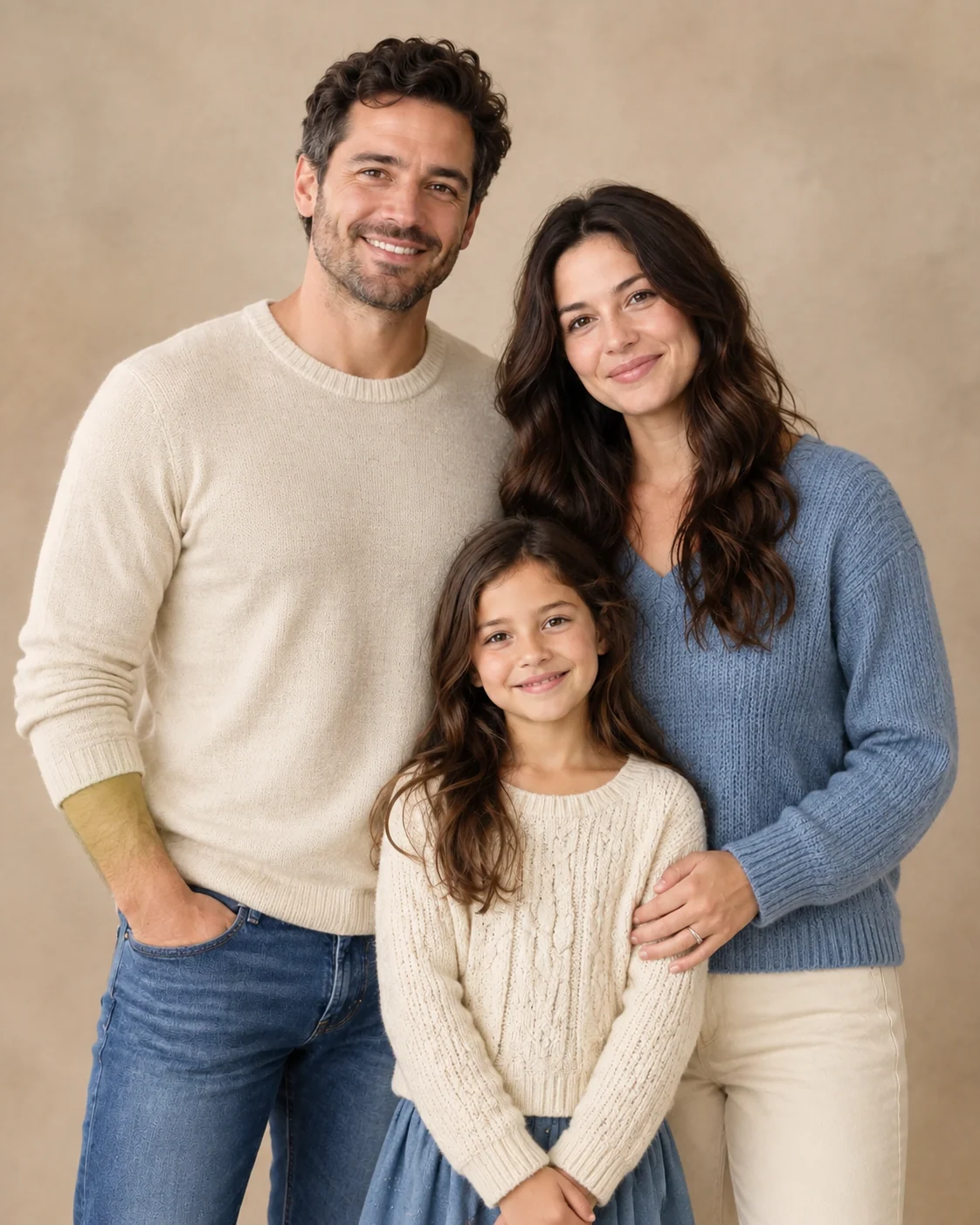
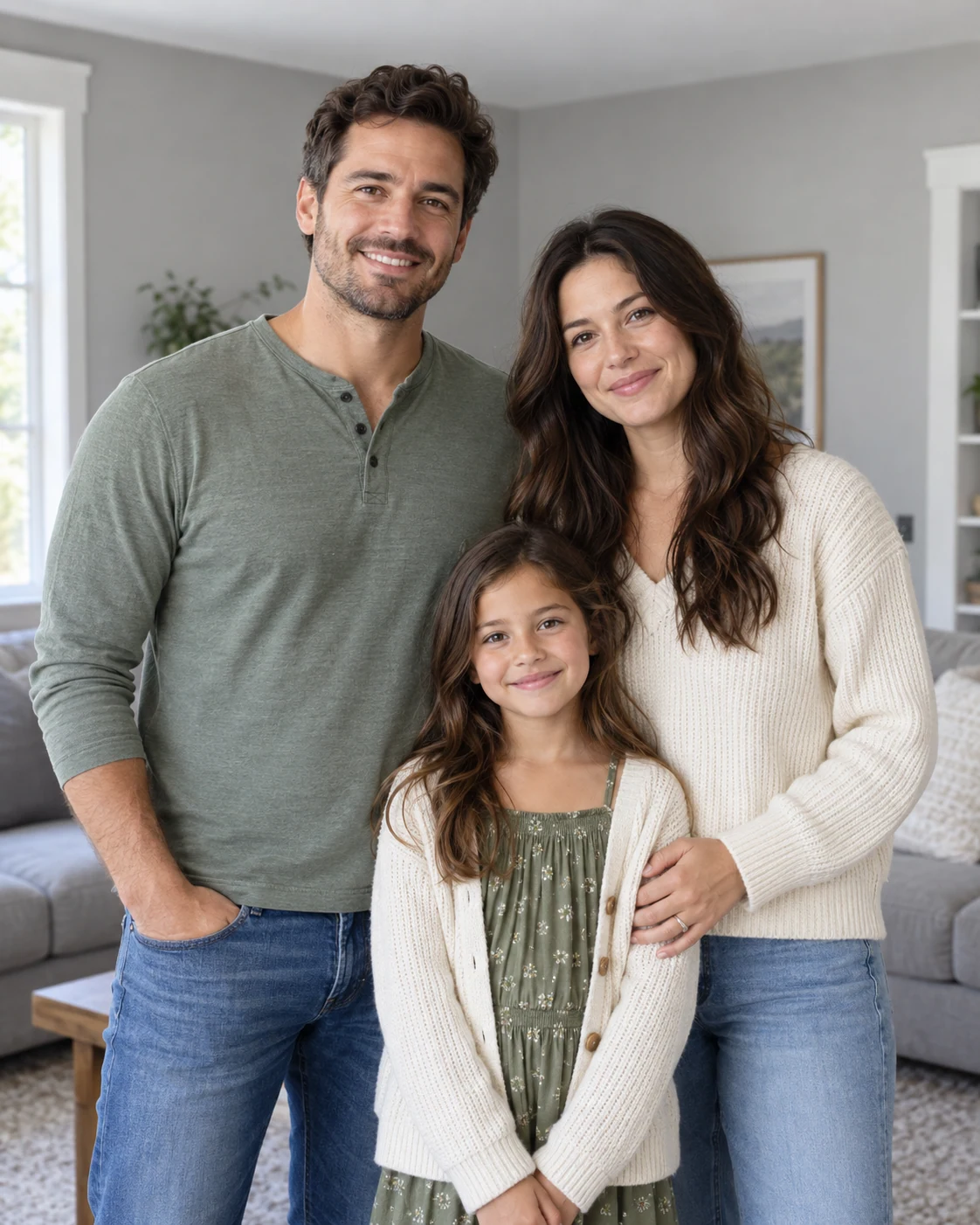
A Fayvoro demonstration from the AI-created reference shown here. Compare the result with your own source before using it.
A FEW WAYS IN
Explore the example. Make it yours.
Open a prompt to see the starting idea. You choose when to generate.
MADE WITH FAYVORO
REFERENCE
Fictional coordinated-family portrait demo
A Fayvoro demonstration from the AI-created reference shown here. Compare the result with your own source before using it.
Explore the prompt
Restyle the family in the uploaded group photo as a warm, relaxed studio family portrait. Draw from the original people, ages, facial features, and relative positions. Use coordinated cream, muted blue, and warm neutral clothing, a soft beige backdrop, and gentle natural lighting. Keep everyone comfortably spaced and aim to retain the original number of people. No text, logos, or additional people.
MAKE IT MORE YOURS
A little intention. A different image.
01
Start with everyone in the same photo
Choose one group image where each person's face is visible and reasonably sharp. Similar lighting across the group makes the starting point easier to judge than a photo with some faces in deep shadow. Give children and adults enough space around the head and shoulders. This page uses one shared reference rather than assembling relatives from separate photographs, so begin with the people already together in the image.
02
Coordinate the scene without making everyone identical
Describe a small clothing palette instead of asking everyone to wear exactly the same outfit. Cream, muted blue, and warm neutrals can connect a group while allowing individual garments. Choose a studio backdrop, a quiet garden, or a simple home setting, and keep props secondary. A relaxed arrangement usually feels more personal than a rigid pose, especially when the source includes children with different heights and expressions.
03
Review every person separately
Count the people, then inspect each face, apparent age, hands, and body proportions against the original. Check overlapping arms and places where one person stands behind another. An attractive group composition can still contain a changed face or an extra finger, so review the whole family rather than only the central subject. The output is an edited portrait concept; recognizable likeness for every family member needs your own assessment before sharing or printing.
BEFORE YOU BEGIN
A few useful answers.
Can I combine relatives from separate photos?+
This page starts with one family photo containing everyone together. It does not offer multi-photo family compositing.
How should I coordinate family clothing?+
Describe a few complementary colors and a formality level. Allow different garments so the group feels connected without every person wearing an identical outfit.
Will every family member stay recognizable?+
The shared photo guides the edit, but faces and ages can change. Compare every person with the original rather than judging only the overall scene.
What should I check before printing a family portrait?+
Count people and inspect faces, hands, overlapping bodies, and clothing. Then confirm that the downloaded image dimensions suit your intended print size.