Create a wedding invitation design direction

Describe your wedding palette, illustration style, and short invitation wording. Generate a card-front concept, then review the names, date, and venue before preparing your final invitation.

3 free signup credits · No card neededExplore the directions
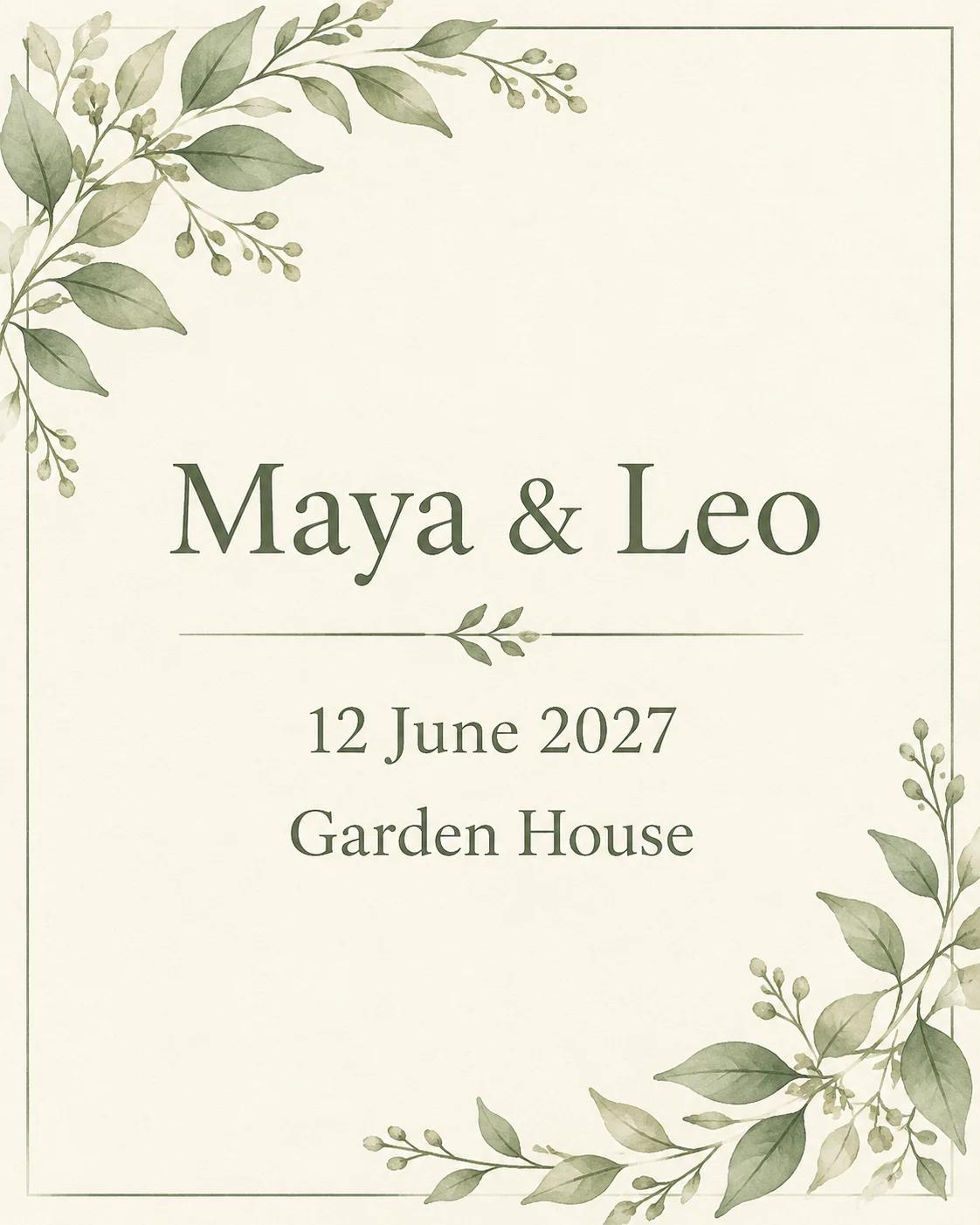
Fictional wedding invitation demonstration with sage botanical corners and invented names, date, and venue
MADE WITH FAYVORO · Created with Fayvoro from the prompt below. This is an original demonstration, not a customer example.
A FEW WAYS IN

Explore the example. Make it yours.

Open a prompt to see the starting idea.
You choose when to generate.

Fictional wedding invitation demonstration with sage botanical corners and invented names, date, and venue
MADE WITH FAYVORO

Fictional Maya and Leo wedding invitation demo

Created with Fayvoro from the prompt below. This is an original demonstration, not a customer example.

Explore the prompt

Create an original elegant wedding invitation concept with delicate sage-green botanical corners on warm ivory paper. Generous negative space and clear restrained lettering. Include only these fictional details, each on its own line: "Maya & Leo", "12 June 2027", "Garden House". Flat front-facing card artwork, no envelope, no mockup, no additional words or logos.

MAKE IT MORE YOURS

A little intention. A different image.

01

Start with a wedding-specific visual direction

Choose a palette and an illustration style that fit the celebration: restrained botanical corners, a soft watercolor landscape, or a minimal geometric border. State whether the card should feel formal, relaxed, or playful. A small number of decorative elements leaves more room for the invitation details and makes it easier to compare several directions before committing to a final design.

02

Treat names and event details as a checklist

Use short wording when testing generated text, with the names, date, and venue clearly separated in the prompt. Then inspect each line against your actual event information. Generated lettering may change spelling, punctuation, or numbers. For a final invitation with a full address, RSVP instructions, and exact typography, use the artwork as a foundation and place verified text in a layout editor.

03

Prepare the final invitation at its real size

The generated concept is a flattened image, so its text and botanical details are not independent editable elements. Decide the final card dimensions, check readability, and leave appropriate margins when assembling the finished design. Your printer can specify bleed, resolution, paper, and color requirements. Review a proof with the complete event details before sending invitations or placing a print order.

BEFORE YOU BEGIN

A few useful answers.

Can I include our names, wedding date, and venue?+

Yes. Keep the requested wording concise and check every character in the output. For final event information, placing verified text in a layout editor gives you precise control.

Will the names and date always be correct?+

No. AI-generated lettering can contain mistakes or extra characters. Compare it with your source details before sharing, and correct the final wording in an appropriate editor.

Can I generate just the invitation background?+

Yes. Ask for no words and describe a clear central text area. Then add the names, date, venue, and RSVP details using your preferred layout tool.

Is the generated concept a print-ready invitation template?+

It is an image concept. Editable typography, exact card dimensions, bleed, and printer-specific preparation need a separate final layout and proof.

THE NEXT IMAGE COULD BE YOURS

Follow the idea.