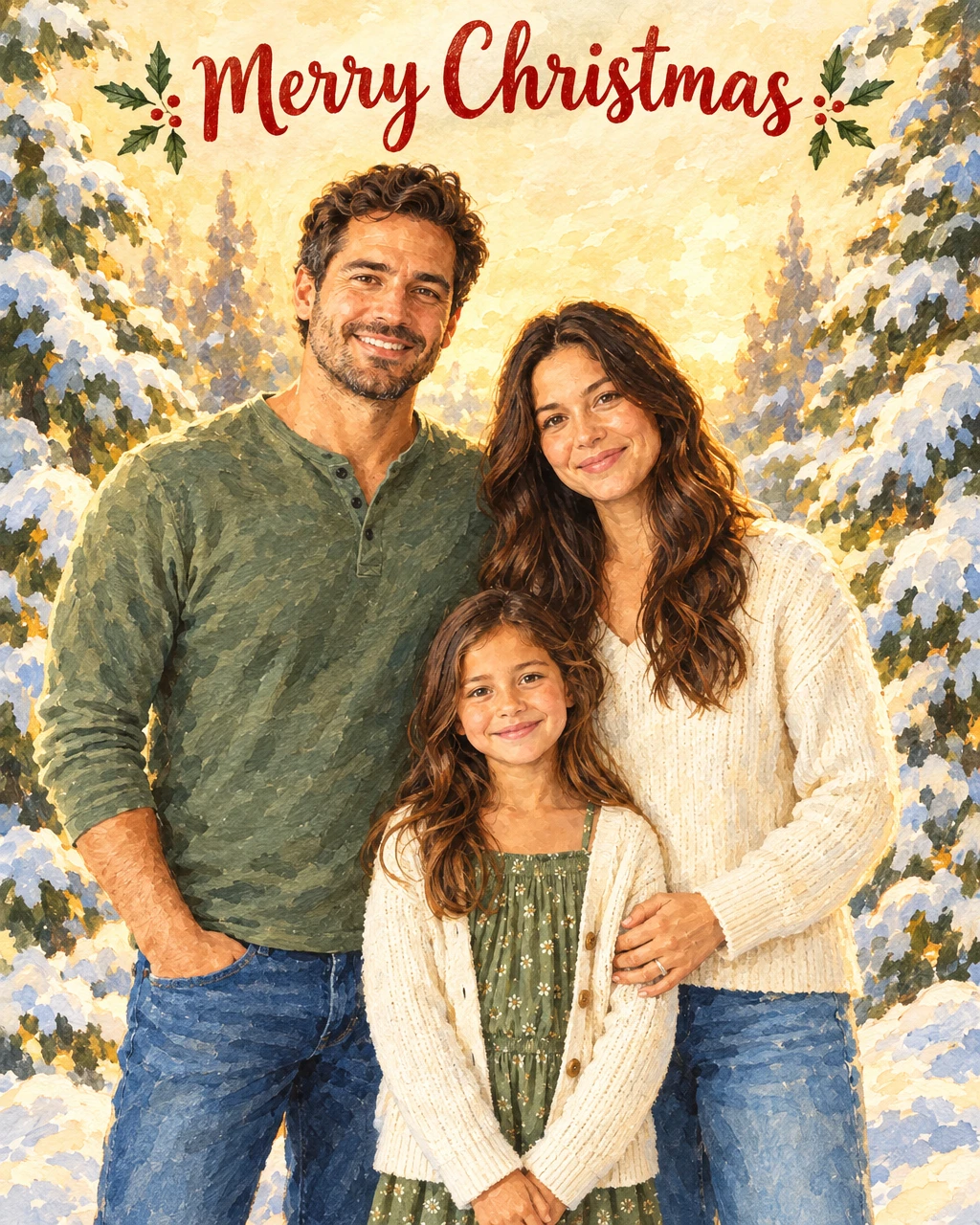
A Fayvoro demonstration from the AI-created reference shown here. Compare the result with your own source before using it.
How do I make a Christmas card from a photo?
Upload a family, couple or pet photo, choose a card style (cozy illustrated, festive photo or minimal evergreen) and a greeting, then generate a 4:5 card front in the Fayvoro studio. The default setting uses 1 credit per image, and new accounts get 3 free credits. Check faces and lettering before you print or share it.
A FEW WAYS IN
Explore the example. Make it yours.
Open a prompt to see the starting idea. You choose when to generate.
MADE WITH FAYVORO
REFERENCE
A family photo as a watercolor Christmas card
A Fayvoro demonstration from the AI-created reference shown here. Compare the result with your own source before using it.
Explore the prompt
Turn this photo into the front of a Christmas card in a warm illustrated gouache style, with snow-covered fir trees and soft golden light around the people. Include only the short greeting "Merry Christmas" in clear lettering above the people. Keep everyone in the photo recognizable, with the same faces, apparent ages, number of people and poses. Flat front-facing card artwork, no mockup, no logos or extra text.
MADE WITH FAYVORO
Fictional snowy cottage Christmas card demo
Created with Fayvoro from the prompt below. This is an original demonstration, not a customer example.
Explore the prompt
Create an original Christmas card front with a small red cottage, snow-covered fir trees, and soft golden light in the windows. Warm illustrated gouache style on a cream background, generous margins, calm festive mood. Include only the short greeting "Merry Christmas" in clear dark green lettering above the scene. Flat front-facing artwork, no mockup, no extra text or logos.
MAKE IT MORE YOURS
A little intention. A different image.
01
Choose the kind of Christmas you want to send
A quiet snowy cottage, bright ornaments, a playful pet scene, or a minimal evergreen branch can each carry a different holiday mood. Pick one main idea and a small palette. Mention whether the card should feel warm and traditional, cheerful and illustrated, or clean and restrained. Keeping that direction clear makes the artwork easier to pair with a personal message.
02
Give the greeting enough space
Short wording such as Merry Christmas has a better chance of staying legible than a long family update. Put the exact requested words in quotation marks and say where the greeting belongs. Review every letter, including any added name. If the message must match a particular font or include several lines, generate the illustration without text and add the wording afterward.
03
Prepare the card for how you will share it
A phone greeting needs readable text at a small size; a physical card needs a chosen paper size and fold. The output is a flattened image of the card front. You can place it in a separate layout with an inside note, return details, or a back design. Check the final crop and printing requirements after assembling the complete card.
BEFORE YOU BEGIN
A few useful answers.
Can I add a family name or a year?+
Yes. Request a short name or year and inspect the generated text. Add it afterward in a layout editor when exact spelling, alignment, or typography is essential.
Can I create a card without Christmas wording?+
Yes. Specify a short seasonal greeting or request an illustration with no text. You can add your preferred message after downloading the image.
Is this the same as a Christmas photo transformation?+
This page creates a card front with a greeting from your photo. The Christmas photo generator keeps a photographic look and places people in a holiday scene without a card layout.
Does the output include editable text or a folded card layout?+
No. It is a single image. Add editable text, a fold, an inside message, and any print settings in a separate layout tool.