Create a decorative pattern from an idea

Describe a motif, a limited color palette, and the rhythm you want. Generate a pattern-inspired image for visual exploration, from scattered wildflowers to bold geometric shapes.

3 free signup credits · No card neededExplore the directions
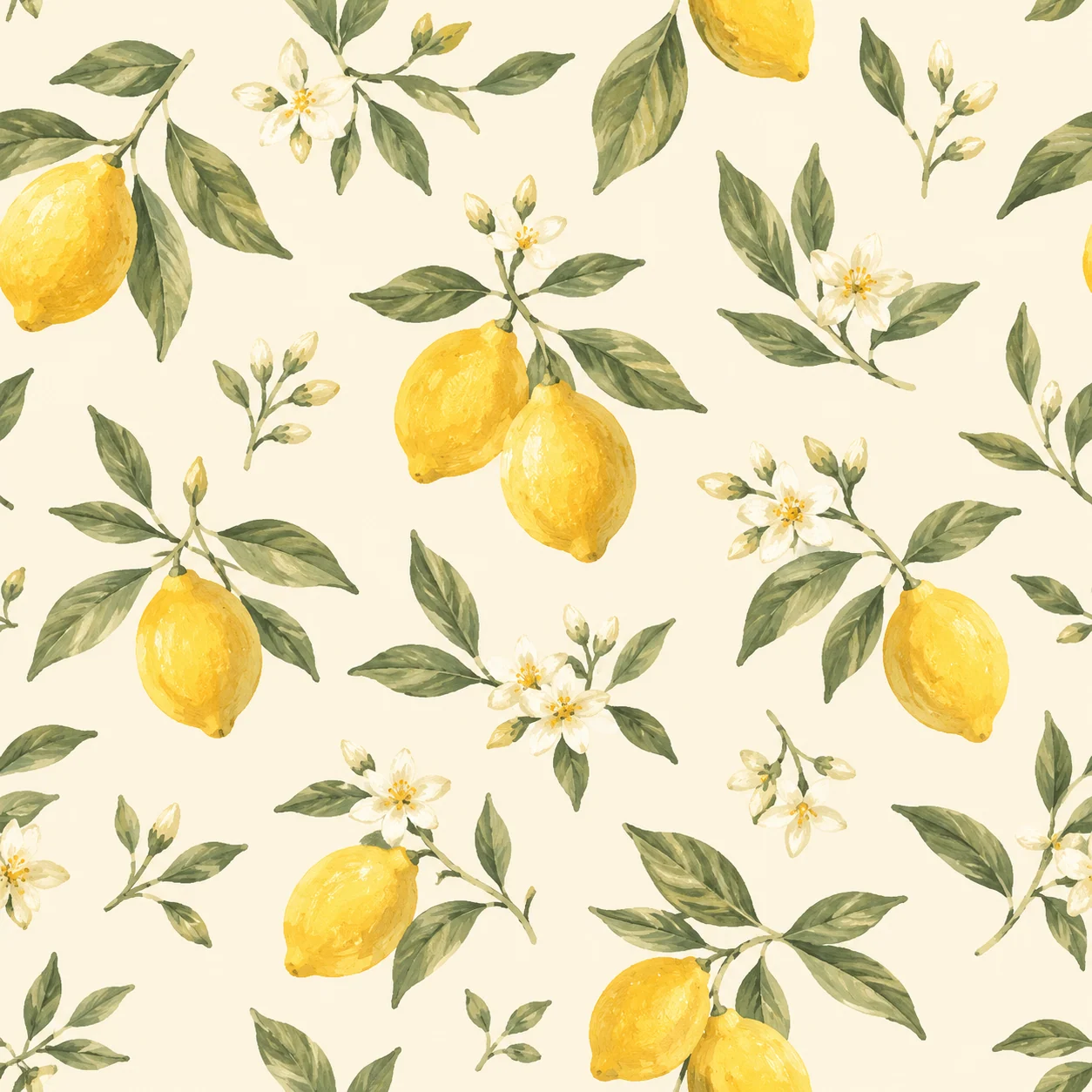
Fictional decorative pattern demonstration with painted lemons, olive leaves, and white blossoms
MADE WITH FAYVORO · Created with Fayvoro from the prompt below. This is an original demonstration, not a customer example.
A FEW WAYS IN

Explore the example. Make it yours.

Open a prompt to see the starting idea.
You choose when to generate.

Fictional decorative pattern demonstration with painted lemons, olive leaves, and white blossoms
MADE WITH FAYVORO

Fictional lemon-and-leaf pattern demo

Created with Fayvoro from the prompt below. This is an original demonstration, not a customer example.

Explore the prompt

Create a decorative surface-pattern concept with small hand-painted lemons, olive leaves, and tiny white blossoms on a warm cream background. Use muted yellow and sage green, varied natural spacing, balanced motif sizes, and a flat overhead view. Crisp readable forms with a gentle gouache texture. No text, logos, fabric folds, or product mockups.

MAKE IT MORE YOURS

A little intention. A different image.

01

Choose a motif with a clear scale

A good pattern direction begins with a small set of related shapes. Describe whether you want tiny scattered flowers, medium fruit clusters, or large architectural geometry. Motif scale changes the feel of the image even when the palette stays the same. Give the background a color too, so the spaces between the shapes become part of the composition.

02

Control rhythm through spacing and color

Dense arrangements feel energetic; open spacing can feel calm. Ask for an even distribution or a more organic scatter, and keep the number of colors manageable. A flat overhead presentation helps you inspect the pattern itself. If you want to see it on wrapping paper or fabric afterward, generate that as a separate mockup rather than mixing both goals into the first image.

03

Inspect repetition before production

The generated artwork is a raster pattern concept. Opposite edges may not match, so place copies next to one another and check every join before treating it as a repeating tile. Review awkward partial motifs and color shifts as well. For a manufactured product, prepare the final repeat, color specifications, and production size with the tools and requirements of your chosen supplier.

BEFORE YOU BEGIN

A few useful answers.

Are the generated patterns seamless?+

Seamless repetition is not guaranteed. Tile the downloaded image in a grid and inspect the horizontal and vertical joins before using it as a repeat.

Can I create a fabric or wallpaper concept?+

Yes. Describe the motif, palette, and visual scale. The image can help explore a direction; repeat construction, color matching, and manufacturing specifications need separate preparation.

Will I receive editable vector shapes?+

This workflow creates a flattened raster image. It does not provide separate motif layers, vector paths, or a production repeat file.

How can I reduce a crowded result?+

Request smaller motifs, more background space, fewer motif types, and a limited palette. Keeping those instructions explicit can make the next concept easier to read.

THE NEXT IMAGE COULD BE YOURS

Follow the idea.