Create art with the AI T-shirt design generator

Describe your theme, art style, and preferred colors to generate a T-shirt graphic concept. Develop the artwork first, then prepare its size and production details separately.

3 free signup credits · No card neededExplore the directions
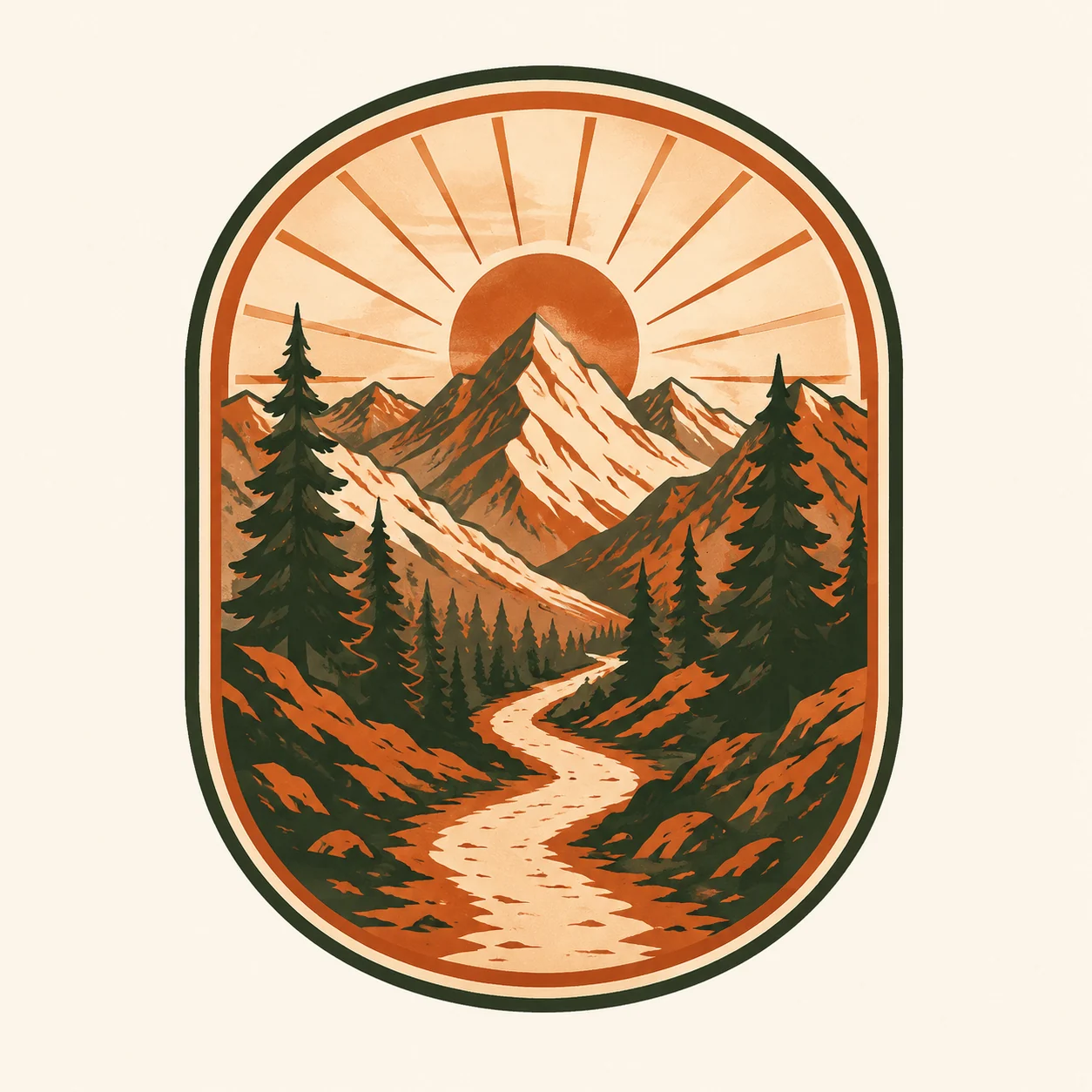
Fictional demonstration of a vintage-style mountain trail and rising-sun graphic intended as a T-shirt design concept.
MADE WITH FAYVORO · Created with Fayvoro from the prompt below. This is an original demonstration, not a customer example.
A FEW WAYS IN

Explore the example. Make it yours.

Open a prompt to see the starting idea.
You choose when to generate.

Fictional demonstration of a vintage-style mountain trail and rising-sun graphic intended as a T-shirt design concept.
MADE WITH FAYVORO

Fictional outdoor T-shirt graphic concept

Created with Fayvoro from the prompt below. This is an original demonstration, not a customer example.

Explore the prompt

Create an original T-shirt graphic concept of a mountain trail winding toward a rising sun, framed by a simple rounded badge shape. Use bold vintage outdoor illustration, a limited rust-orange and forest-green palette, and clean large shapes. Center the standalone graphic on an off-white background. No words, logos, people, garments, or product mockup. Avoid tiny details.

MAKE IT MORE YOURS

A little intention. A different image.

01

Decide what the shirt should communicate

Begin with the wearer and the idea: a hiking club mood, a playful food illustration, or a bold abstract emblem. Choose one visual hook rather than a collection of unrelated symbols. Say whether the artwork should be a small chest graphic or a larger central composition. That decision changes how much detail and empty space the design can comfortably support on a garment.

02

Design around contrast and viewing distance

A shirt graphic should read from farther away than a picture on a phone. Ask for clear shapes and a limited palette, and consider the intended shirt color when choosing light and dark areas. Vintage distress, fine lines, and detailed shading can look attractive in a concept but may need adjustment for production. Generate the graphic itself first if you want to assess its composition without a clothing mockup.

03

Check the artwork before print preparation

Inspect the outline, small marks, unintended lettering, and how the design reads when reduced. If text is essential, arrange and proofread the final words in a separate editor. Fayvoro provides bitmap artwork rather than a vector file, separated ink channels, or a ready-made print package. Confirm resolution, dimensions, background handling, and color requirements with the printer or print-on-demand service before using a concept for a physical shirt.

BEFORE YOU BEGIN

A few useful answers.

Is this a print-ready T-shirt file?+

It is a bitmap graphic concept. Print dimensions, resolution, background treatment, color separation, and any vendor-specific preparation still need checking.

Can I generate just the artwork without a shirt?+

Yes. Ask for a standalone graphic on a plain background and explicitly exclude people, garments, and product mockups.

How many colors should I request?+

A limited palette often makes a clearer concept. Choose colors with the intended shirt background and eventual printing method in mind.

Can I include a slogan?+

You can request short wording, but generated lettering can be inaccurate. For controlled typography, add and proofread the slogan in a separate layout tool.

THE NEXT IMAGE COULD BE YOURS

Follow the idea.