PRODUCT STORIES / A CREATIVE GUIDE

Tethered Product Photography

Make the new capture appear in the right place.

Tethering connects a supported camera to capture software so a real photograph can be inspected on a computer during the shoot. It is separate from uploading one photo to a scene generator.

Sign up for 3 free credits · Your starting direction is included.See the example
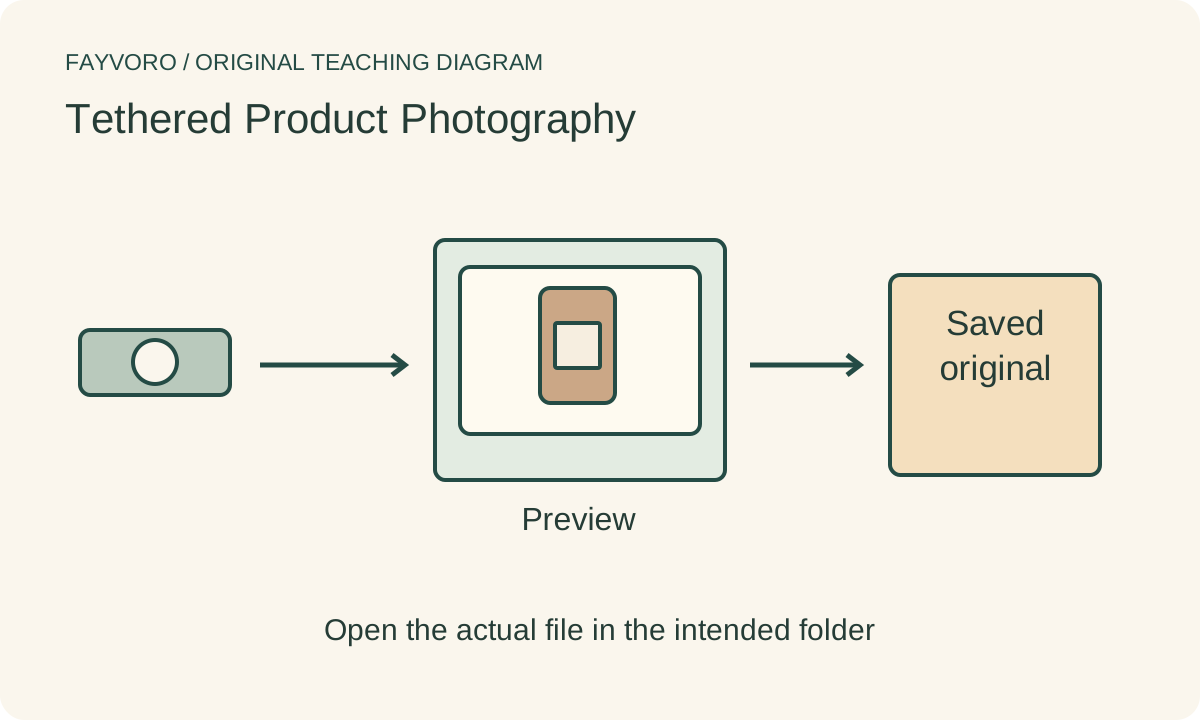
Camera connected to a computer preview and a distinct saved-original folder, with a test-file verification checkpoint.
EDITORIAL CONCEPT
01 / EXAMPLEILLUSTRATIVE CONCEPT
What this shows

Preview and saved original are separate.

The transfer chain is conceptual. It is not a connected camera session or a tested Fayvoro integration.

Camera connected to a computer preview and a distinct saved-original folder, with a test-file verification checkpoint.
Editorial conceptOriginal teaching diagram. It is not a measured lighting test, product photograph, Fayvoro result or customer case.

This image is an editorial concept made for the site. It is not a Fayvoro generation or customer result. AI can change product shape, color, packaging, labels, and text. Check every important detail against the real item.

YOUR STARTING IDEA

Take the direction. Make it your own.

Use this exported, reviewed real product photo for one secondary scene. Keep the actual item visible. I will retain the original capture identifier and compare label, construction and included quantity before using the result.
Add your reference photo in the studio, then adjust the direction.
Before you publish

Compare the result with your real product and your destination’s requirements.

  • Camera, connection and software support are checked.
  • A real test file is opened from the intended folder.
  • New-frame selection and approval identifiers are verified.
  • Backup behavior and the last received frame are confirmed.
02 / A PRACTICAL WORKFLOWSTART WITH YOUR PHOTO
01

Confirm support before connecting

Check the capture software’s current supported-camera list, your camera firmware and operating-system requirements. Choose a compatible connection and cable from the manufacturers’ instructions. A cable that charges the camera does not by itself establish a supported capture workflow.

Secure the camera and strain-relieve the connection appropriately. Keep cables out of walking paths and away from the product table. Start with one item and a local test rather than attempting a whole catalog before verifying transfer.

02

Verify the destination with an actual test frame

Create the intended session or project in your capture software, set a known destination and make one frame. Open the saved file and confirm its product identifier, sequence and capture settings. A live preview or software status icon alone is not proof that the original was saved.

Check what happens when a new frame arrives: whether it replaces the selected view, waits for processing or leaves the reviewer on a previous selection. Capture One documents these capture and workflow controls; use the actual software version rather than assuming every tethering app behaves identically.

03

Separate review notes from originals

Inspect label focus, edges and composition on the larger display while the item is still on set. Record the rejected and approved file identifiers, and keep annotations in a review record rather than painting them into the camera original.

Confirm the backup or camera-card behavior in your own supported setup. Do not assume that seeing a file on the computer means a second copy exists on the card. After an interrupted connection, verify the last received frame before resuming to avoid missing or duplicated captures.

04

Export a reviewed reference for the studio

Fayvoro does not tether a camera, watch a capture folder or import a catalog. Export a reviewed supported image from your own workflow and upload one reference for a secondary scene. Keep its source identifier with the output and check product accuracy before publication.

Common questions

A few things to know.

Does tethering mean the camera card also has a backup?

Not necessarily. Saving behavior depends on the camera and capture application; verify it with your own test file.

Can I tether directly to Fayvoro?

No. The current studio accepts a photo reference; it does not control a camera or a capture session.

Does this require buying Capture One?

This is a workflow guide, not a purchase requirement. Use supported software and equipment you already have where suitable, and check their instructions.

Make your image with intention.