PRODUCT STORIES / A CREATIVE GUIDE

Product Photography Style Guide

Write the rules that should survive the next shoot.

A project brief agrees one job. A style guide records the visual decisions that should carry across future products and placements, with exceptions where factual detail needs a different treatment.

Sign up for 3 free credits · Your starting direction is included.See the example
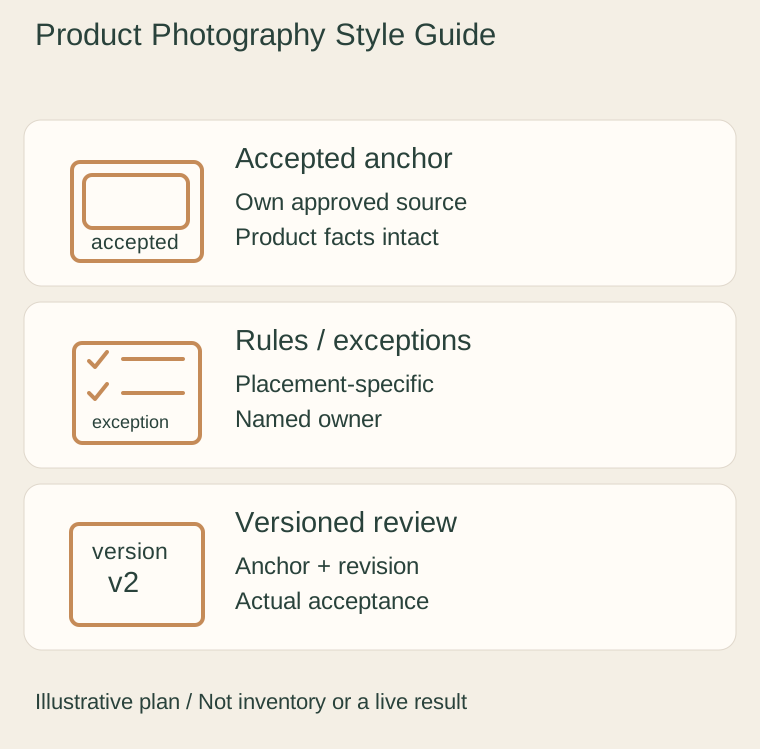
Original illustrative plan: Accepted anchor, Rules / exceptions, Versioned review.
EDITORIAL CONCEPT
01 / EXAMPLEILLUSTRATIVE CONCEPT
What this shows

Give each view a specific job.

Use this illustrative plan to organize real evidence and a separate optional scene. The drawn objects and quantities do not specify the item you sell.

Original illustrative plan: Accepted anchor, Rules / exceptions, Versioned review.
Editorial conceptOriginal teaching diagram. It is not a photograph of inventory, measured specification, live Fayvoro result or customer case.

This image is an editorial concept made for the site. It is not a Fayvoro generation or customer result. AI can change product shape, color, packaging, labels, and text. Check every important detail against the real item.

YOUR STARTING IDEA

Take the direction. Make it your own.

Use my approved product photograph for one supporting scene that follows this direction: restrained surface, clear whole subject and no extra products or text. I will compare the actual result with the real SKU anchor and the placement-specific style rules.
Add your reference photo in the studio, then adjust the direction.
Before you publish

Compare the result with your real product and your destination’s requirements.

  • Approved anchors explain what each visual rule controls.
  • Factual colour, shape and label information is separate from atmosphere.
  • Placement-specific exceptions have a reason and an owner.
  • Accepted image and style-guide revisions are recorded together.
02 / A PRACTICAL WORKFLOWSTART WITH YOUR PHOTO
01

Begin with accepted real image anchors

Select a small set of your own approved photographs that demonstrate the desired subject scale, camera view, background and light. Annotate what each anchor controls. Keep colour-critical product evidence separate from the palette used for atmosphere; a warm brand mood should not turn the stocked colour into a different variant.

Write measurable review cues where you can: the whole package remains in frame, the label is legible at the intended display, and important construction is not hidden by props. Avoid rules such as “always premium” that reviewers cannot apply consistently. Shopify describes a photography style guide as a reusable brand document; the rules here must come from your own accepted images.

02

Define placement-specific rules and exceptions

Create separate entries for factual listing photos, optional campaign scenes and small collection or search tiles. An Amazon main-image requirement and an atmospheric store banner can need different treatments. Record which owner checks the destination rules rather than forcing every asset into the same mood.

Name permitted exceptions: reflective hardware may require another angle, a dark item may need more separation, and a texture detail may need tighter framing. Tie each exception to the product fact it protects. Keep prohibited changes explicit, such as altering package count, printed claims or a stock colour to make the overall feed look uniform.

03

Use the guide during a real pilot and revision

Review one representative current SKU against the rules before extending the style to other products. Record the accepted file revision, exception and approver. Keep the style-guide version beside the source and export records so a new team member can understand why a later image differs.

Fayvoro can make one photo-reference scene candidate, but it does not enforce this document or guarantee identical product geometry, colour or lighting across a catalog. Compare each actual output with its real product anchor and the chosen placement rules. A reusable prompt helps describe direction; it cannot replace factual review or a real approval record.

Common questions

A few things to know.

How is a style guide different from a photography brief?

A brief assigns a particular project’s deliverables and responsibilities. The style guide retains visual rules and exceptions across later projects.

How is it different from a mood board?

A mood board compares possible visual directions. A style guide records the accepted direction as rules that reviewers can apply.

Can one prompt guarantee catalog consistency?

No. A prompt does not lock SKU identity or enforce a visual document across images. Review each current product and actual result.

Make your image with intention.