02 / A PRACTICAL WORKFLOWSTART WITH YOUR PHOTO
01Write a card plan before making images
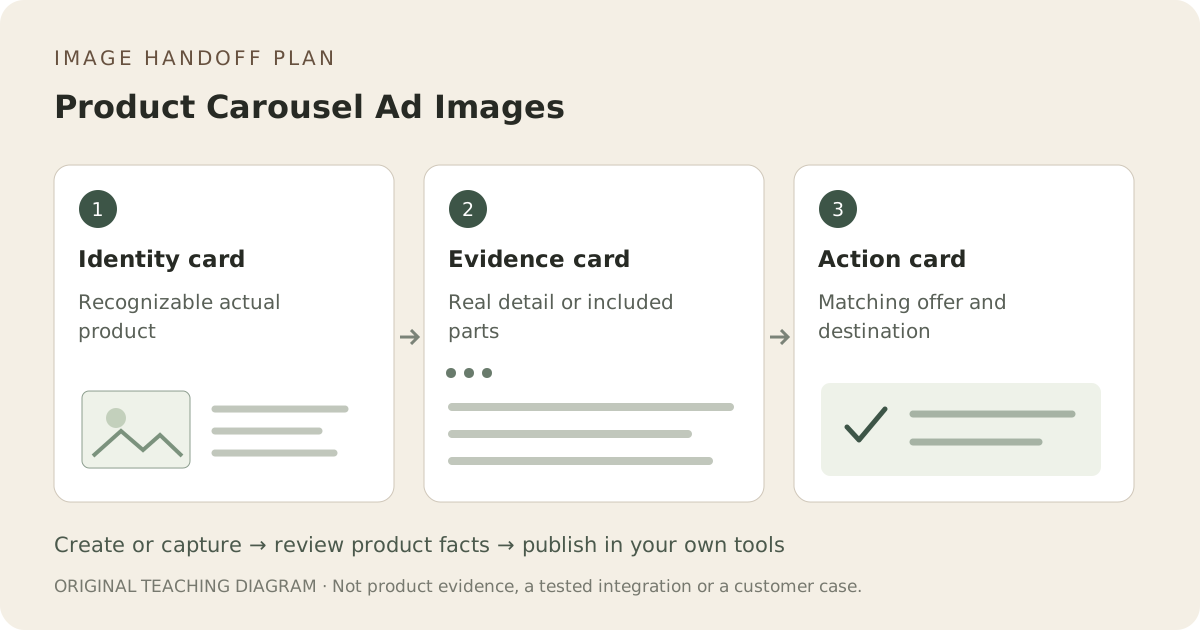
For each planned card, record its buyer question, image source and destination. One possible sequence is the complete item, the actual closure or included pieces, and a clear action in the ad editor. This is an editorial planning example, not a universal performance formula. If a card adds no new information, remove it.
Keep product identity consistent across the sequence
Use real item photographs for factual details. A scene may introduce mood, but should not change color, packaging, supplied count or construction in the next card. Inspect each card against the same SKU record. Repeated prompting does not guarantee an identical product across outputs.
Use Fayvoro for a reviewed scene card
Explore one context image from your actual photo, then choose an approved result. Add exact text, offer terms and destination links in your ad tools. Fayvoro does not assemble a carousel, launch ads or guarantee campaign results. Keep the evidence card based on real photography when the detail must be exact.
Verify current placement settings in your ad tool
Check the currently selected placement, accepted dimensions, card count, cropping and link behavior before export. Meta’s live guide is linked below, but its current specifications could not be retrieved in this review, so no numeric rule is asserted here. Preview each card and destination; creative preparation is separate from any ad-spend decision.