All product image guides Photoroom alternative for product scenes

Choose the tool for the image job you have.

If you are comparing alternatives to Photoroom, specify whether you need a transparent cutout, catalog edits or one new scene direction. Fayvoro can be considered for individual scene exploration, with limits that matter before you spend credits.

Test one scene with your own photo Two free credits when you sign up. Review the result before publishing.
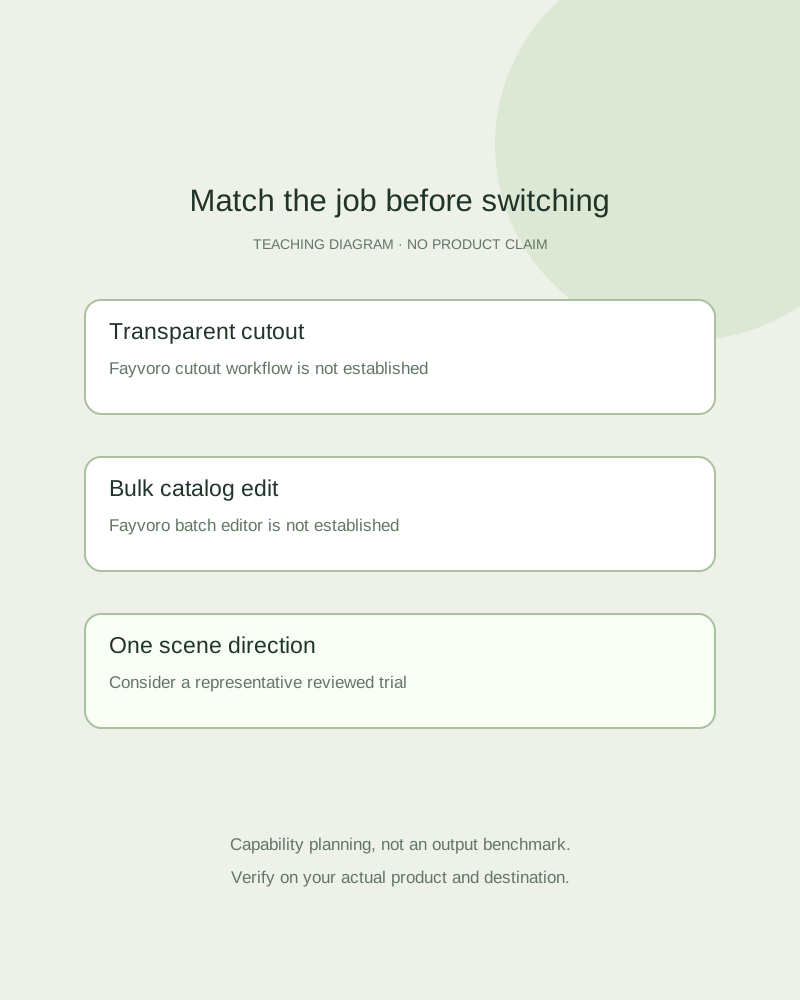
Teaching decision diagram separating cutout, catalog editing and single-scene exploration
EDITORIAL CONCEPT
01 / EXAMPLEILLUSTRATIVE CONCEPT
What this shows

A comparison begins with the deliverable.

The map separates three different image jobs. It does not claim that the products have the same feature set or that Fayvoro wins a quality, price or time benchmark.

Teaching decision diagram separating cutout, catalog editing and single-scene exploration
Editorial conceptOriginal teaching diagram, not a product photograph, Fayvoro generation or customer result. This is a capability decision map, not a matched benchmark or comparison of generated quality.

This image is an editorial concept made for the site. It is not a Fayvoro generation or customer result. AI can change product shape, color, packaging, labels, and text. Check every important detail against the real item.

02 / A PRACTICAL WORKFLOWSTART WITH YOUR PHOTO
01

Check the missing feature before switching

Photoroom’s official tools describe background removal, AI backgrounds, retouching and other editing tools. Its batch page describes processing multiple product images together. Availability and limits vary by product and plan; inspect the current offer for the specific feature you need.

Fayvoro currently creates one image per generation from a supported photo or a text description. It has no verified transparent-background cutout workflow, bulk catalog editor or Shopify synchronization. If those are the required deliverables, this page is not evidence that Fayvoro can replace them.

02

Run a representative scene trial

Choose one real product with the details that matter to your catalog. Keep a clean source, decide the intended placement and specify one restrained scene. In Fayvoro, the studio offers scene, aspect-ratio and available resolution choices, with the credit cost shown before submission.

Two free signup credits allow a small initial test under the current offer. Count a result as useful only after product and placement review. A completed generation is not automatically a publishable image, and this guide presents no matched Photoroom-versus-Fayvoro output test.

03

Decide on total usable work

Record attempts, credit charges, review time and whether the candidate can actually be used. If the reference label changes or the scene cannot satisfy the intended crop, retain the accurate original. Compare your real workflow cost, not an invented claim that every output saves a photoshoot.

You may keep a precise editor for factual images and use Fayvoro for selected secondary scenes. Exact text, logo and pixel preservation are not guaranteed. Use the capability table below to identify a fit before moving more products through the workflow.
Practical decision card

Choose by the required deliverable

Official Photoroom documentation was checked on 2026-10-06. This is a feature-scope comparison, not a matched output benchmark.

Manual planning and review; no automatic product inspection.
Required jobPhotoroom documentationFayvoro current scope
Transparent cutoutOfficial tools list background removalNo verified transparent-cutout workflow.
Several catalog files at onceOfficial batch page describes bulk background removalOne image per generation; no catalog batch editor.
One generated scene directionOfficial tools include AI backgroundsPhoto reference or text concept; review every result.
Exact product text and constructionVerify the actual edited export yourselfExact labels and pixel preservation are not guaranteed.
Check current plan availability directly. No unsupported quality winner, price ranking, time saving or merchant conversion claim is made.
Direction to try

A useful starting note.

Use this as a starting point, then adjust it for your own product. No prompt can guarantee exact product details.

Use my supported product photo to explore one secondary lifestyle scene on a simple surface with soft light. Keep the whole product visible, with no new text or extra objects. I will compare the exact product details and intended crop before deciding if this workflow fits.
Before you publish

Check the details.

  • The required deliverable is named: cutout, edit or scene.
  • Current feature and plan information is checked at the official source.
  • A representative trial is reviewed for real product accuracy.
  • Attempts, usable output and human review cost remain separate.
Common questions

A few things to know.

Is Fayvoro a full Photoroom replacement?

This page establishes only individual scene exploration as a possible fit. It does not establish equivalent cutout, retouching, batch or store-integration features.

Which tool gives better image quality?

No matched benchmark is presented. Compare your representative product and actual deliverable before drawing a conclusion.

Will my label be kept exactly?

Fayvoro does not guarantee exact text, labels or product details. Keep accurate real photos and reject changed facts.

Make your image
with intention.

Test one scene with your own photo