All product image guides Black on Black Product Photography

Keep a black product visible without making it gray.

A dark campaign image can hide the shape that identifies the product. The problem is not solved by lifting the entire photograph until black material turns gray. Separate edge definition, surface information and background mood, then test each at the size buyers will see.

Explore a scene from your real photo Two free credits when you sign up. Review the result before publishing.
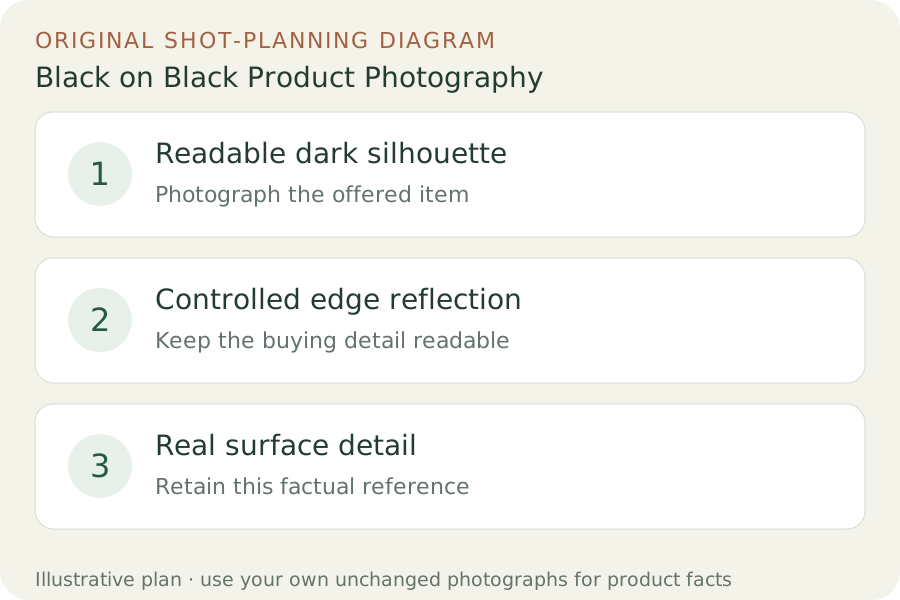
Original teaching diagram: Readable dark silhouette, Controlled edge reflection, Real surface detail
EDITORIAL CONCEPT
01 / EXAMPLEILLUSTRATIVE CONCEPT
What this shows

Give each photograph one clear job.

Use the three labeled views to plan your factual gallery. The outlines show composition roles only; they contain no observed dimensions, verified materials or performance measurements. Keep real photographs beside any secondary scene candidate.

Original teaching diagram: Readable dark silhouette, Controlled edge reflection, Real surface detail
Editorial conceptOriginal teaching diagram for shot planning. Illustrative outlines, not a photograph of inventory, a Fayvoro output or a customer example.

This image is an editorial concept made for the site. It is not a Fayvoro generation or customer result. AI can change product shape, color, packaging, labels, and text. Check every important detail against the real item.

02 / A PRACTICAL WORKFLOWSTART WITH YOUR PHOTO
01

Decide which dark edges must remain readable

Start with a clear factual photograph of the real product and note the outline, openings and details buyers must recognize. Choose a dark scene only for a role that allows it, such as a reviewed secondary campaign image. Keep the destination’s main-image requirements separate; a low-key background is not suitable for every catalog channel.

Broncolor’s black-on-black demonstration separates a dark product from its background with edge lighting and controls flare with flags. Use that as a lighting concept, then make your own trial for the actual material. A glossy edge and a matte fabric edge will not respond identically. Keep the camera and product position fixed so you can compare one lighting change at a time.

02

Shape the light instead of brightening every pixel

Move a broad light or white reflector until a narrow, controlled highlight describes a necessary edge. Check that it does not cover the logo, create an impossible seam or turn a matte part shiny. Use a dark card to reduce unwanted reflection when needed. Make another factual detail photograph when important controls or texture remain hidden in the dramatic frame.

Inspect the image at the actual thumbnail and mobile sizes. If the outline disappears against the page background, adjust the composition or choose a lighter setting. Preserve enough internal detail to identify the object; a bright rim around a featureless silhouette is not a complete product record. Do not remove scratches or condition marks as part of creating the dark mood.

03

Try a dark scene as one reviewable alternative

Upload one actual product photo to Fayvoro and request a restrained dark matte surface with soft directional edge light. Keep the original neutral-background photograph available. This attempt explores a low-key composition; it does not guarantee exact black values, physical lighting or lossless preservation of product edges.

Compare silhouette, surface finish, openings, seams and reflections with the source. Reject fake glowing edges, a changed material or missing dark details. Check the final mobile crop again after export. If a scene makes the product harder to recognize or obscures a buying feature, use the clearer real photograph instead of accepting atmosphere at the cost of information.
Direction to try

A useful starting note.

Use this as a starting point, then adjust it for your own product. No prompt can guarantee exact product details.

Use my real product photograph for a secondary black-on-black composition on a quiet dark matte surface. Keep the whole outline readable with restrained soft edge light and visible real surface detail. Add no glowing effects, lettering or parts. I will compare the candidate with the neutral factual reference.
Before you publish

Check the details.

  • Whole outline is recognizable at actual mobile and thumbnail size.
  • Black material has not become gray or a different finish.
  • Edge highlights do not imply new seams or glowing parts.
  • Factual detail and condition images remain available.
  • The intended publishing channel permits the dark image role.
Common questions

A few things to know.

Should I lift exposure until every dark detail appears?

Try controlling the light and background first. Excessive global brightening can misrepresent a black material. Keep a separate clear detail photograph when needed.

Can this replace a marketplace’s required main image?

Only if the current destination rules permit that role. A secondary campaign composition does not override a catalog’s background requirements.

Does Fayvoro guarantee exact black pixels?

No. This workflow explores a scene candidate. Review the actual export, product finish and channel requirements before use.

Make your image
with intention.

Explore a scene from your real photo