Create AI lingerie portraits in satin and light.

Upload an adult photo you are allowed to transform. Choose an opaque lingerie style, color and setting, then review your fashion direction in the studio.

JPG, PNG or WebP · Up to 10 MB

Review the prompt and credit cost in the studio before generating.

3 free signup credits · No card needed
Explore the directions
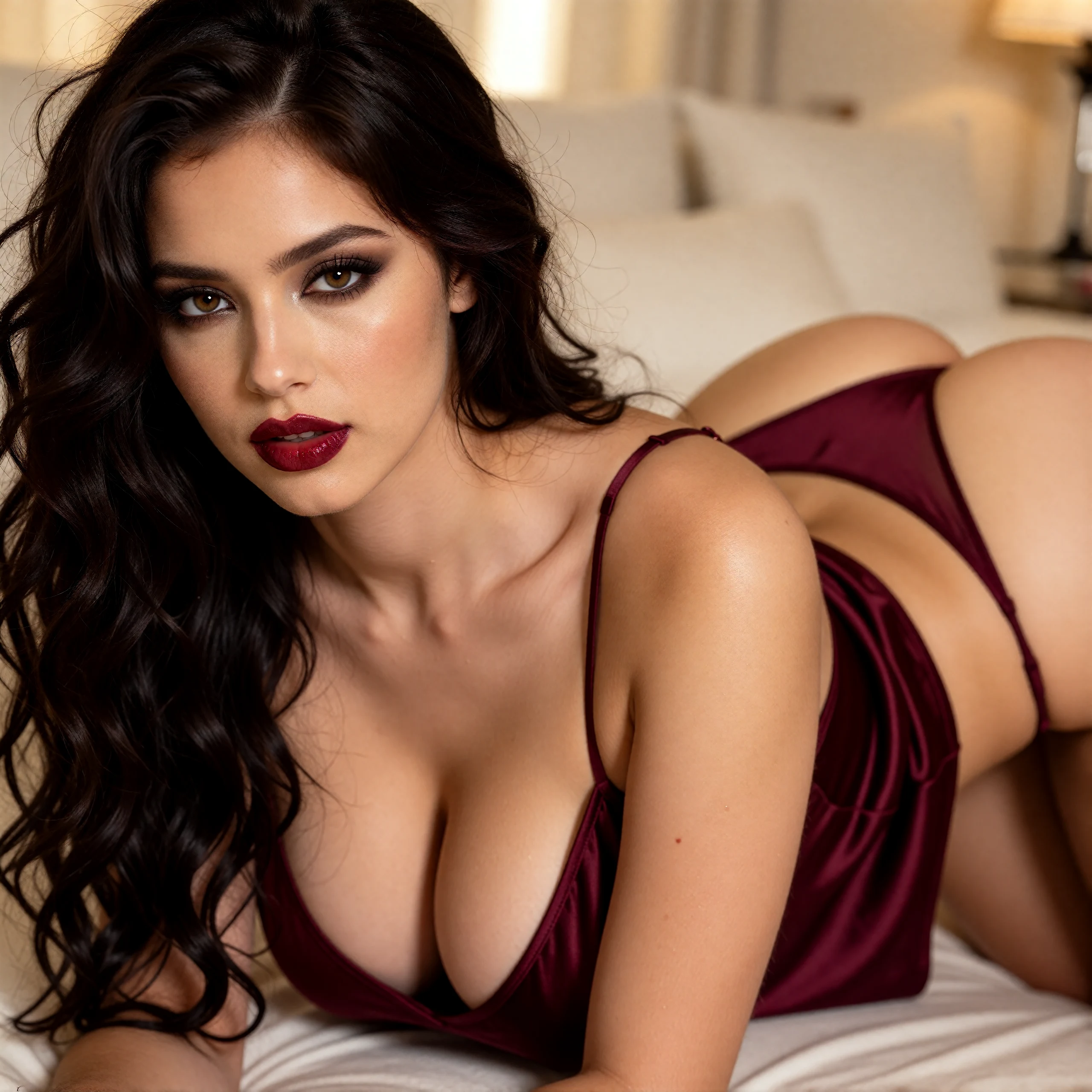
Adult woman with dark wavy hair wearing burgundy satin lingerie on pale bedding
PROVIDED IMAGE · Supplied fashion reference. The example directions below are separate AI studies, not the original prompt for this image.
A FEW WAYS IN

Explore the example. Make it yours.

Open a prompt to see the starting idea.
You choose when to generate.

Fictional adult model wearing an opaque burgundy camisole and matching briefs in a pale-stone studio
AI INSPIRATION

Burgundy satin, clean studio lines

AI-generated fashion study of a fictional adult, made from a text direction. AI inspiration, not a customer photograph.

Explore the prompt

Full-body fashion campaign photograph of a fictional adult woman aged 32 wearing an opaque burgundy satin camisole and coordinated high-leg briefs, no robe or outerwear. Voluminous dark waves, smoky eyes, defined lashes and wine lipstick. Confident upright catalogue stance with relaxed arms. Head-to-toe framing, eye-level camera, the entire figure visible. Warm architectural studio, pale stone and dramatic soft side light. No text or logos.

Fictional adult model in an opaque burgundy satin bodysuit and a black silk robe against a plum backdrop
AI INSPIRATION

Rich satin and dramatic light

AI-generated fashion study of a fictional adult, made from a text direction. AI inspiration, not a customer photograph.

Explore the prompt

High-fashion portrait of a fictional adult woman aged 32 in an opaque deep-burgundy satin bodysuit and a long black silk robe. Voluminous dark waves, jewel-toned smoky eye makeup, defined lashes and rich wine lipstick. Confident direct gaze, relaxed upright fashion pose, eye-level three-quarter framing. Warm amber light, a dark plum studio and restrained gold details, rich fabric texture and elegant editorial polish. No text, logos or watermark.

Fictional adult model in an opaque ivory satin bodysuit and matching robe beside a stone studio wall
AI INSPIRATION

A quieter ivory study

AI-generated fashion study of a fictional adult, made from a text direction. AI inspiration, not a customer photograph.

Explore the prompt

An editorial apparel portrait of a fictional woman aged 32 in an opaque ivory satin bodysuit and a tailored silk robe. Standing naturally in an architectural studio, relaxed hands, direct gaze, eye-level three-quarter framing. Warm side light across pale travertine, deep soft shadows, clear seams and refined fabric texture. Neutral clothing-catalogue pose. No sheer fabric, nudity, text, logos or watermark.

MAKE IT MORE YOURS

A little intention. A different image.

01

Give the fabric a precise description

Start with an opaque material and its surface: matte cotton, smooth microfiber or a restrained ribbed knit. Add the garment structure, such as a full-coverage bra, wide straps and high-waisted briefs. A short, consistent set of details is easier to assess than several conflicting materials.

Use the concept to compare colors and broad design directions. AI can invent stitching, fastenings and fabric behavior. It cannot establish how a real garment stretches, supports the body or fits a particular size.

02

Choose light that reveals the construction

For a catalogue direction, ask for broad, soft light and a plain studio backdrop. Keep enough contrast between the fabric and background for straps and edges to read clearly. A light robe can add a simple layer without obscuring the garment.

Avoid strong color casts when you are comparing color ideas. Check the final image for uneven shadows, an implausible seam or a strap that merges into the shoulder. The goal is a readable fashion concept with a neutral standing pose.

03

Review the image as a product concept

Look at both sides of the garment, the waistband, strap width and the joins between panels. Check hands, body proportions and skin texture too. The prepared 3:4 draft leaves room to show the complete outfit rather than cropping through a key construction detail.

If you need a real catalogue image, compare every visible detail with the actual garment. An invented fastening, changed coverage or inaccurate color can make a polished concept unsuitable for a product listing. Exact SKU consistency and commercial clearance are not established by generation.

04

Keep the brief adult and non-explicit

The photo workflow starts with your own adult image or an authorized adult reference. Choose a style and review the direction in the studio. Start from words instead prepares a separate fictional-adult concept. Keep the direction focused on clothing, fabric and neutral fashion photography.

The main image was supplied for this page. The direction examples below are separate AI-created studies, not live Fayvoro outputs or tested photo transformations. A reference does not guarantee facial likeness or an exact garment match. Inspect the generated result and confirm the rights needed for your intended use.

BEFORE YOU BEGIN

A few useful answers.

What does this AI lingerie generator create?+

Start with an adult reference photo and choose an opaque lingerie style, color and setting. The studio opens with your photo and an editable fashion prompt. You can also start from words to create a fictional adult concept.

Can I use it for exact lingerie product photographs?+

Exact product reproduction is not guaranteed. Stitching, straps, coverage, color and fit may change. Treat a generated image as a concept and compare it with the real garment before considering a product listing.

Can I start with an adult reference photo?+

Yes. Upload your own adult photograph or one you have permission to transform using the photo picker. Review your style choices in the studio. Exact facial likeness, body proportions and garment consistency are not guaranteed.

How were the lingerie examples made?+

The main image was supplied for this page; its original generation prompt is not verified. The three direction examples below were made from text directions. Their prompts open as editable text directions. They are visual studies rather than exact garment reproductions.

Does opening the lingerie prompt use credits?+

No. Opening it prepares an editable studio draft. New accounts receive 3 signup credits. Text creation uses 2 credits, while the reference-photo edit uses 1 credit and follows the input image size. Review the displayed cost before generating.

THE NEXT IMAGE COULD BE YOURS

Follow the idea.

Choose a photo