Build an AI cosplay photoshoot around your own character.

Give an original costume a place to belong. Plan a creator profile portrait or a promotional image with an original adult knight, then shape the armor, cloak and imagined setting.

3 free signup credits · No card needed
Explore the directions
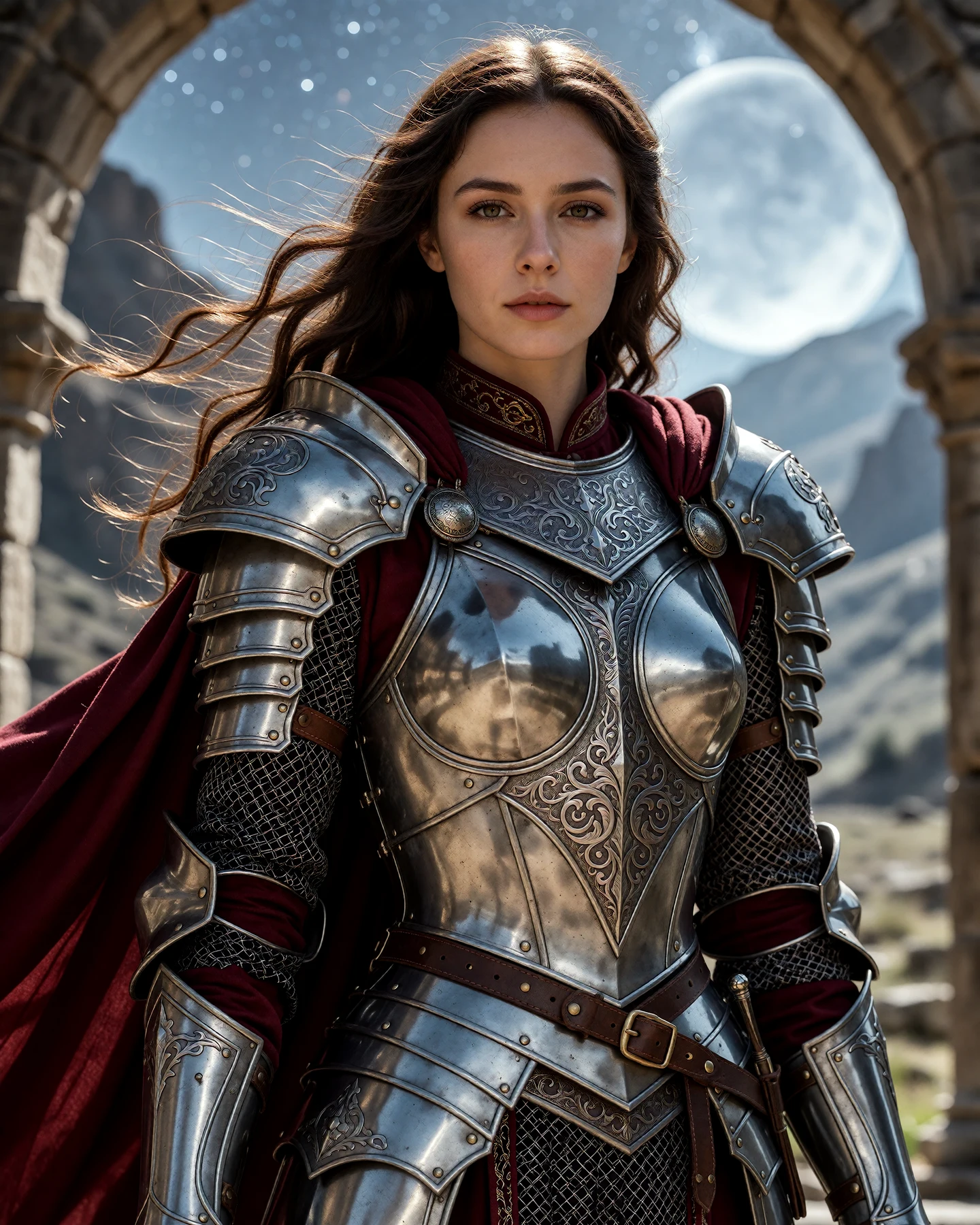
Fictional adult woman portraying an original fantasy knight in engraved silver armor and a crimson cloak among starry ruins
AI INSPIRATION · An original AI-created concept from the prompt below, presented as inspiration rather than a customer result.
A FEW WAYS IN

Explore the example. Make it yours.

Open a prompt to see the starting idea.
You choose when to generate.

Fictional adult woman portraying an original fantasy knight in engraved silver armor and a crimson cloak among starry ruins
AI INSPIRATION

An original silver knight under the stars

An original AI-created concept from the prompt below, presented as inspiration rather than a customer result.

Explore the prompt

Photoreal editorial cosplay portrait of a fictional adult woman aged 32 as an original fantasy knight. Intricately engraved silver plate armor fully covers torso and shoulders, a deep crimson cloak moves in the wind. Waist-up framing, clear mature face, detailed pauldrons and gauntlets, natural proportions. Ancient ruined arches beneath a luminous starry sky, cool moonlight and warm rim light, dramatic heroic composition. No known franchise, text or logos.

MAKE IT MORE YOURS

A little intention. A different image.

01

Start with a character role and a silhouette

A space traveler, city botanist or desert courier gives an original costume a clear starting point. Pick one role, then describe the large shapes: a utility jumpsuit, short shoulder panels, sturdy boots or a practical belt. Give the character a small, coherent palette.

Build your own design rather than relying on a famous character’s name to supply every detail. The example uses an original knight with carved silver armor and a crimson cloak. It is an inspiration image, not a licensed costume or a record of a real cosplay shoot.

02

Name materials you could actually build

Describe canvas, twill, quilted fabric or a few lightweight panels, and decide where each material belongs. Keep closures and accessories simple. A costume concept becomes easier to discuss with a maker when its pieces have a visible purpose.

Check straps, gloves, seams and the connection between layers. AI can merge separate pieces or create fastenings that would not work in practice. Use the image as a visual brief; it is not a sewing pattern, measurement guide or tested construction plan.

03

Let the location support the costume

Choose a setting that explains the character without covering the outfit in effects. A distant skyline suggests travel; an orderly workshop suggests a maker. In the prepared prompt, cool moonlight and a warm rim light separate the silver armor and crimson cloak from the ruined arches.

Ask for a stable standing pose and enough space to see the boots and hands. Review railings, perspective, shadows and the edge of the roof in the result. For a real shoot, plan a safe location and practical access separately from the imagined scene.

04

Explore a new idea or bring an adult costume reference

The main button opens a text draft for a fictional adult character. If you already have a costume photograph, the optional reference button prepares a photo draft. Use your own adult image or one you have permission to transform, then edit the setting and lighting direction.

Compare the result with the actual face, outfit and accessories. Generation can reinterpret all three, and fine costume details may change. The concept shown here is not a live Fayvoro result and does not establish exact identity, costume continuity or rights to third-party character designs.

BEFORE YOU BEGIN

A few useful answers.

How do I create an AI cosplay photoshoot?+

Open the prepared prompt and describe an original adult character, a clear costume silhouette, practical materials and one setting. Review the portrait ratio and credit cost in the studio, sign in and choose Generate image when ready.

Can I use a photo of my own cosplay?+

Yes. Choose the adult costume reference option and use your own photo or one you have permission to transform. Explain which costume details matter, then compare the generated face, accessories and outfit with the original.

Will the costume stay exactly the same in every image?+

Exact continuity is not guaranteed. Colors, seams, accessories, facial features and proportions can change between generations. Keep the prompt specific and review each image before using it as part of a series.

Is the knight based on a famous character?+

No. The example is an original fictional adult character created as AI inspiration. It is not a licensed character or a live Fayvoro result. Using a generated image does not establish rights to another creator’s character or costume design.

Can I try an original cosplay idea for free?+

New accounts receive 3 signup credits. A Standard 1K image uses 1 credit and a 2K image uses 2. Opening the draft does not start a generation; review the displayed cost before choosing Generate image.

THE NEXT IMAGE COULD BE YOURS

Follow the idea.