Create an AI bikini photoshoot with a fashion eye.

Upload your own adult photo, choose a swimwear style, color and setting, then continue to the studio to review and generate your new look.

JPG, PNG or WebP · Up to 10 MB

Review the prompt and credit cost in the studio before generating.

3 free signup credits · No card needed
Explore the directions
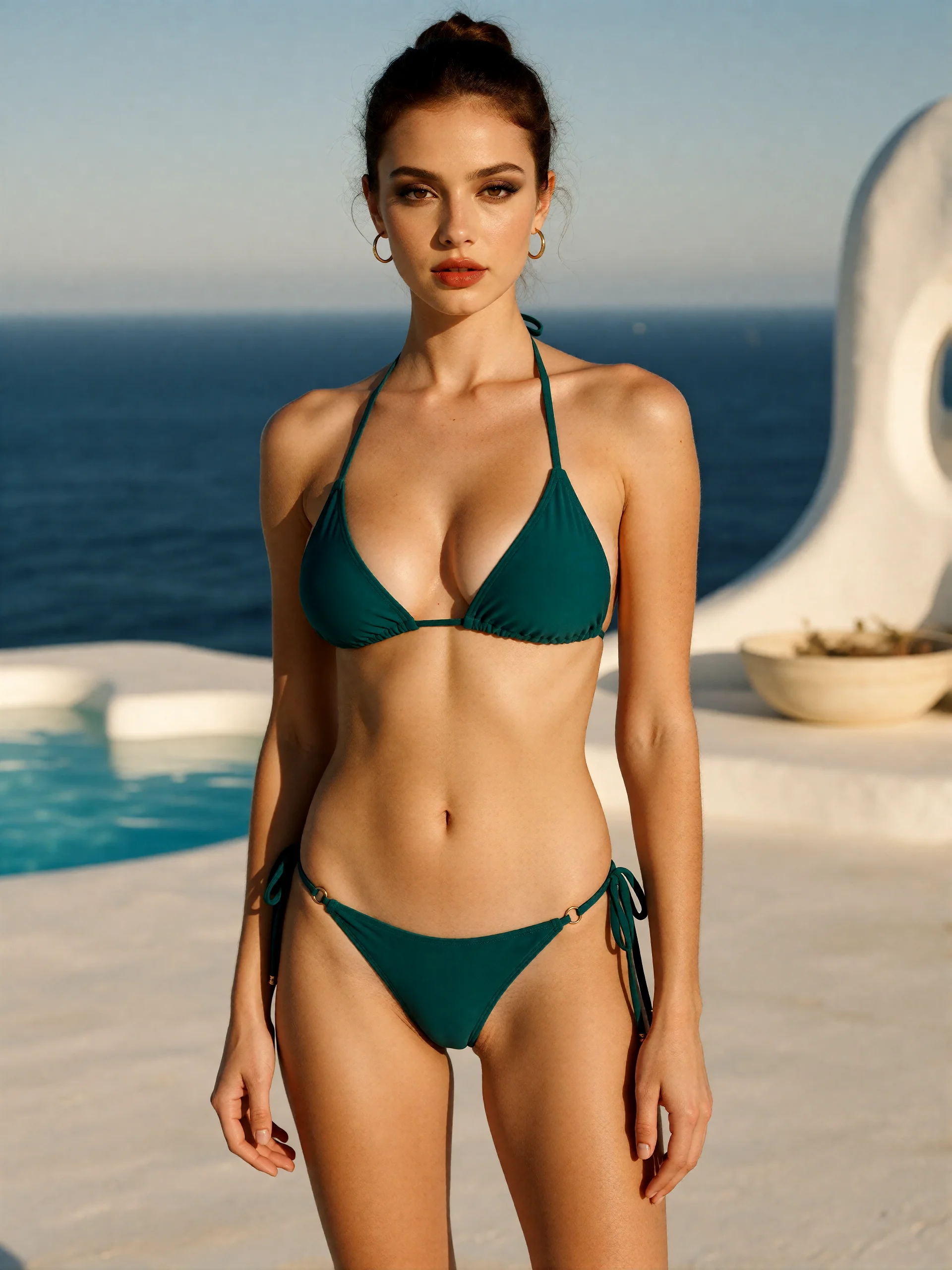
Fictional adult model in an opaque emerald bikini on a sunlit pale-stone pool terrace
AI INSPIRATION · AI-generated fashion study of a fictional adult, made from a text direction. AI inspiration, not a customer photograph.
A FEW WAYS IN

Explore the example. Make it yours.

Open a prompt to see the starting idea.
You choose when to generate.

Fictional adult model in an opaque emerald bikini on a sunlit pale-stone pool terrace
AI INSPIRATION

Emerald swimwear, clear coastal light

AI-generated fashion study of a fictional adult, made from a text direction. AI inspiration, not a customer photograph.

Explore the prompt

Full-body luxury swimwear campaign photograph of a fictional adult woman aged 32 in an opaque emerald triangle bikini, no outerwear. Sleek updo, gold earrings, bronze smoky eyeliner and muted red lipstick. Confident upright fashion pose with relaxed arms. Head-to-toe framing with space around the entire figure, eye-level camera. Sculptural white pool terrace, deep blue sea and crisp golden light. Realistic proportions and refined magazine finish. No text or logos.

Fictional adult model in emerald swimwear, a linen overshirt and gold earrings at sunset
AI INSPIRATION

A golden-hour resort cover

AI-generated fashion study of a fictional adult, made from a text direction. AI inspiration, not a customer photograph.

Explore the prompt

Luxury resort-fashion cover of a fictional adult woman aged 32 in an opaque emerald halter bikini with high-waisted bottoms, gold clasp and a cream linen overshirt. Sleek wet-look updo, gold earrings, bronze eye makeup, defined eyeliner and muted red lipstick. Confident direct gaze and poised upright stance, eye-level three-quarter framing. Dramatic golden sunset, deep teal sea and sculptural pale-stone terrace, glossy editorial finish. No text, logos or watermark.

Fictional adult model in opaque teal swimwear and a cream linen overshirt beside a deep-blue sea
AI INSPIRATION

A softer coastal portrait

AI-generated fashion study of a fictional adult, made from a text direction. AI inspiration, not a customer photograph.

Explore the prompt

Editorial resort-fashion photograph of a fictional woman aged 32 in an opaque teal full-coverage bikini and a cream linen overshirt, standing naturally on a sculptural coastal terrace. Wind in dark curls, relaxed arms, direct gaze, eye-level three-quarter framing. Bold cobalt sea, warm limestone, crisp side light and natural skin texture. Neutral clothing-catalogue pose with the outfit visible. No nudity, sheer fabric, text, logos or watermark.

MAKE IT MORE YOURS

A little intention. A different image.

01

Describe the swimwear before the scenery

A useful bikini prompt names the garment: a supportive top, high-waisted bottoms, an opaque fabric and a color. Then choose a straightforward standing pose. These details give a swimwear concept a more specific direction than a broad request for a beach model.

Treat this as visual exploration rather than an exact product preview. Straps, seams, coverage and fit can change during generation. If you are planning a real shoot or selling a garment, compare the idea with the actual product before using it.

02

Make the beach work with the outfit

Pick one coastal setting: pale sand, smooth rock or a quiet boardwalk. Keep the horizon level and away from the subject’s neckline. Soft morning light or open shade is a practical direction when you want the fabric and face to remain readable.

Choose a restrained palette so the swimwear stands out. Navy against pale sand gives a different mood from warm terracotta against a cool sea. Edit the setting or color first, then compare the next image before adding more details.

03

Frame the garment with room around it

The photo edit follows your reference image size. The text examples use a 3:4 portrait composition. Ask for the full outfit with space around the arms and hips; keep hands away from straps so the garment outline stays clear. If the location matters, leave enough background to show the coastline without shrinking the subject.

At the downloaded size, check the waterline, fingers, fabric edges and contact between feet and ground. Review skin texture and body proportions as carefully as the scenery. An attractive small preview can still contain details that need another attempt.

04

Start from words or an authorized adult reference

Start by uploading your own adult photograph or one you have permission to transform. Your style choices and photo continue together into the studio. To create a fictional adult from a description, choose Start from words instead.

The coastal image on this page is an AI inspiration concept, not evidence of a live Fayvoro generation. A reference can guide a new image, but exact likeness, garment construction and the final composition are not guaranteed. Check the result before sharing it.

BEFORE YOU BEGIN

A few useful answers.

How do I use the AI bikini generator?+

Upload an adult photo, choose the swimwear style, color and setting, then continue with your photo. Review or edit the prompt and credit cost in the studio, sign in and choose Generate image when ready.

Can I use my own photo as a reference?+

Yes. Use the photo picker at the top of this page with your own adult photo or an authorized reference. Facial details, body proportions and clothing can change, so compare the result with the reference before using it.

Is this a virtual try-on for a particular bikini?+

It is a generative fashion workflow, so exact sizing, fit, fabric, logos and product details are not guaranteed. Use it to explore visual directions, and use actual product photographs and fit information when accuracy matters.

How were the swimwear examples made?+

These are fictional-adult studies made from text directions. Each example opens as an editable starting direction. Results can vary; these examples are not customer photographs.

Can I try a swimwear concept before buying credits?+

New accounts receive 3 signup credits. The prepared text direction uses 2 credits for a high-resolution image; the reference-photo edit uses 1 credit and follows the reference size. Opening a prompt does not spend credits. Review the displayed cost before generating.

THE NEXT IMAGE COULD BE YOURS

Follow the idea.

Choose a photo