Develop cover art with the AI book cover generator

Describe your story, genre, and visual direction to generate a book-cover concept. Explore the front-cover artwork and leave room for typography you can finish separately.

3 free signup credits · No card neededExplore the directions
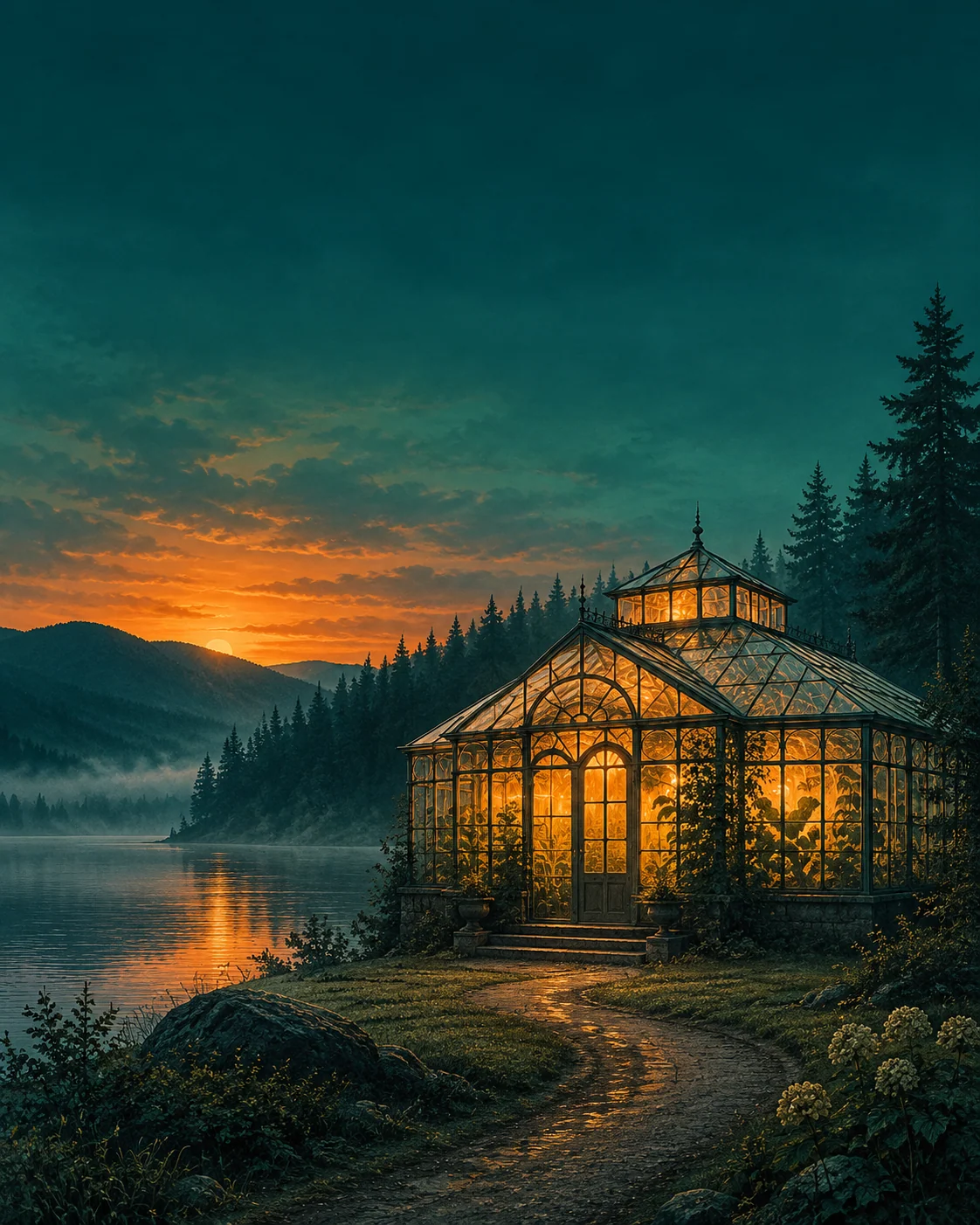
Fictional demonstration of mystery cover artwork with an illuminated greenhouse, a dark lake, and open space for a title.
MADE WITH FAYVORO · Created with Fayvoro from the prompt below. This is an original demonstration, not a customer example.
A FEW WAYS IN

Explore the example. Make it yours.

Open a prompt to see the starting idea.
You choose when to generate.

Fictional demonstration of mystery cover artwork with an illuminated greenhouse, a dark lake, and open space for a title.
MADE WITH FAYVORO

Fictional lakeside-mystery cover concept

Created with Fayvoro from the prompt below. This is an original demonstration, not a customer example.

Explore the prompt

Create front-cover artwork for an original atmospheric mystery novel: a lone illuminated greenhouse beside a dark lake at dusk, with a subtle winding path and restrained teal and amber colors. Use a strong central focal point and leave calm negative space across the upper quarter for a title. Flat cover artwork only, not a physical book mockup. No text, author names, or logos.

MAKE IT MORE YOURS

A little intention. A different image.

01

Translate the story into one visual promise

Begin with the feeling a reader should expect: quiet suspense, hopeful romance, or an expansive adventure. Choose one central image that signals that promise without illustrating every plot point. A doorway, an unusual landscape, or a meaningful object can work better than a crowded cast. Include the intended reader and genre in the brief so the artwork has a clear visual audience.

02

Plan the title area before generating

Decide where the title and author name will sit, then ask for calm space in those areas. A striking illustration can become difficult to use if every corner contains detail. Consider the cover as a small bookstore thumbnail as well as a larger image. A strong focal point and distinct light-dark structure help the concept stay recognizable when the artwork is reduced.

03

Finish typography and production separately

Review the image for confusing anatomy, accidental lettering, and genre cues that do not match the book. Add and proofread final typography in a layout tool where you control the exact text. This generator provides a bitmap cover concept, not an editable cover package. Spine width, back cover, barcode placement, bleed, and printer specifications still need to be prepared for the chosen publishing format.

BEFORE YOU BEGIN

A few useful answers.

Can it create a complete paperback wrap?+

This page focuses on front-cover artwork. Spine dimensions, back-cover layout, bleed, and other publishing specifications require separate production work.

Should I generate the title inside the artwork?+

Leaving title space usually makes finishing easier. Add exact title and author typography in a layout editor, then proofread it at full and thumbnail size.

How can I make the cover feel right for my genre?+

Describe the genre, audience, mood, central symbol, and palette. Avoid summarizing the whole plot; a focused visual idea gives the cover a clearer direction.

Is the result an editable design file?+

The result is a bitmap image. It does not contain editable illustration layers or a finished publishing layout.

THE NEXT IMAGE COULD BE YOURS

Follow the idea.