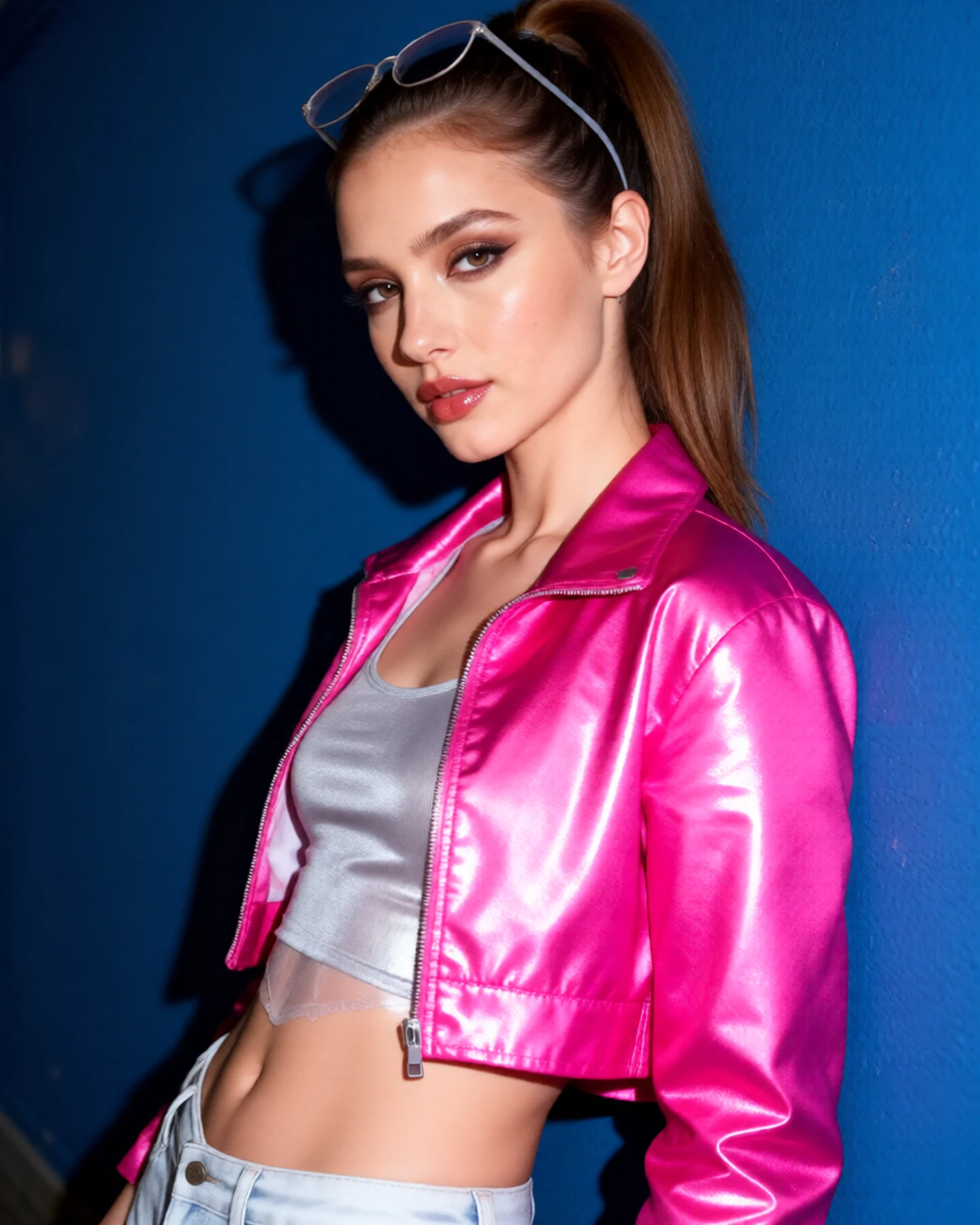
Upload a portrait and describe your early-2000s snapshot mood. Generate a new photo-inspired image with direct flash, crisp shadows, and the slightly imperfect feel of a pocket digital camera.
JPG, PNG or WebP · Up to 10 MB
Review the prompt and credit cost in the studio before generating.
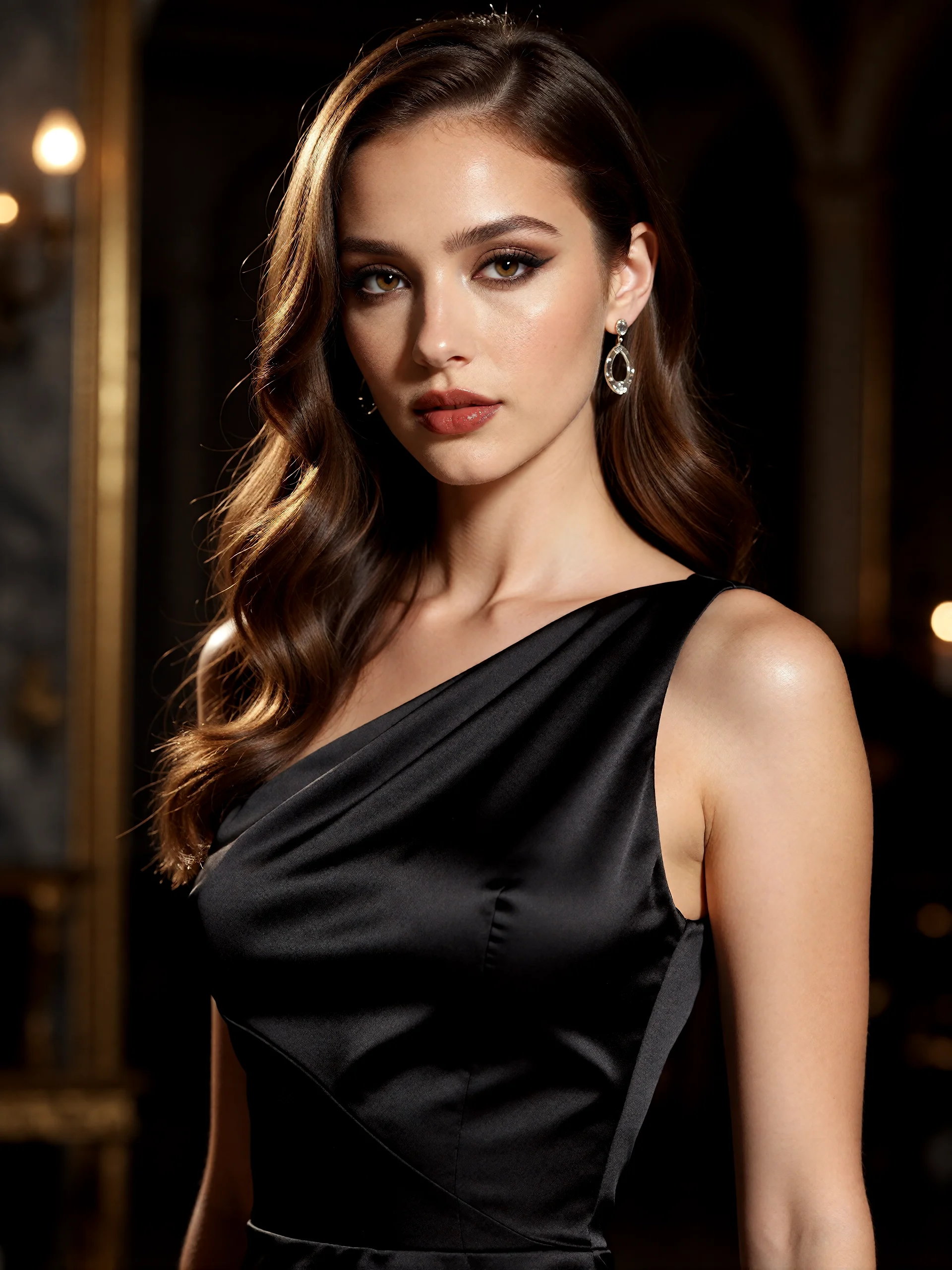
An AI-created edit of the fictional reference shown here. Compare the face, structure and details before using your own result.
A FEW WAYS IN
Explore the example. Make it yours.
Open a prompt to see the starting idea. You choose when to generate.
AI INSPIRATION
REFERENCE
Straight flash, full Y2K energy
An AI-created edit of the fictional reference shown here. Compare the face, structure and details before using your own result.
Explore the prompt
Restyle this fictional adult woman as a vivid early-2000s compact-camera snapshot, keeping her recognizable adult face. Metallic hot-pink cropped jacket over an opaque silver top, glossy lips, playful high ponytail and thin tinted sunglasses pushed above her forehead. Leaning against a cobalt blue night wall with a confident sideways glance, direct hard on-camera flash, crisp cast shadow and slight digital noise. Saturated magenta and blue, no timestamp, text, logo or frame.
MAKE IT MORE YOURS
A little intention. A different image.
01
Start with the pocket-camera moment
Think of a casual evening snapshot rather than a polished studio portrait. A relaxed expression, simple clothing, and a little background context help the image feel spontaneous. Describe where the photo might have been taken: outside a café, in a hallway, or beside a bedroom mirror. Keep that setting specific enough to guide the mood without overwhelming the person.
02
Make flash the main visual choice
Direct flash can produce bright facial detail, a visible shadow behind the subject, and a darker background. Add mild digital noise or cool shadows for an early compact-camera character. Too many effects can obscure the face, so choose a few details that matter most. If you want faded film and a paper frame, the instant-photo direction is a closer fit.
03
Keep the imperfection intentional
A Y2K treatment can suggest a low-resolution memory while still leaving the face clear in the downloaded image. Review eyes, teeth, and hair for changes introduced during generation. Ask for a subtle treatment when you want a recognizable portrait, or stronger flash and color contrast for an expressive social post. Add any exact timestamp afterward if its date and lettering need to be correct.
BEFORE YOU BEGIN
A few useful answers.
Does Y2K styling mean a film filter?+
This page emphasizes early digital-camera snapshots: direct flash, stronger contrast, and mild digital noise. It does not rely on a film border or faded instant-print treatment.
Can I add a timestamp?+
You can request a short timestamp, but check the generated characters. Add it after download when the exact date or appearance matters.
Can I keep my current outfit?+
Ask to preserve the outfit and main pose. The photo guides the generation, but small clothing details can still change.
How can I keep the effect subtle?+
Request gentle direct flash, natural facial proportions, and a small amount of digital noise. Keep the background and color changes restrained.