Upload a portrait and describe how bold the lens effect should feel. Generate a new image with exaggerated wide-angle perspective, curved surroundings, and a playful close-up composition.
JPG, PNG or WebP · Up to 10 MB
Review the prompt and credit cost in the studio before generating.
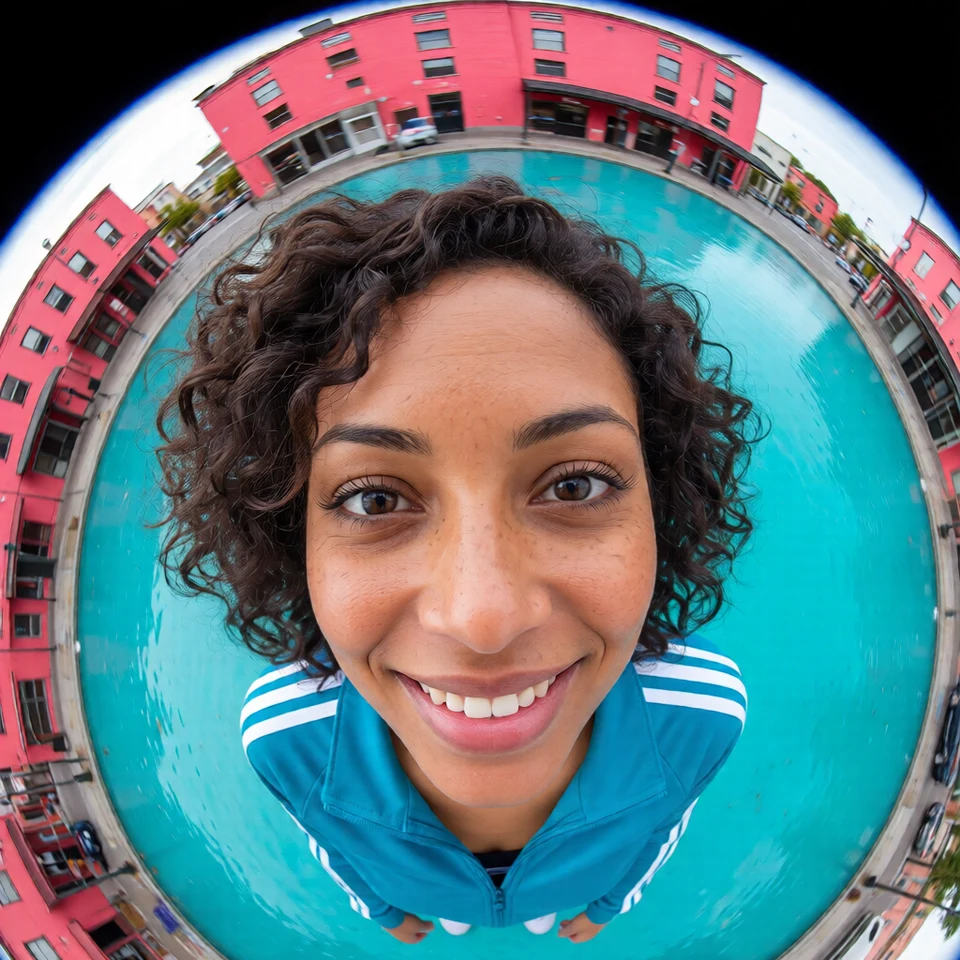
An AI-created edit of the fictional reference shown here. Compare the face, structure and details before using your own result.
A FEW WAYS IN
Explore the example. Make it yours.
Open a prompt to see the starting idea. You choose when to generate.
AI INSPIRATION
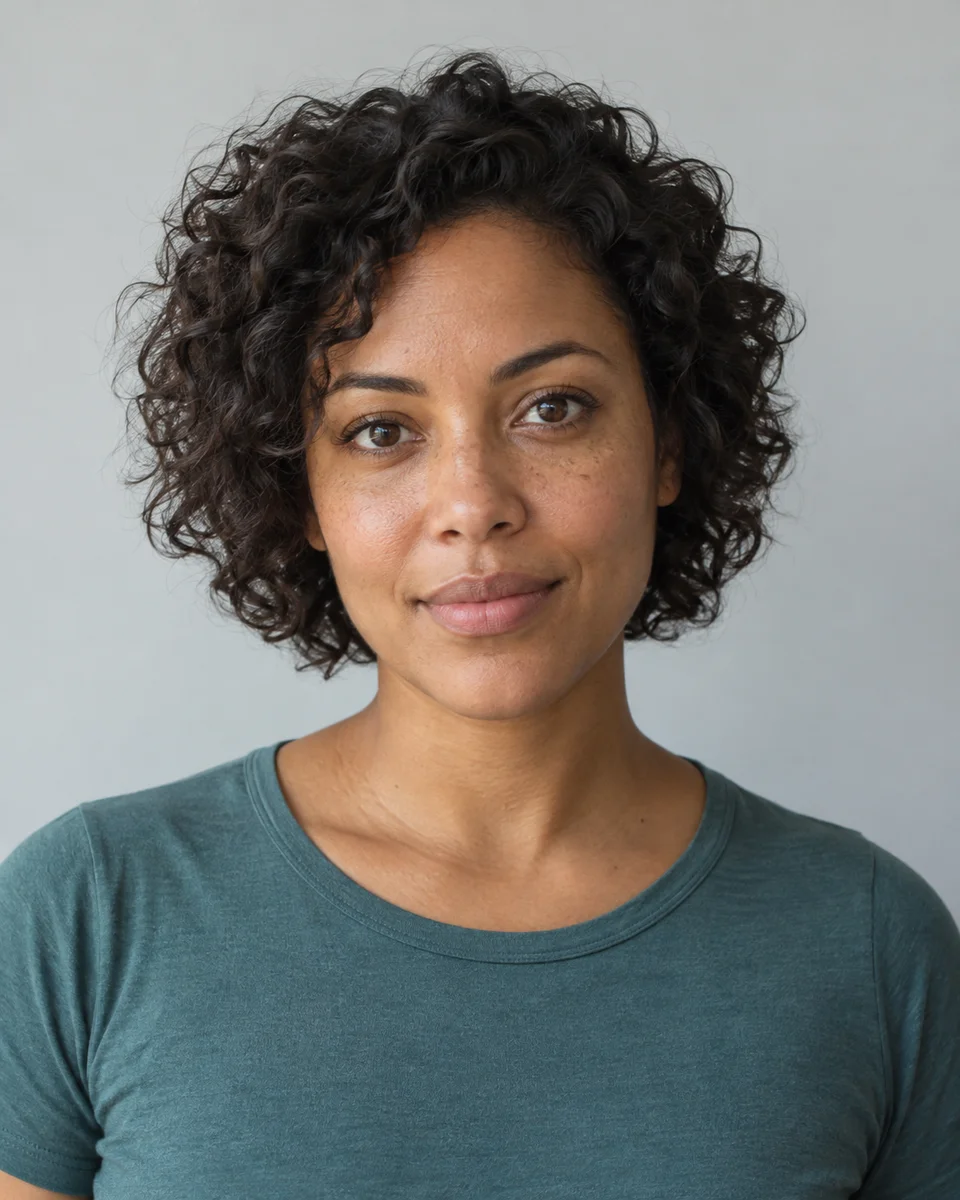
REFERENCE
A bold view through a wide lens
An AI-created edit of the fictional reference shown here. Compare the face, structure and details before using your own result.
Explore the prompt
Reimagine this fictional adult woman as a playful extreme fisheye street photograph. Keep her recognizable adult face, brown skin, freckles and short curls. She leans toward the wide lens in a cobalt track jacket, face centered and near, shoulders and arms receding with dramatic perspective. Coral buildings and turquoise pavement curve strongly around her, vivid natural color, candid confident grin. One face, both eyes visible, no black circular border, text or logos.
MAKE IT MORE YOURS
A little intention. A different image.
01
Put the subject close to the lens
The fisheye look comes from perspective as much as curved edges. A close face or hand feels larger, while the room or street recedes around it. Start with a clear photograph and tell the model what should be nearest the imagined lens. Keeping the face near the center usually makes the expression easier to recognize. Leave space around the subject for the surrounding perspective to develop.
02
Choose a background with visual depth
Hallways, door frames, street corners, and railings give the effect lines to bend. An empty background produces a subtler result because there are fewer perspective clues. Describe the mood as well: playful skate-photo energy, a candid party snapshot, or a clean editorial portrait. Ask for mild distortion first if you want the face to stay closer to the source.
03
Check the features distortion can change
Review the nose, ears, hands, and edges of the frame after generation. Exaggeration is part of this aesthetic, but an accidental extra finger or duplicate feature still needs another attempt. The output is a newly generated lens-inspired image, so it may alter the scene. A square crop often makes the central subject and surrounding curve feel balanced when shared.
BEFORE YOU BEGIN
A few useful answers.
Does this simulate a real fisheye lens exactly?+
It generates a fisheye-inspired image from your photo. It does not apply a calibrated optical lens profile or preserve every original pixel.
How can I make the distortion less extreme?+
Ask for mild wide-angle curvature, a centered face, and natural facial proportions. Avoid requesting an oversized near face if likeness is your priority.
Can I get a round black fisheye border?+
You can request a circular fisheye frame in the prompt. Review the crop so it does not cut into the face or another important detail.
What background makes the effect most visible?+
A scene with straight architectural lines gives the generated image something to bend. Hallways, railings, and door frames make the wide-angle treatment easier to see.