02 / A PRACTICAL WORKFLOWSTART WITH YOUR PHOTO
01Trace the visible image in HTML
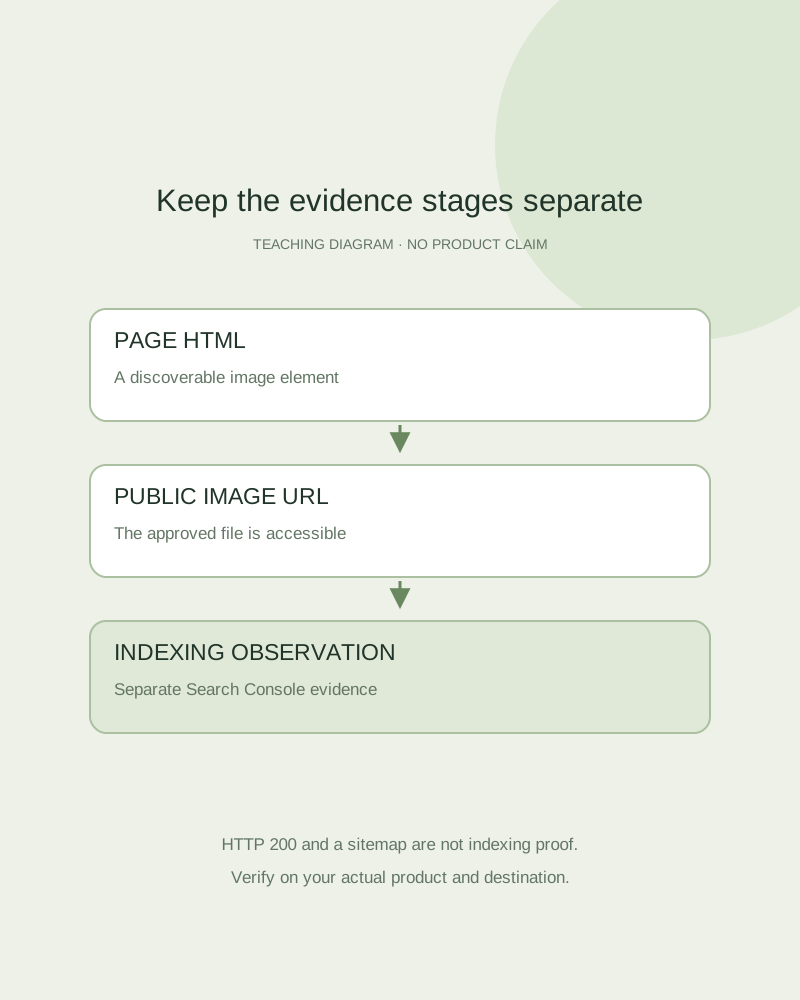
Open the actual product page and inspect the image element that displays the approved file. Google’s documentation recommends standard HTML image elements and a fallback src for responsive images; a CSS-only background is not equivalent for image discovery.
Check that the source URL is stable, public and returns the intended file with an appropriate content type. An authenticated studio result is not automatically a publicly hosted storefront image. Fayvoro does not publish your downloaded asset to your store or submit your product images to Google.
Keep the surrounding product context accurate
Use a page title, visible product information and image description that match the item shown. Distinguish a concept from a stocked SKU, and keep variant identity explicit. An image should help understand the page rather than act as a disconnected keyword container.
If your site uses product structured data or an image sitemap, ask the site owner to check the image URLs and relevant requirements against the real page. A valid-looking markup sample is not a promise of a rich result. This guide does not generate structured data, audit your theme or certify Merchant Center eligibility.
Record the strongest observation available
Check page and image access, HTML discovery and relevant indexing controls first. Then inspect your own Search Console property using completed data windows. Record whether a page or image has observed search appearance; if the report is unavailable, label the result unverified instead of treating it as zero.
A sitemap entry, HTTP 200 response or inspection request is not proof of indexing or rank. Keep the approved asset URL stable where practical, recheck after a host or theme change, and measure actual impressions, visits and merchant actions separately. Generation quality and search visibility are different outcomes.