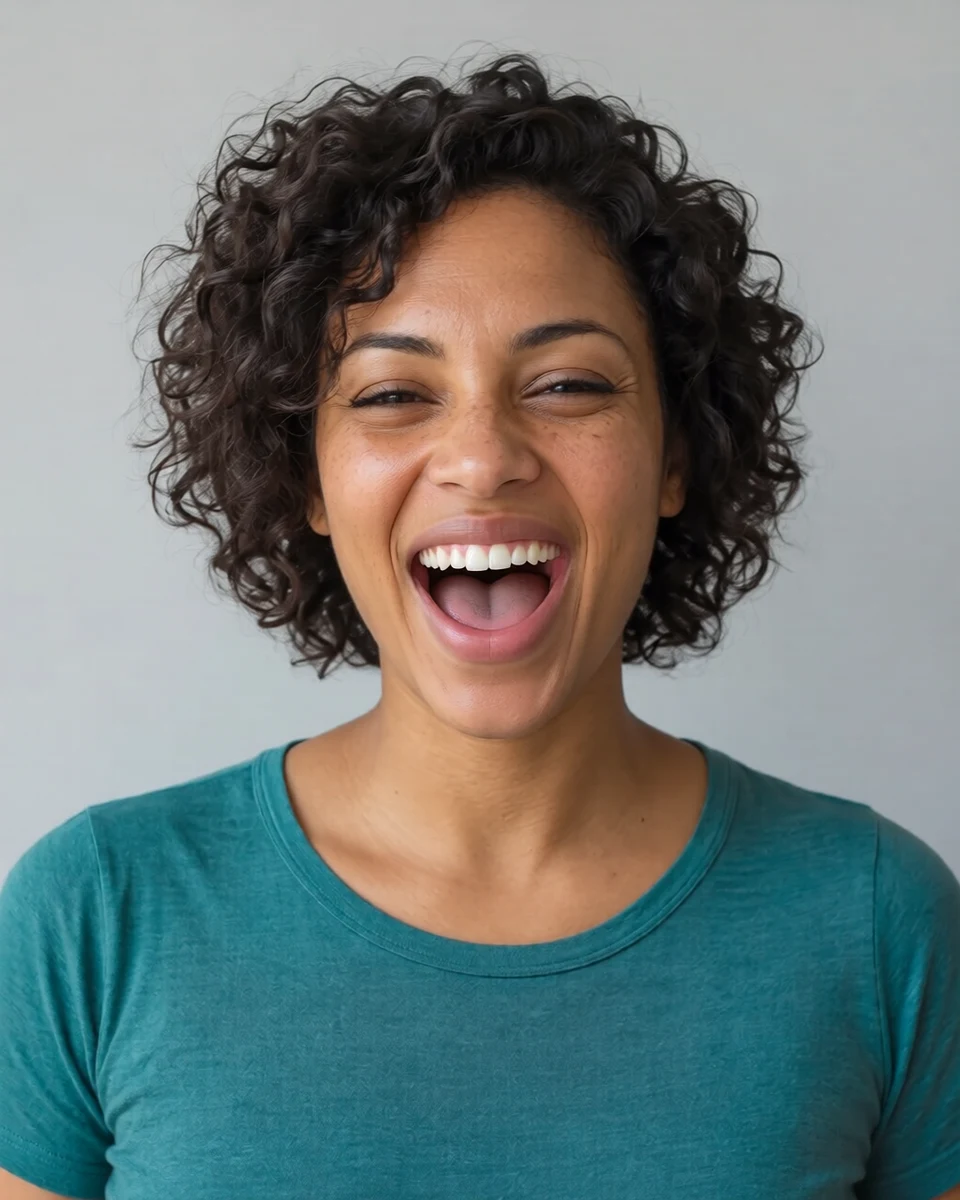
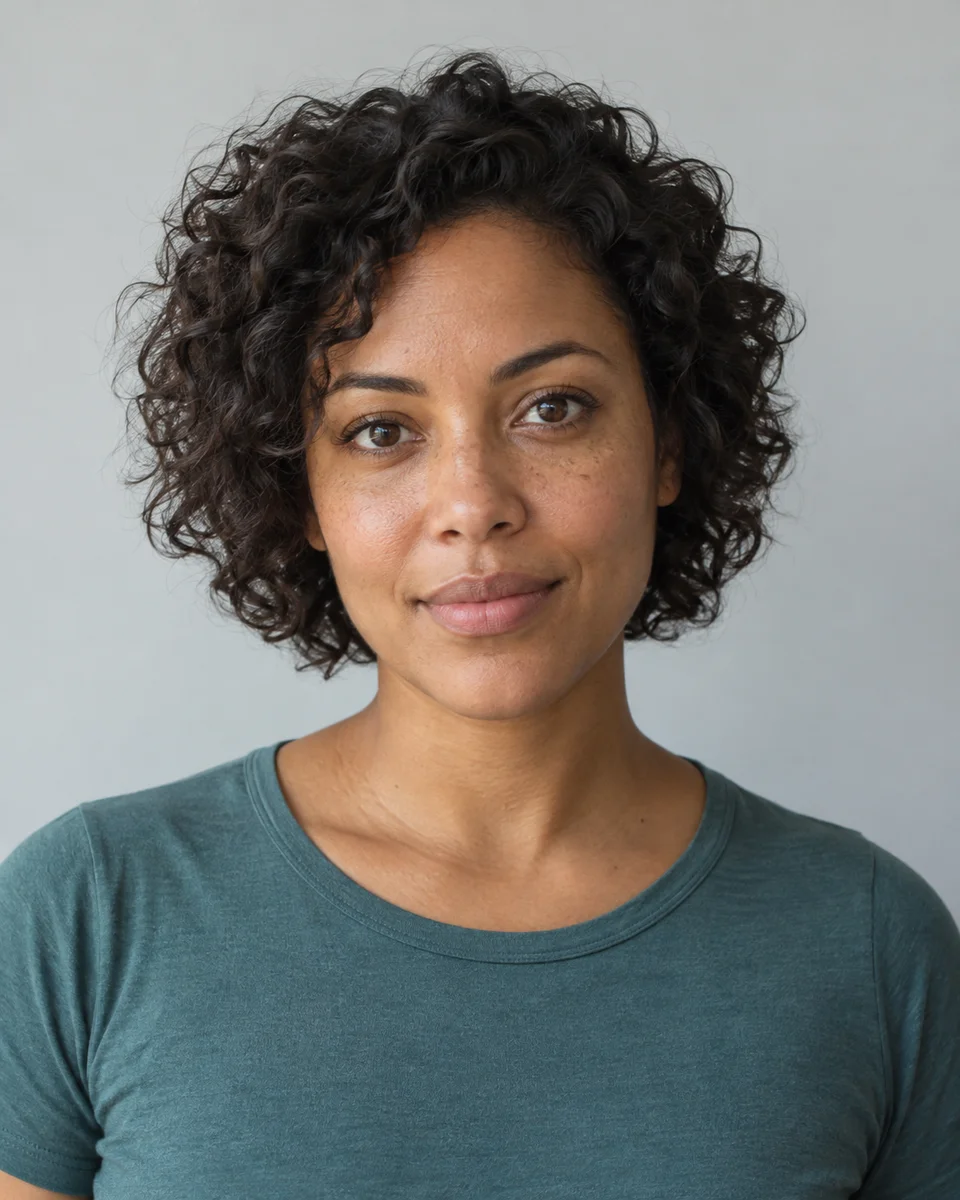
Explore a new mood with the AI facial expression changer
Upload a clear portrait and describe the expression you want to explore. Create a localized facial-edit concept, from a subtle smile to a more expressive reaction.
JPG, PNG or WebP · Up to 10 MB
Review the prompt and credit cost in the studio before generating.
An AI-created edit of the fictional reference shown here. Compare the face, structure and details before using your own result.
A FEW WAYS IN
Explore the example. Make it yours.
Open a prompt to see the starting idea. You choose when to generate.
AI INSPIRATION
REFERENCE
A laugh that changes the whole face
An AI-created edit of the fictional reference shown here. Compare the face, structure and details before using your own result.
Explore the prompt
Change this fictional adult woman's neutral expression into a spontaneous joyful open-mouth laugh, upper teeth visible, cheeks lifted, eyes naturally crinkled and eyebrows relaxed. Make the laughter clear and lively while retaining her recognizable adult identity, brown skin, freckles, short curls, teal crew-neck top, head position and plain background. Anatomically plausible mouth and teeth, natural skin texture. No added people, text or accessories.
MAKE IT MORE YOURS
A little intention. A different image.
01
Start with an unobstructed face
Use a portrait where the eyes and mouth are visible and the face is large enough to inspect. A slight head angle is workable as a starting point, but deep shadow, motion blur, or a hand covering the mouth makes the expression harder to judge. Choose a photo you have permission to edit, especially when experimenting with an expression that was not present in the original moment.
02
Describe a coordinated expression
A believable expression involves more than moving the mouth. For a gentle smile, describe relaxed eyes and lightly lifted cheeks; for surprise, specify raised brows and a modestly open mouth. State whether you want a subtle or theatrical reaction. Keeping the head angle, lighting, and clothing stable helps you evaluate the facial change itself. Avoid combining several contradictory emotions in the same request if you want a clear result.
03
Review likeness and the meaning of the edit
Compare eye shape, cheek contours, nose, and jaw with the original. Look carefully at teeth, lips, and symmetry, where a small change can make an expression feel unnatural. Regenerate with a gentler direction if the person becomes hard to recognize. Treat the image as an edited interpretation rather than evidence of how someone felt or reacted. Do not use an altered expression to misrepresent a real event or another person's response.
BEFORE YOU BEGIN
A few useful answers.
Can I add a subtle smile?+
Yes. Ask for a gentle closed-mouth smile and small changes to the cheeks and eyes. Inspect the result for unintended changes to facial identity.
Can I change only the mouth?+
You can request a localized edit, but realistic expressions also affect nearby features. Review eyes, cheeks, teeth, and jaw for changes before accepting the image.
Will this reveal someone's real emotions?+
No. The result is a generated facial edit. It cannot tell you what the person felt, and it should not be presented as an authentic reaction.
Why does an exaggerated expression look different?+
Large expression changes can reshape many facial features. Try a smaller change and compare the face with the source before requesting a stronger reaction.