Upload a clear photo and describe the palette and pixel style. Create a retro bitmap illustration for an avatar, personal artwork, or a game-inspired post.
JPG, PNG or WebP · Up to 10 MB
Review the prompt and credit cost in the studio before generating.
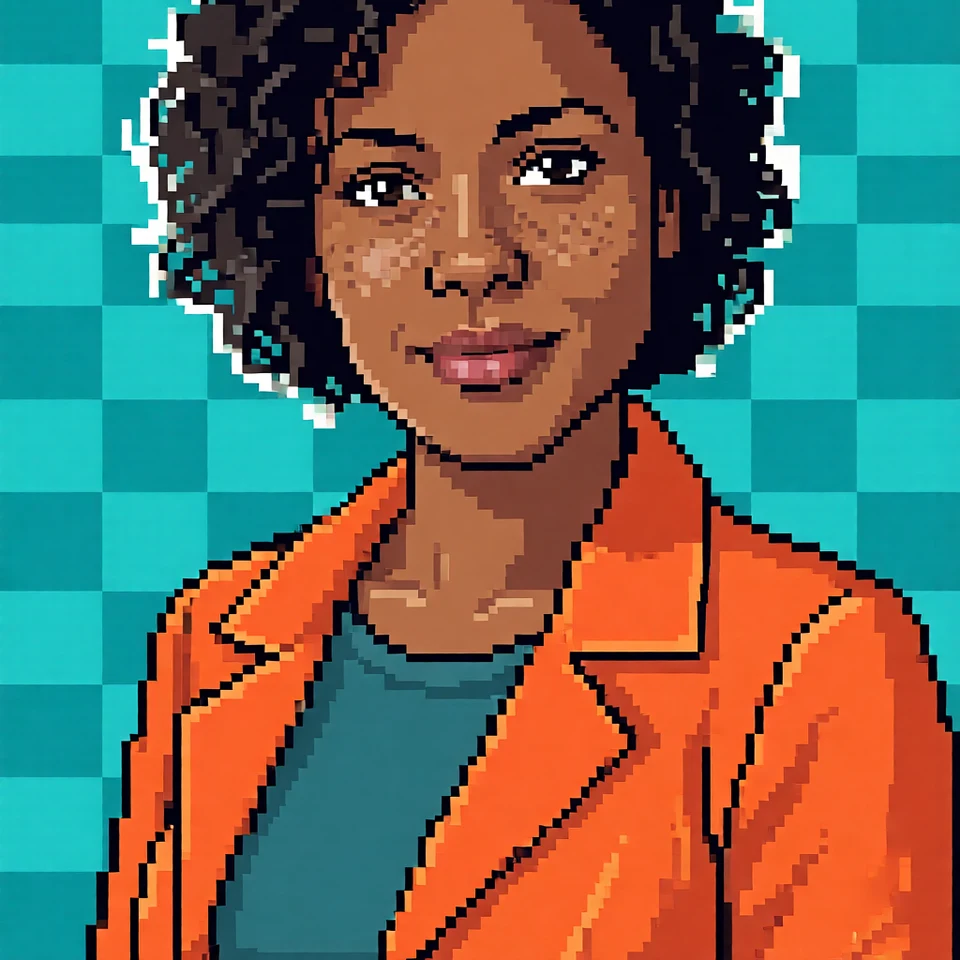
An AI-created edit of the fictional reference shown here. Compare the face, structure and details before using your own result.
A FEW WAYS IN
Explore the example. Make it yours.
Open a prompt to see the starting idea. You choose when to generate.
AI INSPIRATION
REFERENCE
Retro pixels, unmistakable character
An AI-created edit of the fictional reference shown here. Compare the face, structure and details before using your own result.
Explore the prompt
Transform this fictional adult woman into authentic coarse 32-by-32 pixel art, enlarged with nearest-neighbor block edges. Keep her short dark curly silhouette, brown skin and freckles recognizable. Large square pixels, only 12 saturated colors, minimal facial marks, no smooth lines, gradients or photorealism. Three-quarter bust in an orange jacket against a turquoise checkerboard. Crisp retro game sprite aesthetic. One character, no lettering.
MAKE IT MORE YOURS
A little intention. A different image.
01
Choose a photo that survives simplification
Pixel art reduces fine detail, so start with a subject that has a clear outline. A close portrait, a pet against a plain wall, or a single object is easier to read than a crowded scene. Keep important features away from the crop edges. If an accessory matters, name it in your description so it remains part of the visual brief.
02
Set the palette and the pixel character
Describe the feeling of the pixels, rather than only asking for a retro filter. Large chunky blocks create a playful avatar; finer blocks allow more facial detail. Ask for a small set of colors, warm arcade tones, or muted handheld-console greens. Dithering can suggest soft shadows, while flat color areas make the picture feel bolder. Choose one direction before adding decorative background elements.
03
Review it at the size you will use
Check the face or main object at a small display size, where misplaced blocks can change an expression. Look for muddy edges, stray near-pixel textures, and tiny details that disappear. Request simpler shapes if the result feels noisy. The output is a bitmap illustration: it is not an indexed-color sprite sheet, a tile set, or an export with guaranteed alignment to a game engine grid.
BEFORE YOU BEGIN
A few useful answers.
Can I choose a specific pixel palette?+
Describe a palette such as four shades of green or a small group of pastel colors. Inspect the result; an exact indexed color count is not guaranteed.
Will this create a game sprite sheet?+
It creates one pixel-art-style image. Animation frames, sprite sheets, and engine-ready grid alignment are outside this workflow.
What photos make readable pixel art?+
Use a clear subject, a distinct silhouette, and enough space around important features. Busy backgrounds and distant faces lose detail when simplified.
Can I use the result as an avatar?+
A square image works well for an avatar. Check the result at the actual icon size and adjust the crop before uploading it elsewhere.