A DIFFERENT VIEW, EVERY UNLOCK

Make room for a world on your phone.

Create a vertical wallpaper around a place, a season or a mood. Start in 9:16, give your main subject a deliberate position and leave a little quiet space for everyday life.

3 free signup credits · No card neededExplore the directions
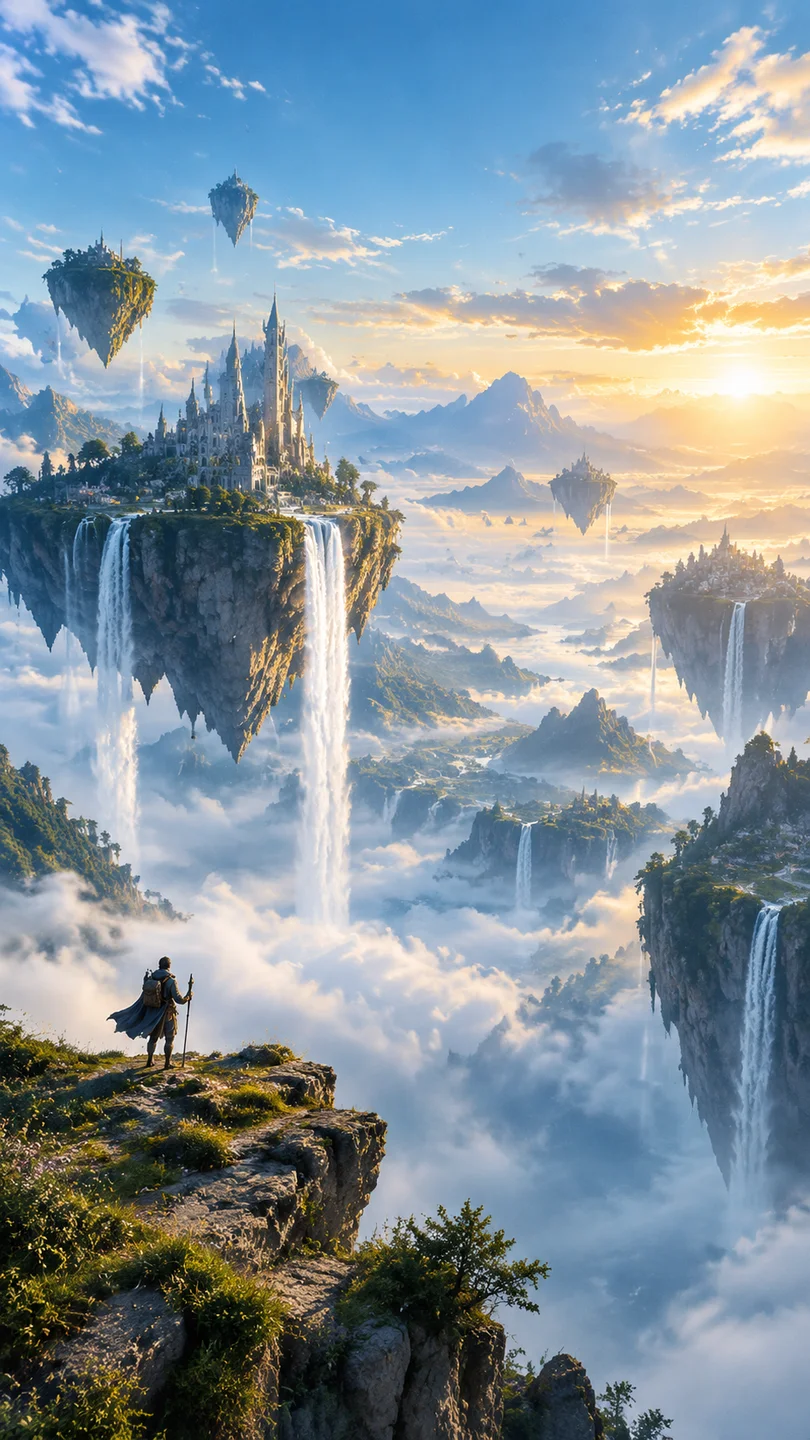
A tall fantasy landscape with floating islands, waterfalls and atmospheric depth
MADE WITH FAYVORO · A Fayvoro text-to-image result in 9:16. The vertical composition gives the imagined world room to unfold above the foreground.
A FEW WAYS IN

Find your direction. Change the details.

Open a prompt to see the starting idea.
You choose when to generate.

A tall fantasy landscape with floating islands, waterfalls and atmospheric depth
MADE WITH FAYVORO

A world beyond the path

A Fayvoro text-to-image result in 9:16. The vertical composition gives the imagined world room to unfold above the foreground.

Explore the prompt

A vast fantasy world with floating islands and long waterfalls descending into a sea of mist. A tiny traveler for scale, layered mountains, soft blue and gold dawn light. Tall cinematic composition with a calm upper sky and a clear foreground. No text or logos.

Download this example
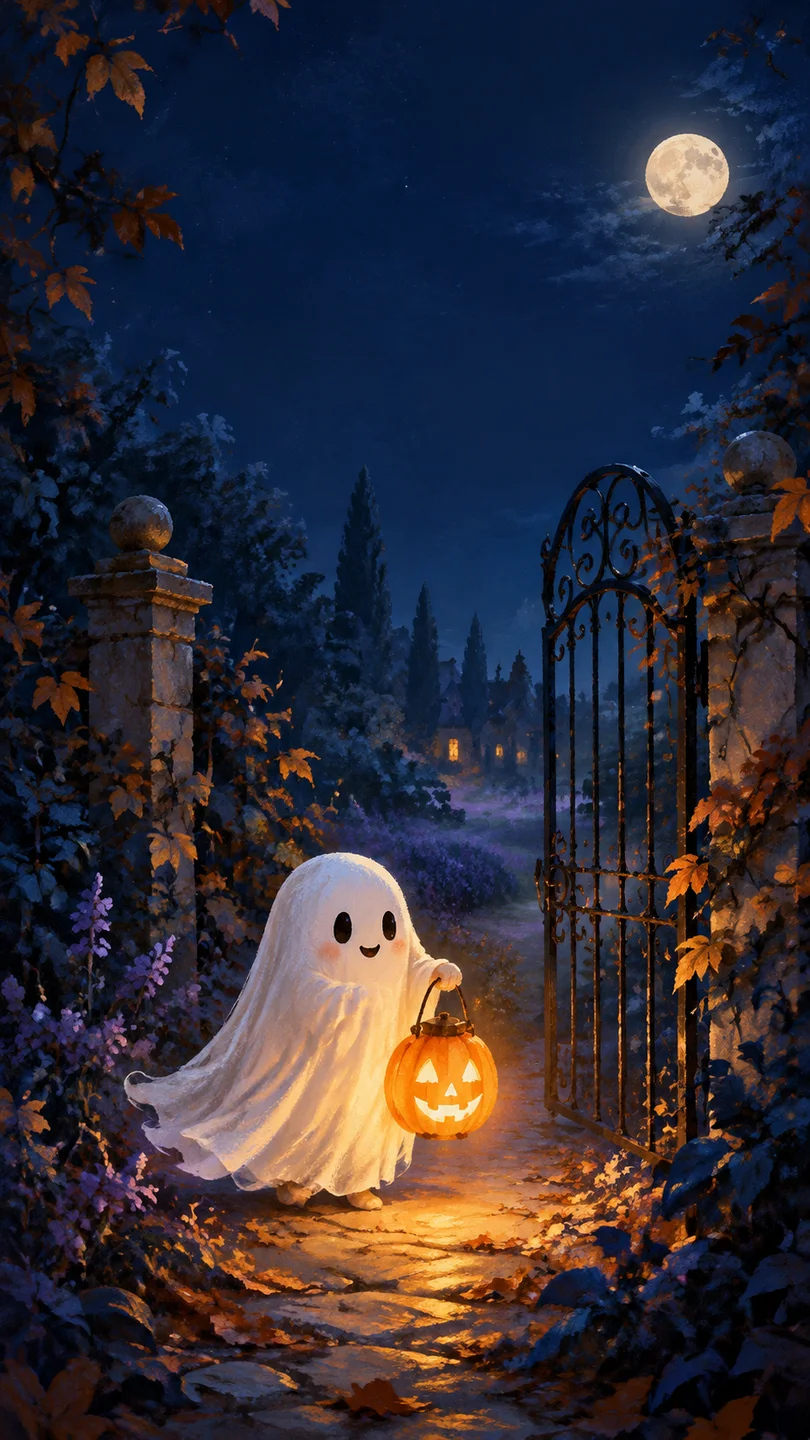
A friendly little ghost carries a pumpkin lantern through a dark illustrated autumn garden
MADE WITH FAYVORO

One ghost, one lantern

A Halloween phone wallpaper generated from words alone. The quieter upper third gives your lock-screen clock room to breathe.

Explore the prompt

A tiny friendly ghost carrying a glowing pumpkin lantern through a moonlit autumn garden. Curved wrought-iron gate, midnight-blue foliage, copper leaves and a little lavender mist. Original storybook illustration with delicate painted texture and warm amber light. Vertical phone wallpaper: place the ghost and lantern in the lower half, keep the upper third quiet and dark for a clock. No lettering, logos, famous characters, blood or injuries.

Download this example
MAKE IT MORE YOURS

A little intention. A different image.

01

Plan around the clock and the crop

Choose 9:16 in the canvas and decide which area should stay calm. If your lock screen has a large clock near the top, ask for an open sky, soft mist or a simple dark area there. Put the main subject lower in the frame so a phone crop is less likely to hide the detail you care about.

02

Pick a mood that works at a glance

A wallpaper is often seen for only a moment. Give it a clear shape and a limited palette: an amber path against midnight blue, a bright city above pale mist or a small moon over a dark forest. Strong separation between the focal point and background can make the scene easier to read on a small screen.

03

Describe depth without filling every space

A few layers can make a tall image feel expansive. Use a foreground silhouette, a middle-distance path and a distant landmark. Keep fine details away from areas covered by icons. If you want a calmer home screen, reduce the number of objects and ask for softer contrast behind the app grid.

04

Try it on the phone before calling it finished

Download the image and preview it in your phone’s wallpaper settings. Check the crop, clock visibility and how the scene looks with your widgets. Different phones can crop the same 9:16 image differently. If the focal point is covered, revise its placement in the prompt or choose a different crop on the device.

BEFORE YOU BEGIN

A few useful answers.

Which aspect ratio should I choose for a phone wallpaper?+

Start with 9:16 for a vertical phone composition. Your device may crop it to fit its screen, so preview the downloaded image with your clock, widgets and icons before setting it.

Can I generate a wallpaper with room for my lock-screen clock?+

You can ask for a calm upper area and place the main subject lower in the frame. This guides the composition, but you still need to check the result on your own device.

What resolutions can I choose?+

Fayvoro offers 1K and 2K generation. A 1K image uses 1 credit and a 2K image uses 2 credits. Pick the resolution in the canvas and review the downloaded image on the screen where you plan to use it.

Can I make a seasonal wallpaper?+

Yes. Describe the season through color, light and a few recognizable details. The Halloween example uses warm pumpkin light and a dark atmospheric setting; you can adapt that approach for another mood or occasion.

THE NEXT IMAGE COULD BE YOURS

Follow the idea.