製品ストーリー / 創造ガイド

BigCommerceの商品画像

画像URLはカタログ記録の一部として扱う。

A catalog import can point to an attractive file that belongs to a different SKU. Keep the real product, approved image URL and intended thumbnail or variant role together before moving any new scene into BigCommerce.

無料クレジット3枚取得 · スタート時の方向性が含まれます。例を見る
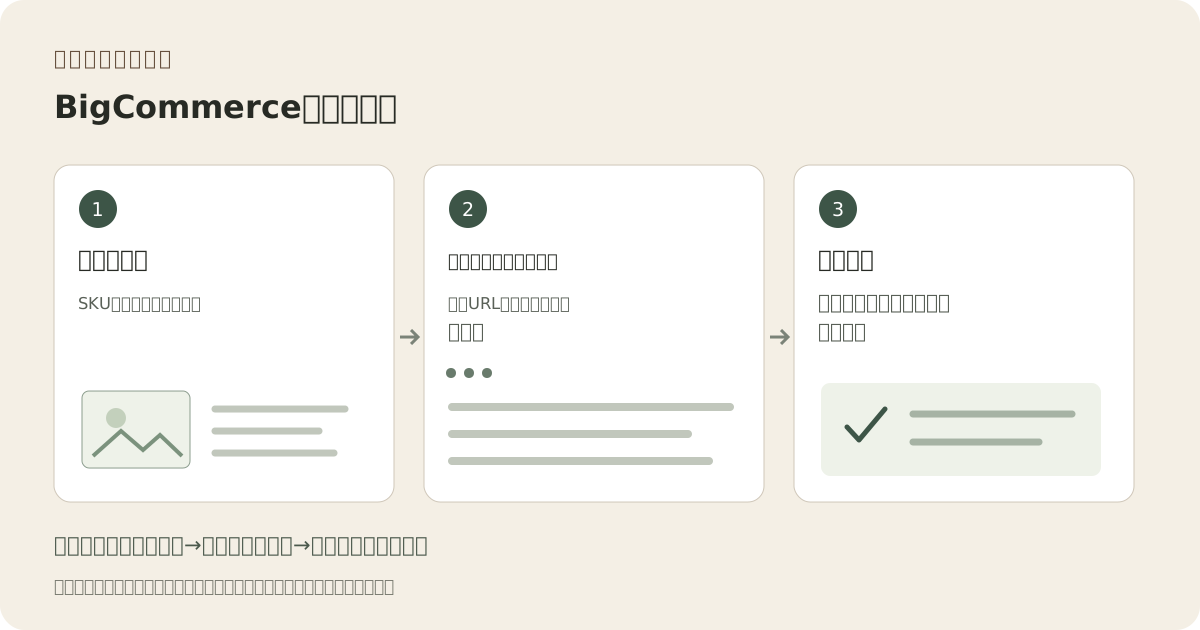
オリジナルの説明的ワークフロー:カタログ行、ホストファイル、インポート済み製品
編集コンセプト
01 / 例説明を示すコンセプト
これが示すもの

各画像に特定の納品ジョブを与える。

この説明的ワークフローは画像作成と検証および公開手順を分けています。シーケンスは計画補助具であり、検証済み統合や掲載承認の証拠ではありません。

オリジナルの説明的ワークフロー:カタログ行、ホストファイル、インポート済み製品
編集コンセプトオリジナル教育図であり製品写真、Fayvoro結果、プラットフォームのスクリーンショット、または顧客ケースではありません。

この画像はサイト用の編集上のコンセプトです。Fayvoro生成や顧客結果ではありません。 AIは製品の形状、色、パッケージ、ラベル、テキストを変えられる。現物の重要な詳細と照合する。

あなたの出発点のアイデア

この方向性をヒントに、 あなたらしい一枚へ。

アップロードした実際の製品から補助シーンを探検します。完全な輪郭を示し、四角形の切り抜き用スペースを残してください。色のバリアント、パッケージテキスト、含まれるピース、識別特徴は変更しないでください。ダウンロードを承認後、カタログのURLに追加します。
スタジオで参照写真を追加し、方向を調整。
公開前に

結果を実際の製品と目的地の要件と比較してください。

  • 画像URLはログインや共有ページのステップなしにファイルを返す。
  • Actual format, dimensions and file size match the chosen import path.
  • SKU、サムネイル、バリアント割り当てが試験でチェックされました。
  • ライブ店舗画像はインポートされたカタログレコードに一致しています。
02 / 実用的なワークフローあなたの写真から始める
01

パイロットのカタログ行を1つ準備します。

The BigCommerce import guide describes image rows and a referenceable HTTP or HTTPS image URL. Start with one product that has a main image and a meaningful variant. Record the exact SKU, file, intended thumbnail role and variant assignment. This pilot is easier to investigate than an entire catalog of uncertain URLs.

02

ファイル名ではなく納品されたファイルを確認してください。

The current guide lists JPEG/JPG, GIF, WebP and PNG, an 8 MB maximum and an optimal 1280 by 1280 size. A renamed extension does not change the actual file type. Open the public file, inspect dimensions and byte size, and make a separate web export when needed. An editing-document link is not an image URL.

03

バリアントの事実は推測によるものは避けてください。

The import guide states that one image can be added per variant. Decide which exact view identifies that option; do not assign a styled image that obscures the difference. Fayvoro can supply a reviewed supplementary scene through manual download, but has no BigCommerce catalog connector or variant mapping automation.

04

取り込んだ製品とロールバック記録を検査

After the pilot import, inspect the catalog thumbnail, main product view and the selected option on the live storefront. Check that the URL is reachable and the image belongs to the right item. Keep the previous image mapping, import file and approved replacement so a mismatch can be corrected without guessing which asset changed.

よくある質問

知っておきたい、いくつかのこと。

Does Fayvoro import a BigCommerce catalog?

No. This guide separates image creation from your own catalog upload and import process.

1280×1280はFayvoroからの出力保証ですか?

いいえ。リンクされたBigCommerceガイドで示されている最適サイズです。実際の生成ファイルを確認し別途エクスポートの準備をしてください。

Can an import success message prove the right image appears?

いいえ。インポート後に実際の商品と選択されたバリアントを検査してください。誤ったURLでも有効な画像を指すことがあります。

つくりたい意図を、 一枚の画像に。